Stop Blaming Dirty Power for Every Studio Hum
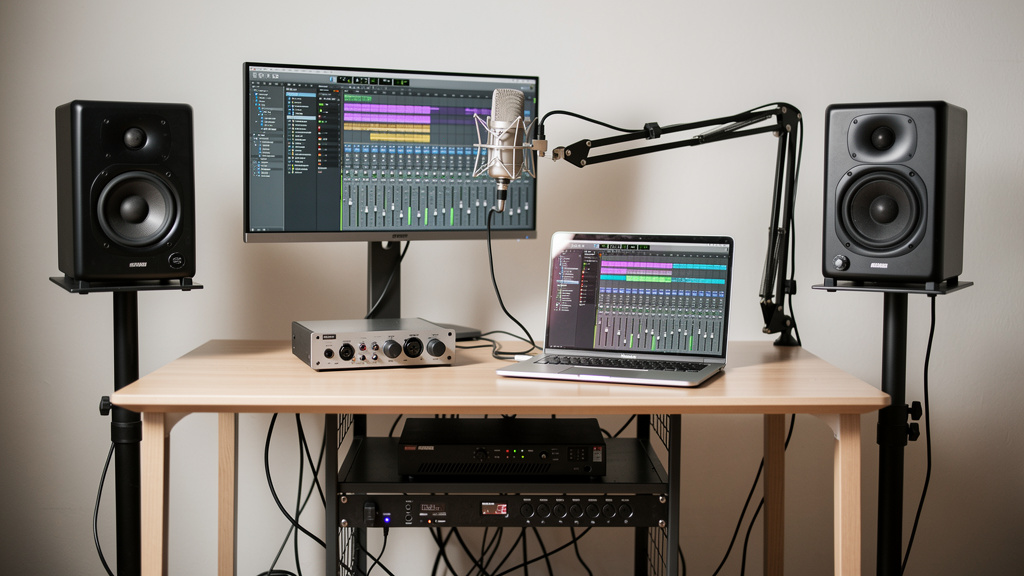
You know the feeling: the vocal is right, the performance finally lands, the room is quiet, and then in the gaps you hear it. A low hum. Not loud enough to stop the session, but loud enough to steal confidence. Suddenly you are muting phrases, second-guessing cables, eyeing your wall outlets like they personally betrayed you. A lot of home studio owners end up in the same place: convinced the house power is hopeless and the only serious move is a big rack power conditioner with a serious-looking price tag.
The frustrating part is that sometimes the gear lights up, the meters behave, and the hum still sits there like a shadow under the take. That is exactly why this problem keeps sending people down the wrong path. Hum feels like a power problem, so people buy power products first. But in small studios, the real culprit is very often not “dirty power” in the dramatic sense people imagine. It is usually a grounding relationship between connected pieces of audio gear, or an unbalanced connection that gives noise a place to ride.
The result you actually want
What you are after is not a fancier rack. It is a noise floor so quiet that compression does not pull junk into the foreground, fades sound clean, and transients keep their edge instead of arriving through a haze. Once a hum problem is solved at the source, the whole studio feels different. You stop working around noise and start trusting what you hear.
That relief matters because hum is rarely just a technical annoyance. It changes creative decisions. It makes you print less boldly. It makes you hesitate before adding gain. It makes you doubt whether the issue is the mic, the preamp, the interface, the room, or your own ears. The good news is that most home-studio hum issues are understandable, and they are usually more fixable than people think.
Why the expensive power-fix story spreads so easily
Power conditioning is one of those topics where marketing language fills the gap between what people hear and what they can actually diagnose. A studio owner hears low-frequency noise, reads “dirty power” on a forum, sees photos of expensive racks in commercial rooms, and starts connecting dots that are not really connected.
Here is the belief shift that helps: not every unwanted noise coming from a powered device is caused by bad incoming AC. Many hum problems happen after the wall outlet, inside the way your system is interconnected.
That distinction matters because a true power-quality problem and a signal-path ground loop can sound similar at first, but they do not respond to the same solution. A conditioner may tidy up some issues related to spikes or filtering, but it does not magically rewrite a bad grounding relationship between your interface, monitors, computer, display, and outboard gear.
If the noise appears only when two specific devices are connected together, you are usually not chasing “dirty power.” You are chasing the path that current is taking between them.
What studio hum usually is in a home setup
Most of the time, the classic hum problem in a small recording room shows up because multiple devices are tied to ground in more than one way. Audio gear is connected by shielded cables, powered from different points, and often linked to computers through USB. That creates opportunities for tiny voltage differences between chassis grounds. Those differences can circulate as unwanted current, and that current gets heard as hum or buzz.
The pattern often looks something like this:
- Your audio interface is connected to your computer by USB.
- Your monitors are connected to the interface.
- The monitors and computer are powered from different outlets or strips.
- A second grounded device enters the chain: a display, external preamp, synth, pedal supply, or hardware compressor.
- The system becomes quiet until one last cable is connected, and then the hum appears.
That final connection is the clue. Hum that appears when a particular device joins the system is information. It tells you the noise is related to the relationship between pieces of gear, not necessarily the quality of the electricity entering the room.
Balanced paths solve more than boutique accessories do
One reason this myth survives is that balanced signal flow sounds boring compared to “premium power treatment.” But balanced interconnection is where many hum problems are either prevented or exposed. If your interface outputs are balanced and your monitors accept balanced inputs, that path should be balanced end to end. The same goes for outboard inserts, monitor controllers, and line-level hardware whenever the gear supports it.
Balanced lines do not eliminate every grounding issue, but they do a much better job rejecting common noise and reducing the chance that a simple connection becomes a noise antenna. By contrast, mixing balanced and unbalanced runs in the wrong places can create a system that behaves perfectly on paper and hums the moment real-world gear is attached.
Before spending heavily on power treatment, it is worth understanding the exact connection types in your room:
- XLR and TRS can both be balanced, depending on the gear.
- TS and RCA are usually unbalanced.
- USB can create ground relationships that surprise people because it is carrying data, not “audio cable” in the traditional sense.
- Wall-wart supplies and pedal power bricks can inject noise into otherwise clean rigs.
That is why broad advice from forums gets messy so fast. Two people can both say “my monitors hum,” while one has an outlet issue and the other has an unbalanced connection feeding powered speakers from a grounded interface attached to a desktop computer.
How to think about the problem before buying anything
The most useful approach is to stop asking, “What product kills hum?” and start asking, “At what exact point does the system stop being quiet?” That question changes everything.
A good diagnosis sequence is not glamorous, but it is reliable. You want to reduce the system to the smallest quiet version of itself, then add complexity back carefully enough to see where the noise enters. That might mean stripping the room down to interface, headphones, one pair of monitors, and one source. It might mean disconnecting an external display, a USB hub, or a hardware processor that seemed unrelated. It might mean comparing one balanced cable against an unbalanced one on the same path.
If you want a visual framework for sorting through those relationships without getting buried in contradictory opinions, this studio noise workbook is a strong resource. It is especially useful when the hum seems to move around as you reconnect pieces of a growing setup.
The point is not to memorize a hundred edge cases. The point is to learn how noise enters systems in patterns. Once you see the pattern, random gear-swapping becomes much less tempting.
When home wiring really is part of the story
None of this means house wiring never matters. It does. Older homes can have questionable grounding, shared circuits with appliances, loose connections, or wiring practices that create headaches for audio. Laptop power supplies, dimmers, cheap LED lighting, refrigerators, HVAC equipment, and large appliances can all make a room noisier in different ways.
But there is a difference between “the electrical environment contributes noise” and “buy a thousand-dollar conditioner and the hum will disappear.” If a room has a genuine electrical fault or safety issue, that is electrician territory, not audio-accessory territory. No studio purchase should be used as a substitute for proper electrical work.
Some signs that point more seriously toward the building side include:
- Noise that changes with lighting dimmers or appliance cycles
- Outlets that test incorrectly
- Intermittent problems across unrelated gear chains
- Buzz or hum present even with minimal audio interconnection
- Any suspicion of missing or compromised safety ground
Those are reasons to pause and verify the room itself. They are not reasons to assume every low hum in a recording chain is caused by “dirty power.”
What power conditioners do well, and what they do not
A sensible power unit can still be useful. Rack distribution is convenient. Surge protection matters. Sequencing can protect monitors and outboard gear. Filtering can help with some high-frequency trash in certain setups. Those are real benefits.
What a power conditioner does not reliably do is cure a ground loop created by the way your interface, monitors, computer, and external gear are bonded together through signal shields and power grounds. If the hum enters because device A and device B are connected in a way that creates loop current, a nicer box feeding AC to the rack may not change the audio outcome at all.
This is where people feel burned. They buy the impressive product, install it neatly, power everything from one place, and the hum is still there. Then the next forum thread tells them to buy isolation transformers, then a different USB accessory, then different monitors, then an entirely new interface. The problem is not always lack of effort. It is lack of a clean diagnostic map.
The belief that makes the fix possible
Once you accept that hum is usually a system-behavior problem instead of a “bad power” mystery, the path forward gets clearer. You stop hunting prestige solutions and start identifying relationships:
- Which exact connection introduces the noise?
- Is that path balanced end to end?
- Does the noise change when the computer is removed, unplugged, or running on battery?
- Does a specific external device create the problem the moment it joins the chain?
- Are two grounded devices also tied together through audio shields in a way that invites loop current?
That mindset is what gets you to a silent room faster than brand-shopping ever will. It also keeps you from “fixing” the symptom in ways that create new compromises later.
Action that moves you toward a silent floor
If your studio keeps producing that stubborn low hum under otherwise clean recordings, start treating the issue like a topology problem, not a shopping problem. Reduce the system. Observe exactly when the noise appears. Check where balanced paths become unbalanced. Separate true electrical faults from ordinary interconnection mistakes. And if you are tired of piecing together advice that conflicts from one post to the next, Kill the Noise is a practical next step for working through the source methodically.
The quiet take you want is usually closer than it feels. Most home studio hum is not a sign that your room is doomed or your gear is inadequate. More often, it is the system telling you where the relationship is wrong. Once you learn to hear that message clearly, the fix gets a lot less mysterious.
Comments (0)
Leave a Comment
No comments yet. Be the first to comment!