Top 10 Reasons a DI Track Sounds Wrong Before Mixing
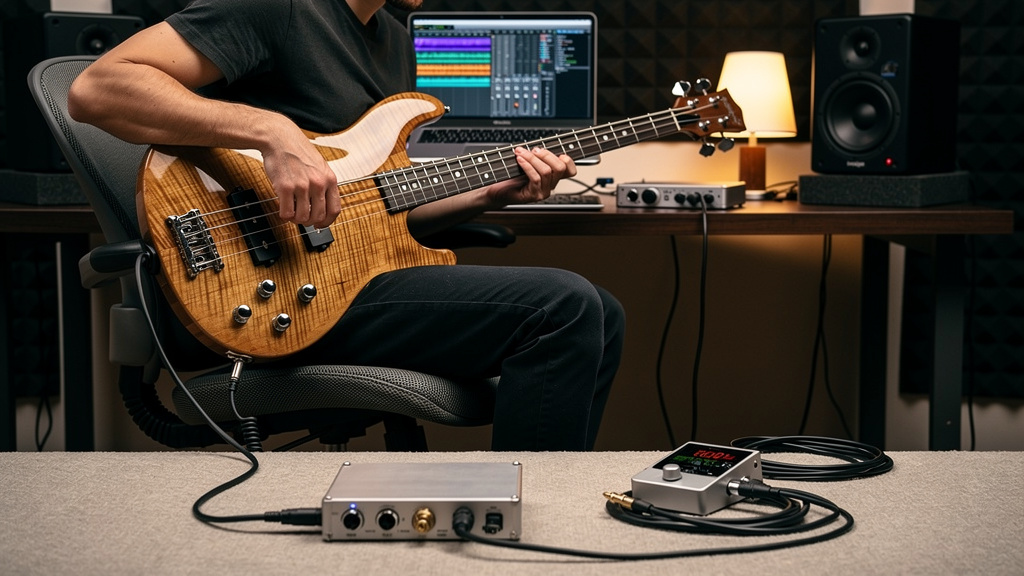
You know the feeling: the player did their part, the performance is solid, levels seemed fine, and yet the DI track coming back through the monitors feels strangely dead, spiky, small, or just harder to mix than it should be. Not obviously broken. Just wrong. That kind of problem can waste an hour because it rarely announces itself as one dramatic failure. It shows up as a bass that never sits, a synth that gets edgy when stacked, or a guitar DI that somehow feels both dull and harsh at the same time.
The good news is that a bad-feeling DI track usually points to a very specific issue in the signal path. The trick is knowing where to look before you start blaming converters, plugins, or the instrument itself. Here are the ten problems I see most often when a DI tone goes sideways long before mix decisions enter the picture.
1. The input impedance is wrong for the instrument
This is one of the biggest tone shapers in the whole path, and it gets missed constantly. Passive basses, passive guitars, piezo pickups, and some vintage keyboard outputs do not all want to see the same input. If the instrument is feeding an input with impedance that is too low, the result can be a top end that feels choked, a low end that loses authority, and transients that seem strangely less alive.
That is why a passive instrument straight into a line input through the wrong adapter often sounds disappointing even when nothing is technically clipping. A proper instrument input or the right DI box presents a friendlier load. The performance has the same notes, but the shape of each note survives the trip.
If a DI suddenly feels more believable when you swap from a random interface input to a dedicated Hi-Z input or a quality active DI, this is usually why.
2. You used a line input when you really needed an instrument input
People sometimes treat quarter-inch jacks as if they all do the same job. They do not. A line input expects a stronger, lower-impedance source than a passive guitar or bass normally provides. Plugging an instrument into line can produce a signal that is not just quieter, but tonally skewed and more sensitive to noise once you compensate with gain later.
The reverse mistake happens too. Slamming an active bass, keyboard, modeler, or pedalboard output into an instrument input can create a brittle front end that feels weirdly aggressive before meters show obvious overload.
The connector may fit. That tells you almost nothing. What matters is what that input was designed to receive.
3. The DI box type does not match the source
Active and passive DIs are not interchangeable in practice, even though either one may pass signal. A passive bass into the wrong passive DI can come out less extended and less immediate than expected. A hot active keyboard into an active DI can be needlessly awkward if the DI or downstream preamp runs out of comfortable headroom.
A simple way to think about it is this:
- Passive instruments often benefit from an active DI with high input impedance.
- Active instruments and many keyboards often work very well with a passive DI.
- Piezo sources are their own category and can be especially picky.
This is not a law, but it is a strong starting point. When the pairing is wrong, the track may not sound obviously damaged. It just never gets satisfying.
4. The pad is solving the wrong problem
Pads are useful, but they are also excellent at hiding where overload is really happening. If a source is too hot, people often engage the pad on the DI or preamp and move on. Sometimes that is correct. Sometimes the harshness remains because the clipping is happening earlier, at the instrument output, a pedal, or an input stage upstream of the pad location.
The other issue is using a pad when you did not need one. That can force extra gain later, bringing up hiss and making the signal feel less immediate. A track can sound thinner simply because you attenuated it too early and rebuilt it later in a noisier part of the chain.
Good gain staging with DI sources is less about making the meter look tidy and more about protecting the right stages from stress.
5. A pedal or tuner in front is loading the pickup
This one catches guitarists all the time. You think you are recording a clean DI from the instrument, but there is a tuner, buffer, pedal bypass circuit, wireless receiver, or always-on utility box in front of the recording path changing the pickup relationship. Sometimes that is helpful. Sometimes it is the entire reason the direct track feels different from plugging straight into an amp.
Not all bypass paths are equal. Not all buffers are flattering. A front-end device can subtly harden the attack, shave off depth, or exaggerate a frequency region that later turns into “why is this track so annoying to EQ?”
When a DI tone feels off, simplify the path ruthlessly. The shortest route often tells the truth fastest.
6. The source has a weak battery or unstable power
Active basses, onboard preamps, acoustic systems, and some pedals do very odd things before they fail completely. A dying battery does not always give you silence or obvious distortion. It can produce a glassy top end, sagging low frequencies, intermittent crackle, or a loss of transient punch that makes the source feel cheap and papery.
Likewise, externally powered pedals or small utility boxes with noisy or mismatched supplies can contaminate an otherwise clean DI capture. If the direct track has a strange grain to it, especially one that follows the source no matter which preamp you use, the problem may be living on the instrument or pedalboard itself.
This is why “it passes signal” is not a clean bill of health.
7. The cable capacitance is reshaping the tone
With passive pickups especially, the cable is part of the circuit whether you want it to be or not. A longer or higher-capacitance instrument cable can tilt the resonant behavior enough to make the source seem darker, softer, or less focused. Then someone compensates with EQ, adding upper-mid bite that was never the real missing ingredient.
You do not need boutique cables to avoid this. You do need a sensible cable length, intact connectors, and a cable appropriate for instrument-level use. A passive bass through a very long, tired cable into the wrong input can sound underwhelming before the preamp even has a chance to help.
People love to debate cable mythology. This part is not mythology. With passive sources, cable choice can audibly change the DI track.
8. The preamp is technically clean but sonically unforgiving
Not every clean preamp feels good on every DI source. Some front ends are fast, bright, and brutally honest. That can be excellent on one synth and awful on a wiry single-coil bass. Other preamps add a little density or weight that helps a DI sit with less struggle later.
This does not mean you need expensive outboard for every direct recording. It means the preamp is part of the sound, not just a gain knob. If two otherwise competent inputs give you different feelings from the same source, trust that difference. The one that leaves you doing less rescue work later is usually the right call.
A DI track should not need heroics just to sound normal.
9. The player monitored through a different path than the one you recorded
This is a workflow problem that turns into a tone problem. A musician may be hearing their instrument through an amp sim, pedal chain, hardware monitor path, or buffered tuner output while the recorded DI is being taken from an earlier split point. Everyone thinks they are approving the same sound, but they are not.
Later, the raw DI sounds thinner, brighter, or more anemic than expected because the confidence came from monitoring, not from what hit disk.
It helps to verify the exact split point in plain language:
- What is the player hearing?
- What output is feeding the recorder?
- What device sits between the instrument and the recorded input?
If those answers are fuzzy, you can finish a whole session without realizing the tracked DI was never the tone anyone signed off on.
10. You are hearing phase or polarity trouble from a parallel path
This one matters any time a DI is captured alongside an amp, modeler, or duplicate monitoring route. The DI itself may be perfectly fine. What sounds “wrong” is the combined picture. If one path is polarity-inverted, latency-shifted, or simply arriving at a different time, the direct signal can seem hollow, papery, or low-end shy when auditioned in context.
That often leads engineers to blame the DI box or instrument when the real issue is interaction between paths. Solo the direct track. Then compare it against the blended setup. If the direct sounds healthy alone but collapses in the full monitoring chain, stop editing the source and start checking alignment.
This is one of those moments where diagnosis matters more than taste. A good DI can look guilty when the real culprit is what is sitting next to it.
What to do when the track feels wrong fast
If a DI source is fighting you, resist the urge to fix it with plugins first. Swap one thing at a time: input type, DI type, cable, any pedals in front, and the exact split point being recorded. Keep the performance constant. Most of the time, the answer appears much sooner than people expect once the path is simplified.
If you want a more visual way to think through that kind of signal-path diagnosis without wading through contradictory forum threads, this interactive noise-troubleshooting workbook is a solid resource to keep around.
The main thing is this: when a DI sounds strangely disappointing, believe it early. Direct tracks are supposed to be simple. If one already feels flat, brittle, or oddly hard to place before the mix starts, there is usually a physical reason in the chain, and finding it upstream is a lot easier than repairing it later.
Comments (0)
Leave a Comment
No comments yet. Be the first to comment!