Top 5 Reasons Headphone Mixes Suddenly Start Buzzing
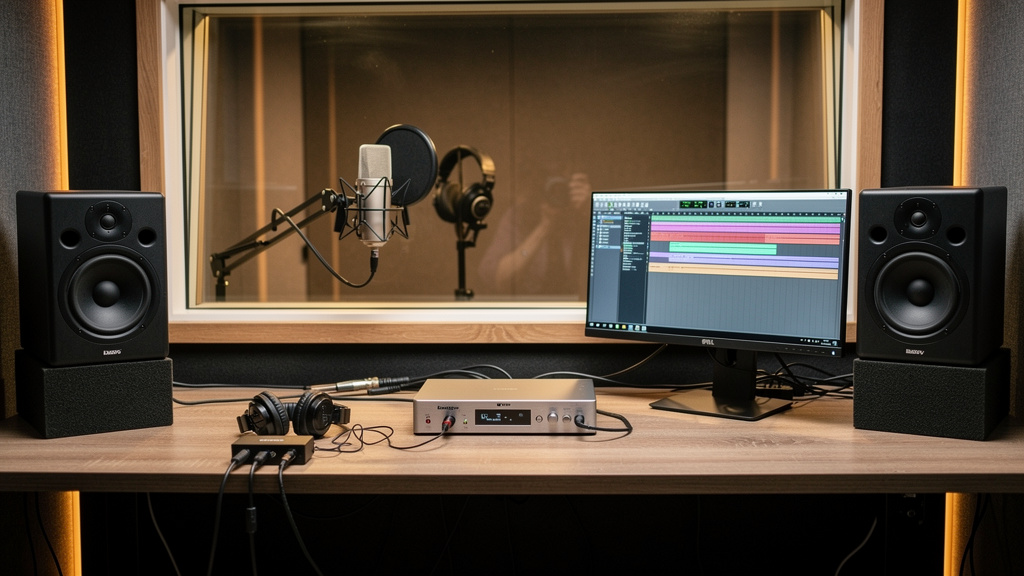
You know the moment. A singer puts the headphones on, makes a face, and says, “There’s a buzz in here.” Control-room monitors sound mostly fine, the take is ready to go, and now the session has stalled over a noise that seems to exist only in the cue mix. This is one of those maddening studio problems because headphone noise feels random when it usually is not. It is often the first place a grounding, gain, or routing problem shows itself.
The good news is that a buzzing headphone mix is rarely magic and rarely “just bad headphones.” More often, the headphones are exposing a fault somewhere upstream that your speakers are hiding. If you know where buzz tends to enter a cue path, you can stop guessing and narrow the problem fast.
1. The cue source is unbalanced somewhere in the chain
This is the most common cause I see in small studios: the headphone amp is being fed from an output that was never meant to travel any distance unbalanced, or a balanced path quietly became unbalanced because of the wrong cable or adapter.
A lot of cue systems start innocently enough. You take line outputs from an interface, run them across the room to a headphone amp, and call it done. If those outputs are balanced TRS and they stay balanced all the way to balanced inputs on the headphone amp, great. But if somebody inserts a TS cable, a half-normalled adapter, an RCA converter, or a little “temporary” breakout box, the run becomes much more vulnerable to hum and hash. Headphone systems magnify that vulnerability because they are literally strapped to someone’s head.
Why this shows up suddenly is simple: cabling drifts over time. A clean cable gets borrowed. A balanced run gets replaced with whatever was in the drawer. A musician brings in a personal headphone extension that is fine for headphones but not fine as a line-level feed between devices.
When the buzz is in every pair of headphones fed by one amp, think upstream line feed first. When it is only in one station, think local extension cable, local connector wear, or one damaged channel in the amp.
The principle is straightforward:
- Balanced line-level runs reject noise over distance.
- Unbalanced line-level runs invite noise, especially near power supplies, wall warts, LED dimmers, and computer gear.
- Headphone extension cables are for headphone-level signals, not substitutes for proper balanced studio interconnects.
If your cue amp lives more than a short reach from the interface, this deserves suspicion before almost anything else.
2. A power supply on the headphone system is spraying noise
Headphone amps are often powered by the least glamorous item in the room: a little external supply that gets stepped on, swapped, bent, or replaced with the wrong one. When that supply starts failing, or when a low-quality replacement gets used, the first symptom is often buzz or whine in the headphones.
This noise can sound like plain 50/60 Hz hum, but just as often it has a gritty edge, a higher buzz component, or a faint digital mosquito tone riding on top. That is your clue that you may not be dealing with a classic ground loop alone. You may be hearing a switching supply contaminating the audio path.
Headphone distribution boxes are especially exposed to this because they often sit on the floor, near phone chargers, laptop bricks, USB hubs, LED lamp supplies, and pedalboard adapters. All of those devices can pollute the local power environment or radiate enough junk to get into marginal audio wiring.
A few tells point in this direction:
- The buzz appeared after rearranging furniture or adding a new powered device.
- The noise changes when a laptop charger is connected or disconnected.
- Only one headphone amp in a multi-room setup is affected.
- The noise is present even with cue send levels turned down unusually low.
That last point matters. If the headphone amp is noisy with very little musical signal coming in, the fault may live inside its own power or amplification stage rather than in the mix feeding it.
3. You are hearing a ground loop between interface, computer, and cue amp
This is the old classic, but it is worth keeping on the list because headphone systems reveal it mercilessly. A loop happens when connected devices share more than one path to ground. In a modern project studio, the usual cast is an audio interface, a computer, maybe an external display, and a headphone amp or mixer powered from another outlet or power strip.
The giveaway is that the noise often changes with computer activity. Move the mouse, open a plugin, charge a laptop, or connect a monitor over HDMI, and the buzz or whine shifts character. That is not your imagination. The audio path is now carrying some of the computer’s electrical mess.
What makes this tricky is that the main monitor path can seem acceptable while the cue path is ugly. That happens because monitors may be fed differently, plugged into a different power arrangement, or simply less revealing of low-level contamination than sealed-back headphones at close range.
Before blaming converters or software, map the physical system on paper:
- List every device in the cue path from DAW output to headphones.
- Note which ones are bus-powered and which have their own power supplies.
- Note where each device gets AC power.
- Mark every connection that also touches the computer: USB, display cables, powered hubs, docks.
Even a quick map usually exposes the likely loop. You start seeing the real system instead of the one you thought you had.
4. The headphone mix has a gain-structure problem, not a pure noise problem
Sometimes the “buzz” complaint is really this: the cue mix is too quiet, so the performer turns the headphone amp way up, and now they are hearing the noise floor, power contamination, or amp self-noise that was always there but previously masked by healthy signal level.
This is why headphone troubleshooting is not only about grounding. It is also about gain staging. If the send feeding the cue system is too low, the last device in the chain has to do too much work. Cheap or even decent headphone amps get ugly when forced to provide huge gain from a weak input.
A few common ways this happens:
- The DAW cue bus is trimmed down to avoid clipping, but never compensated properly downstream.
- An interface output is set to consumer level behavior feeding pro gear, or vice versa.
- An artist wants “more me,” and one source gets pushed while the overall bus stays anemic.
- A passive volume control or inline attenuator was added and forgotten.
If the buzz seems worse only when performers ask for more level, do not assume the headphones are failing. Check whether the headphone amp is being asked to amplify too little source signal. A strong, clean send feeding a moderately set headphone amp is almost always quieter than a weak send feeding a cranked amp.
This also explains why one pair of high-impedance studio headphones may seem noisier on the same station than another easier-to-drive pair. The issue is not necessarily the headphones themselves; it is how hard the amp must work to satisfy them.
5. The problem is local to the performer position
When the control room headphone jack sounds fine but the booth station buzzes, pay attention to the physical location, not just the electronics. Vocal booths and iso corners are full of sneaky interference sources: extension power strips, neon signs outside the room, dimmed lighting, phone chargers, tablets, Wi-Fi gear, HVAC controllers, and long cable runs coiled near AC.
The headphone path at the performer position is also where wear and tear piles up. Extension cables get twisted, stepped on, and yanked sideways. Connectors loosen. A partially broken TRS extension can create intermittent buzz, thin audio, or one-sided signal that sounds like a grounding fault.
The booth itself can be the clue. If the noise changes when the cable is moved, when the performer rotates their body, or when the extension is rerouted away from a power brick, that is not a software issue. It is a local wiring or electromagnetic exposure issue.
This is also the part of the studio where people improvise. They add a coupler, a longer extension, a personal volume control, or a headphone splitter because the session needed to keep moving. Those little convenience additions are often where a once-clean cue system goes bad.
If you want a more visual way to think through source-by-source noise hunting without relying on contradictory forum threads, this interactive workbook on studio noise is a solid resource. It is especially helpful when the buzz seems to live in one part of the room but the cause is actually upstream.
What to remember when the headphones start buzzing
Do not start by swapping random gear and hoping the problem disappears. A buzzing cue mix usually comes from one of five places: an unbalanced feed, a dirty or failing power supply, a ground loop involving the computer path, weak gain staging that exposes the noise floor, or a local fault at the performer station.
Start by asking a narrow question: is the noise in every headphone position, or only one? That answer cuts the search field in half immediately. From there, think in signal-flow terms, not superstition. Headphone systems are often the first part of the studio to complain, but they are also one of the clearest places to hear what the rest of the rig is trying to tell you.
Comments (0)
Leave a Comment
No comments yet. Be the first to comment!