Top 5 Reasons Your Patchbay Is Adding Noise
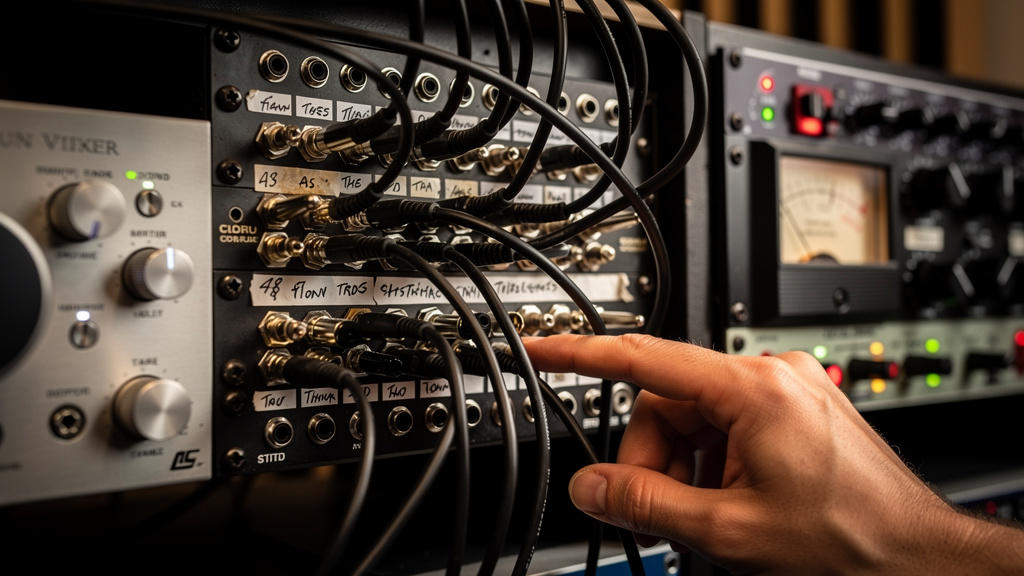
You finally get the studio wired so routing feels easy, then the noise starts. A synth that used to be clean suddenly hums when it hits the compressor. One channel crackles when you touch a patch cable. A reamp path works one day and spits buzz the next. Patchbays are supposed to bring order, but when one part of the bay is wired wrong, it can make a healthy room feel cursed.
The frustrating part is that patchbay noise rarely comes from the patchbay alone. It comes from what the bay is doing to grounding, impedance, level, and contact quality across the whole studio. That is why random cable swapping usually burns an afternoon without really fixing anything. If your noise appears only when gear is patched through the bay, these are the five places I would look first.
1. You’re Passing Unbalanced Gear Through a Balanced Bay Like It’s All the Same
This is probably the most common patchbay mistake in small studios. A lot of setups combine balanced interface outputs, balanced outboard, guitar pedals, consumer synths, desktop samplers, and odd little boxes with TS or RCA connections. On paper it all seems patchable. In practice, the bay can become the exact place where the wiring assumptions stop matching reality.
A balanced TRS patch point is expecting three conductors with a specific relationship between hot, cold, and shield. An unbalanced source only gives you signal and ground. If that source gets tied into a balanced path incorrectly, you can create anything from a level drop to a lovely 60-cycle hum to a nasty buzz that changes depending on what else is connected nearby.
What makes this slippery is that some mismatches appear to work. Audio passes, so the wiring gets declared good. But “audio passes” is not the same as “the line is referenced correctly and quietly.” The bay may be tying sleeve and ring together in a way one device tolerates and another hates.
If you have pedals, DJ gear, prosumer keyboards, or older rack units on the patchbay, stop thinking of them as interchangeable with your balanced I/O. They often need their own strategy. Sometimes that means dedicated unbalanced rows. Sometimes it means keeping them off the bay entirely and bringing them in through a reamp or DI stage at the right point.
A quick reality check helps. Ask:
- Is this device truly balanced at the jack, or just using a TRS connector?
- Is this output line level, instrument level, or consumer level?
- What exactly is tied to ground on this connection?
If you cannot answer those three questions for the noisy path, the bay is not your first problem. The assumption is.
2. Your Normalling Scheme Is Quietly Creating Ground Trouble
Full-normal, half-normal, isolated: those settings are useful, but they are not neutral. Normalling changes how equipment stays interconnected when nothing is patched, and that can alter ground relationships in ways that only show up once the studio gets more complex.
Here is the classic version. Your interface output is normalled to a compressor input. It works. Then you patch that same signal somewhere else while the normal still exists in part of the path. Now two pieces of gear that were never meant to share a certain return path are tied together through the bay and through their own power grounds. The result can be a loop that did not exist when the devices were connected directly.
This is why a patchbay can seem noisy only in specific routing combinations. The bay is not “bad.” It is allowing multiple valid electrical paths, and one of them happens to be loud.
Before changing hardware, map the exact route of the noisy signal, including what is connected even when you think you are not using it. Hidden normals are easy to forget after a few rewires. I like to treat the bay like plumbing: if signal can still flow somewhere behind the panel, it is part of the system whether you meant it to be or not.
When the noise appears only with certain inserts or parallel chains, this is often the clue. The fault is less about one bad cable and more about a patching logic problem.
3. Oxidized Jacks and Cheap Contacts Are Turning Tiny Movements Into Crackle
If your patchbay pops, crackles, or changes noise level when you wiggle a cable, think mechanical before mystical. Patch points live a hard life. Dust gets in. Contacts oxidize. Springs lose tension. Plugs with slightly different tolerances make marginal contact one day and poor contact the next.
This is especially obvious in bays that are heavily used but rarely serviced. You can have excellent converters, solid outboard, clean power, and still get intermittent noise because one return jack is barely gripping the plug. The symptom often gets blamed on a cable because moving the cable changes the sound. What actually changed was pressure on a worn contact.
There are a few tells:
- The noise is localized to one or two patch points.
- Repatching the same route a few times temporarily improves it.
- The issue is worse after the room sits unused for a while.
- Touching the plug shell changes the noise character.
Patchbays are not forever devices. Some hold up very well; some become maintenance items much sooner than people expect. If the bay was chosen on price alone, contact quality may be the weak link. And even a good bay needs occasional cleaning and sensible handling. A plug dragged in at an angle does more damage over time than people realize.
If you suspect contact trouble, do not jump straight to spraying everything in sight. Random cleaner use can create its own mess if the product is wrong for the connector or overapplied. The better move is to identify whether the fault consistently follows a jack, a cable, or a piece of gear first.
4. Your Patchbay Is Carrying Signals It Was Never Meant to Carry
Not every signal belongs on the same style of bay. Mic-level signals, passive guitar pickups, speaker outputs, and certain insert arrangements can all become noisy or compromised when they are patched as if they were ordinary balanced line-level connections.
Mic lines are the big one. Yes, people do patch microphones through XLR bays or stage panels all the time, but that is a different world from dropping delicate mic-level runs into a general-purpose TRS patchbay beside hot line outputs and whatever unbalanced oddities live in the same rack. The lower the signal level, the less forgiving the path becomes.
Passive instruments are another trap. A guitar pickup wants to see the right input impedance. Run it through a long, casual patch path and you do not just risk noise. You can lose top end, punch, and consistency. What sounds like “hum from the bay” is sometimes a tone problem plus a noise-floor problem happening together.
And speaker-level lines should simply not be on a standard audio patchbay. That is asking for damage, not just noise.
As a general rule, patchbays are happiest with line-level I/O that was designed to live in that environment. The farther you get from that use case, the more deliberate you need to be about interface points, isolation, and cable length.
If your bay has become the central hub for every kind of signal in the room, it may be too democratic for its own good.
5. The Bay Is Exposing a Grounding Problem That Direct Wiring Happened to Hide
This is the one that drives people crazy because it makes the patchbay look guilty when it is really just honest. Direct point-to-point wiring can accidentally mask a grounding problem by limiting which pieces of gear are connected at the same time. A patchbay makes routing more flexible, so now the system reveals what was always there.
That old rack reverb with a two-prong adapter, the interface on one outlet strip, the monitor controller on another, the laptop dock tied in over USB, the outboard preamp bonded through a different path: once those all meet at the bay, the studio’s ground relationships become very visible.
That is why patchbay troubleshooting has to be systematic. I would narrow it in this order:
- Find out whether the noise is tied to one patch point, one cable, or one piece of gear.
- Check whether the noisy path includes balanced-to-unbalanced transitions.
- Verify whether any hidden normals are still in circuit.
- Reduce the route to the simplest possible chain and add devices back one at a time.
- Note whether the noise changes when gear shares the same power source or is separated.
That process matters because it tells you whether you are hunting a physical fault, a wiring mismatch, or a true system-ground issue. Without that distinction, people tend to keep buying cables and blaming the bay.
If you want a more visual way to sort through that kind of studio-wide noise logic, the Kill the Noise workbook is a solid resource. It is especially helpful when the problem is bigger than one cable and smaller than a full electrical overhaul.
What To Do Next
If your patchbay gets noisy only in real-world sessions, do not test it like an abstract piece of hardware. Test the exact routes you actually use: interface to compressor, synth to EQ, reamp send to pedal chain, whatever earns its keep in your room. Patchbays fail in context.
And label more than just the front. Document what is balanced, what is unbalanced, what is normalled, and what should never be patched casually. Most patchbay noise is not mysterious once the signal types and ground paths are visible. The practical takeaway is simple: when the bay adds noise, assume it is exposing a relationship problem before you assume it is just a bad box.
Comments (0)
Leave a Comment
No comments yet. Be the first to comment!