Top 5 Studio Hum Problems That Aren’t Dirty Power
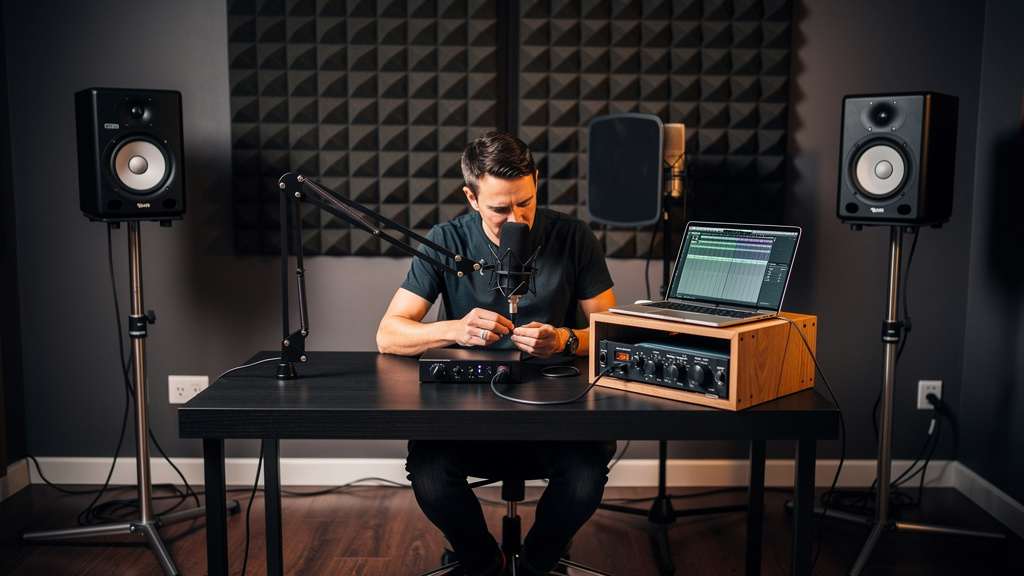
You finally get the vocal. The performance is right, the mic is sitting perfectly, the compressor is behaving, and the room feels calm for once. Then you solo the track and there it is: that low, stubborn hum living under every phrase. Not loud enough to scream “broken,” but just enough to make the whole recording feel smaller than it should. This is the moment a lot of studio owners start blaming the wall power and pricing rack conditioners they may not need.
The frustrating part is that power can be involved, but usually not in the way people think. In home studios especially, the expensive “dirty power” diagnosis gets thrown around long before anyone follows the actual signal path. Most hum problems are more ordinary than that. They come from how your gear is connected, what is referenced to ground, and where an unbalanced segment quietly sneaks into a chain that was supposed to be clean.
Here are the five hum problems I see most often that get mistaken for bad household power.
1. A ground loop between two otherwise healthy pieces of gear
This is the classic one, but it still gets misunderstood. A ground loop is not the same thing as “bad electricity.” It happens when two connected devices share more than one path to ground. Once that loop exists, small differences in ground potential can turn into audible hum in the audio path.
In a home studio, this often shows up when an interface is connected to powered monitors, an outboard preamp, a computer, or a USB-powered accessory that references ground differently. Every individual device may be working exactly as designed. The noise appears only when they are connected together.
The clue is that the hum changes when you unplug one signal cable, disconnect a monitor feed, or remove one piece of external hardware from the chain. That tells you the problem is relational, not necessarily a fault inside a single box.
What matters here is diagnostic thinking. Don’t start with the assumption that your AC line is polluted. Start by asking which connection completes the noise. Strip the system back to the smallest working signal path, then reintroduce gear one piece at a time. That approach usually reveals more than any power accessory ever will.
If your setup includes any long analog runs or mixed balanced and unbalanced connections, it also helps to revisit why balanced cabling matters more than expensive cables. Hum loves weak signal-path decisions far more than it loves modest household wiring imperfections.
2. One unbalanced connection hidden inside a mostly balanced rig
This is where a lot of otherwise solid setups fall apart. A studio owner thinks, “My interface outputs are balanced, my monitors are balanced, my preamp is balanced, so I’m covered.” Then somewhere in the middle there’s a TS insert send, an RCA feed from a consumer device, or a synth output being adapted into the system in a way that invites hum.
A single unbalanced section can make the whole rig seem electrically cursed. The reason is simple: balanced connections reject common-mode noise very effectively when everything is wired properly. Unbalanced connections don’t. They give interference and ground-related noise a much easier route into the signal.
This gets worse when people use adapters casually. A connector changing shape does not make a signal balanced. A quarter-inch plug can carry balanced or unbalanced audio. Same with XLR in certain oddball situations. You have to know what the device actually outputs and what the receiving input expects.
When hum appears only on one source, one monitor path, or one external device, suspect the format of that connection before you suspect your breaker panel. Many “power” complaints are really cabling standard mismatches with a little grounding drama added on top.
3. Computer-connected gear creating noise through USB grounding
Modern home studios tie almost everything to a computer, which means the computer becomes part of the grounding story whether you planned for it or not. Interfaces, MIDI controllers, bus-powered devices, monitor screens, external drives, and laptop chargers can all contribute noise paths that feel mysterious until you remember they are electrically linked.
This is why a rig can go quiet on headphones and then hum the second the monitors come into play, or sound fine on battery power but develop a buzz when the laptop power supply is connected. People hear that and say “dirty power,” but often the real issue is a grounding relationship created around the computer and its peripherals.
What makes this category tricky is that the problem may not be the audio interface itself. It may be a dock, a monitor with USB connections, a charging brick, or a bus-powered device sharing the computer ground. The signal chain is no longer just mic to preamp to converter. It’s a network.
When I’m tracing this kind of hum, I want to know exactly which devices are connected to the computer, which ones are externally powered, and which ones are feeding analog audio onward to monitors or outboard. That map tells the story faster than swapping random power strips.
If you want a more visual, methodical way to think through that process without getting lost in contradictory forum advice, Kill the Noise is useful because it walks studio owners through source-level troubleshooting rather than treating every hum as a shopping problem.
4. Monitor and interface gain choices that make a small hum sound huge
Sometimes the hum is real, but the reason it feels catastrophic is gain structure. If your monitors are cranked and your interface output is running low, any low-level noise riding the line can become far more obvious than it should be. The same thing happens when an outboard device is feeding the next stage too quietly, so you compensate downstream and pull the noise floor up with it.
This is where people get misled. They hear more hum when they turn up the speakers, so they assume the room power is contaminated. In reality, they may be listening to an ordinary low-level issue being magnified by poor level relationships between devices.
There’s a practical way to think about it:
- Set each device near its intended operating range rather than extremely low or extremely high.
- Feed the next stage a healthy signal so downstream gain does less rescue work.
- Compare the noise level with monitors at normal working volume, not at exaggerated levels you’d never actually mix on.
You’re not trying to hide hum with louder signal. You’re trying to stop your system from magnifying a minor problem into a major one. Good gain structure won’t fix a true loop, but it will stop you misdiagnosing scale. That matters, because overreacting to a small noise issue often leads people toward expensive power products instead of the actual cause.
5. A power conditioner being asked to solve what isolation or wiring discipline should solve
This is the myth at the center of a lot of home studio spending. A rack power conditioner can be useful for surge protection, distribution, and basic filtering. It can make a setup neater. It can protect gear. What it usually cannot do is magically remove hum caused by a loop in your audio connections.
If the hum enters through the signal path, a conditioner downstream of that logic won’t rewrite physics. It won’t change the fact that two devices are grounded in a way that creates current flow across an audio reference. It won’t transform an unbalanced feed into a properly balanced one. It won’t fix a problem created by a computer-ground relationship.
That’s why some studios install an expensive conditioner, hear almost no improvement, and end up more confused than before. They didn’t buy the wrong brand. They bought the wrong category of solution for the fault they had.
There are cases where home electrical issues matter. Miswired outlets, missing safety grounds, shared appliance circuits, dimmers, and faulty power supplies are all real concerns. But those are specific problems with specific symptoms. They should be investigated like electrical problems, not treated as the default explanation for every low-frequency hum.
A more reliable way to separate signal-path hum from actual electrical-supply trouble is to pay attention to patterns:
- Does the hum appear only when two particular devices are connected?
- Does it change when a computer charger is connected or disconnected?
- Does one source hum while others stay clean through the same monitors?
- Does the problem survive even when the rig is reduced to a minimal chain?
Those answers tell you whether you’re chasing grounding relationships, connection format problems, gain structure, or a real mains issue. That’s a much better use of your time than assuming the wall outlet is guilty because the noise sounds serious.
What a quieter studio usually looks like
The quietest home studios are rarely the ones with the most dramatic power racks. They’re the ones where the signal path is simple, balanced wherever possible, gain staged sensibly, and expanded carefully when new gear gets added. They have fewer mystery adapters, fewer casual workarounds, and fewer connections that nobody has questioned in years.
That’s good news, because it means the path to a dead-silent noise floor is usually more practical than expensive. Sharp transients and clean vocal tails come back when the system stops fighting itself.
So if there’s a low hum under your best takes, don’t let the internet push you straight toward “dirty power.” Start with the relationships between the boxes you already own. Most of the time, that’s where the real answer has been waiting.
Comments (0)
Leave a Comment
No comments yet. Be the first to comment!