Top 7 Reasons a Headphone Mix Gets Noisy Mid-Session
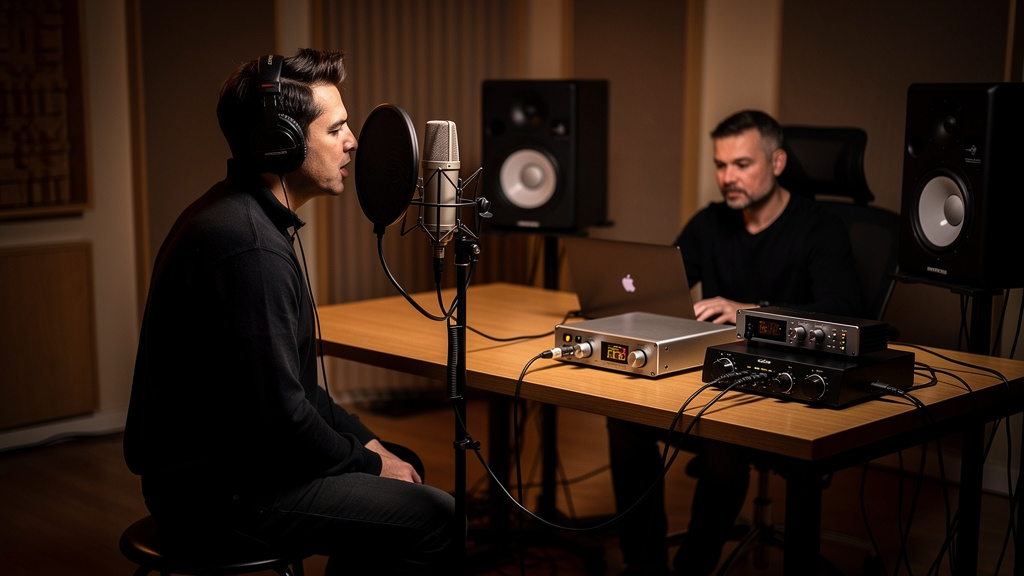
You know the moment. The vocalist is finally relaxed, the drummer is locked in, somebody asks for “a little more me” in the headphones, and suddenly the cue mix that felt perfectly normal ten minutes ago starts spitting hiss, buzz, crackle, or low hum. Not in the mains. Not on playback later. Just in the headphones, right when momentum matters. That kind of problem is maddening because it feels random, but it usually isn’t. A noisy headphone mix mid-session almost always points to one specific part of the chain getting stressed, repatched, or gain-staged badly as the session grows.
The trick is to stop thinking of the headphone feed as a simple output. In most small studios, it’s a living signal path: interface output, DAW routing, cue sends, headphone amp, extension cable, adapters, power, and a moving human being yanking on all of it. When noise appears halfway through the day, something in that path changed. Here are the seven causes I see most often.
1. The cue send got turned up to rescue a weak source
This is probably the most common one, and it hides in plain sight. A performer says the headphones are too quiet, so you don’t just raise the headphone amp. You raise the send feeding it. Then you raise an aux return. Then maybe a software cue bus. By the time the artist is happy, you’ve stacked gain in the wrong place and brought up the noise floor of the entire cue path.
Headphone systems behave best when the source feeding them is healthy and the final listening level is adjusted as late in the chain as possible. If the cue bus itself is running timidly, every compensation move downstream tends to exaggerate hiss. This gets worse when one source in the mix is unusually quiet, like a low-output dynamic mic on a soft singer or a DI instrument recorded conservatively. Engineers often chase “more level” globally when the real problem is one underfed channel.
A good mental check is simple: if the headphone mix only got noisy after multiple “more me” requests, suspect gain structure before you suspect gear failure. The answer is rarely “turn everything up more.” It’s usually “find the weak link feeding the cue mix.”
2. A headphone extension or adapter was added that the system hates
The session starts with one artist, then a second pair of headphones appears, then someone grabs an extension lead from a drawer, then a 1/4-inch to 3.5 mm adapter gets involved, and now one side crackles when the cable moves. This is everyday studio life.
Headphone lines are more mechanically fragile than people think. The problem is not only bad cable quality. It’s contact integrity. A slightly loose TRS adapter, a worn extension jack, or a plug that doesn’t quite seat fully can create intermittent noise that feels like an electrical mystery but is really just unreliable contact under movement.
These failures show up mid-session because that’s when the system gets physically disturbed. The performer shifts in the chair. The cable runs under a stand leg. Somebody swaps headphones without muting first. Unlike a bad monitor feed, headphone noise often comes and goes with motion, which is your clue to stop hunting inside the DAW for a problem that lives at the connector.
If the symptom changes when the artist moves, rotates the plug, or touches the adapter, treat that as evidence, not coincidence.
3. The headphone amp is being overdriven, not the interface
Engineers often watch interface meters and assume that if nothing is clipping there, the headphone path must be clean. But many cue systems have another active stage after the interface: a dedicated headphone amplifier, a rack cue box, or a personal monitor mixer. That stage can distort or get grainy long before the interface meters suggest trouble.
This kind of noise is easy to misread because it doesn’t always sound like obvious clipping. Sometimes it presents as harshness, fuzzy transients, brittle cymbals, or a dirty edge on vocals when the cue mix gets dense. Add enough click, bright guide tracks, and close-miked drums, and a headphone amp with limited headroom can start sounding stressed even if the program technically remains below full scale upstream.
The giveaway is that the mix sounds worse as it gets more crowded, not only louder. A cue feed with plenty of peaks and lots of upper-mid content can feel “noisy” because the headphone amp is running out of grace, not because your converters are failing.
That is why it helps to separate two questions: is the source clean, and is the listening amp comfortable? Those are not the same thing.
4. The performer’s phone charger or laptop power supply entered the picture
Mid-session noise often begins when a non-audio device quietly joins the setup. A singer plugs in a phone to keep lyrics open. A producer connects a laptop charger near the couch. A tablet used for charts gets powered from a cheap USB brick on the same power strip as the cue system. Suddenly there’s a buzz, hash, or whiny digital texture in the headphones that wasn’t there at the start.
Headphone systems are especially revealing of this because the listener is inches from the transducer, and because cue amps and extension runs can make small contamination very noticeable. You may not hear the interference clearly in the control-room monitors, but the artist definitely will.
The pattern to watch for is timing. If the noise appeared after someone “just plugged one little thing in,” that matters. Common troublemakers include:
- Cheap USB charging blocks
- Laptop power supplies with noisy grounding behavior
- Phones connected by charging cables near audio runs
- Tablets sitting directly on top of headphone amps or interface outputs
This is one of those situations where the problem feels mysterious only until you connect it to a specific change in the room.
5. The cue mix routing in the DAW got more complicated than you realized
Software cue routing rarely fails loudly. It fails subtly. A duplicated send, an accidentally unmuted return, a plugin left active on the cue bus, or a low-level parallel path can create a noisy headphone mix without making the main control-room path sound obviously broken.
This usually happens as the session evolves. You add a talkback route. You create a separate reverb for comfort. You mirror outputs for a second headphone amp. You print a rough mix and forget a bus assignment changed. None of that looks dramatic, but each move creates another chance for cumulative hiss, phasey junk, or odd low-level distortion inside the headphone path alone.
When troubleshooting, it helps to think in order:
- Confirm whether the noise is present in the recorded audio or only in the cue feed.
- Check whether all performers hear the same issue or only one output path.
- Temporarily simplify the cue bus to the bare essentials.
- Remove nonessential plugins and duplicate sends from the headphone path.
You do not need to tear the whole session apart. You just need to reduce the cue route until the extra layer causing the noise reveals itself.
6. One earcup or cable is failing, and everyone blames the studio
Headphones live rough lives. They get dropped, stepped on, wrapped too tightly, loaned out, and stored with the cable under tension. A partially broken headphone cable or failing earcup connection can sound like hiss, static, hum, level imbalance, or intermittent breakup depending on how it fails.
The reason this fools people is simple: it shows up in the most emotional part of the session. The artist says “something’s wrong with the mix,” and now everybody assumes there’s a technical issue upstream. Sometimes there is. Sometimes the headphones themselves are the whole story.
If one performer hears noise and another on a different pair does not, do not skip the obvious swap test. Also pay attention to whether the issue follows the headphones, follows the extension, or stays with one output of the headphone amp. Those three outcomes point to very different fixes.
Studios that keep “just one more spare pair” around often end up keeping one quietly damaged pair in circulation for months. That pair tends to create a lot of fake mysteries.
7. The headphone path was never documented, so small changes stack into a big problem
This is the root cause behind a lot of recurring noise issues. Not the electrical fault itself, but the lack of a known-good baseline. If you don’t have a stable picture of how the clean headphone path is supposed to be wired and fed, every temporary workaround becomes permanent. Temporary adapter. Temporary splitter. Temporary aux send boost. Temporary USB power brick. By the third session, nobody remembers what “normal” was.
That’s why the best engineers solve headphone noise faster than everyone else. Not because they guess better, but because they know what changed. They can compare today’s setup against a known clean state.
If you want a structured way to think through those source-level causes without getting buried in contradictory forum advice, the Kill the Noise workbook is a solid resource. It’s especially useful for studio owners who need a visual framework for tracing noise logically instead of chasing random fixes.
The practical takeaway is this: when a headphone mix gets noisy halfway through a session, don’t treat it like random bad luck. Ask what changed in the signal path, the gain structure, the physical cabling, or the powered devices nearby. The answer is usually recent, local, and more fixable than it first sounds.
Comments (0)
Leave a Comment
No comments yet. Be the first to comment!