Top 7 Reasons a Reamp Track Comes Back Noisy
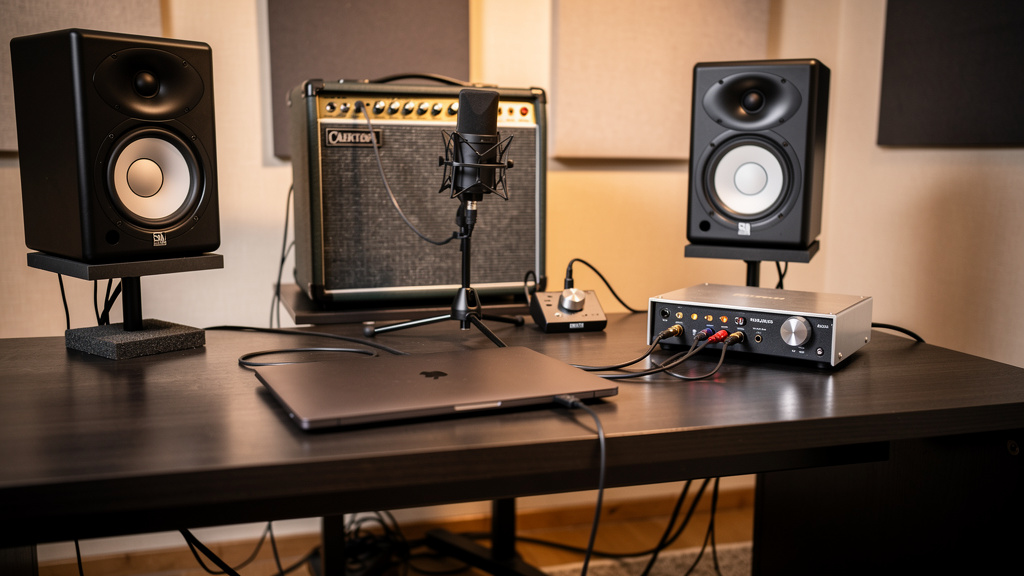
You print a clean DI, send it back out later, and somehow the magic disappears. Instead of a bigger guitar tone, you get hum, fizz, radio crud, or a strange thinness that was not there when you tracked. That is one of the more frustrating studio problems because reamping feels like it should be simple: out of the interface, into the amp, mic it back up. But reamp noise is rarely random. It usually comes from a small mismatch in level, grounding, routing, or gain structure that only shows up once you leave the safe, balanced world of the interface and hit guitar gear again.
The good news is that noisy reamps usually follow a pattern. If you know what to listen for, you can narrow the problem down quickly instead of swapping cables for an hour and blaming the amp.
1. You are feeding the amp the wrong kind of signal
This is the big one. An interface output is typically balanced, low-impedance, and line level. A guitar amp input expects an unbalanced, high-impedance, instrument-level signal. If you run the interface straight into the amp with a casual adapter cable, sometimes you get sound, but not the right relationship between source and destination. The result can be extra hiss, brittle top end, weak low mids, or a weirdly touchy noise floor.
A proper reamp box is not just a convenience piece. It is there to translate that line-level output into something the amp actually wants to see. It also helps isolate grounds, which matters when the interface, computer, monitors, and amp are all tied to power in different ways.
If the amp gets too hot a signal, you are not just driving distortion harder. You may also be raising the apparent noise floor because every little hash from the source chain is being exaggerated at the input stage. If the signal is too low, you tend to crank the amp or preamp later, and that raises noise from another direction.
The practical takeaway: before you chase hum, ask whether the amp is even being fed correctly. A wrong-level feed often sounds noisy in a way people mistake for a grounding issue.
2. The DI track itself was not as clean as you thought
Reamping is brutally honest about the quality of the original DI. A slight buzz from a pickup, computer noise bleeding into the guitar, a bad pedal power supply left in line, or a noisy room can feel manageable during tracking. Once you send that DI back into a loud amp tone with gain and speaker coloration, all of it gets magnified.
This is why a DI that sounds boring but clean is worth more than one that sounds exciting but contaminated. A lot of players monitor through an amp sim while recording and never solo the raw DI long enough to hear what is living underneath the performance.
Listen for these clues in the original track:
- Steady 50 or 60 Hz hum and its harmonics
- Buzz that changes when the player turns toward the screen
- Digital hash that rises when the laptop power supply is connected
- Crackles from a bad cable or dirty instrument jack
- Noise that disappears when the player stops touching the strings
If the noise is already printed, the reamp chain cannot remove it. It can only reveal it more clearly. Before troubleshooting the amp path, solo the DI and get honest about what was captured.
3. You created a ground loop between the interface and amp
A reamp setup is one of the easiest ways to build a ground loop without realizing it. Your interface is grounded through its power supply. Your amp is grounded through its own IEC power connection. Add a computer, monitor controller, and outboard gear, and now you have multiple paths to ground. The moment audio and power grounds start disagreeing, hum shows up.
This kind of noise is usually steady and recognizable, not random hiss. It often gets worse the moment the amp is physically connected to the interface output, even before you hit play.
A reamp box with isolation and a ground-lift option is often the clean fix because it breaks the loop at the audio connection rather than using unsafe workarounds. That part matters: lifting the electrical safety ground on mains-powered gear is not the answer. If someone suggests using a cheater plug on the amp, ignore that advice.
One useful clue is whether the hum changes when you unplug the interface output from the reamp box or amp. If the noise vanishes instantly, you are probably dealing with the relationship between those two grounded devices, not the guitar amp by itself.
4. Your interface output is sharing a bad route with the rest of the studio
Not every line output behaves the same in a real room. Some outputs sit near USB noise, bus-powered peripherals, dimmers, wall warts, or monitor cables that are radiating junk. If your reamp send is patched through a messy path, the amp will gladly tell you about it.
This is one reason reamping from the back of a crowded desk can be so unpredictable. The signal may be electrically fine on paper, but the cable route passes right by a laptop charger, power strip, display supply, or a coil of excess power cable. Guitar amps are great at turning small studio sloppiness into audible problems.
When you troubleshoot, simplify the route first:
- Use one dedicated interface output for the reamp send.
- Run it through the shortest sensible path to the reamp box.
- Keep audio cables away from power bricks and IEC bundles.
- Temporarily disconnect unnecessary USB devices nearby.
- Compare one output against another if your interface has several.
You do not need a permanent laboratory setup. You just need to know whether the noise belongs to the route or the gear at either end.
5. Gain staging is forcing you to amplify noise twice
Reamping has two gain stages people often overlook: the send level leaving the interface and the return chain coming back through the mic and preamp. If either one is set poorly, the whole process gets noisy fast.
For example, a timid send from the interface may make you compensate by cranking the amp gain more than you would with a real guitar. Then, because the amp is noisier, you back the mic away or add more preamp gain on the way in. Now you have stacked noise at three points and it feels like the whole idea of reamping is flawed.
The reverse happens too. A hot send can overdrive the front end unnaturally, making the amp spit and fizz in a way that reads as noise rather than musical saturation.
The goal is not “as loud as possible.” It is “similar to what the amp sees from the instrument it was designed for.” That usually means taking a minute to compare the amp response between a guitar plugged straight in and the reamp feed, then adjusting until the feel and noise behavior line up more naturally.
6. The amp is hearing the room, lights, and computer more than the track
Sometimes the reamp path is fine, and the noise is simply environmental. A high-gain amp in the same room as a computer monitor, LED lighting, Wi-Fi gear, chargers, and a pile of power supplies is not operating in a vacuum. The amp input and pickups are not part of this at reamp time, but the amp, speaker, microphone, and mic cable are still sitting in a noisy environment.
That matters because some “reamp noise” is actually acoustic or electromagnetic contamination picked up during the re-recording stage. You may hear:
- Transformer hum from gear racks or power supplies near the amp
- Buzz from dimmable lights
- Computer fan noise in the mic
- RF chatter in poorly shielded mic or instrument cabling
- Mechanical rattles that only show up when the amp gets loud
Move the amp a few feet, rotate it, kill nearby lighting circuits, or reamp from outside the control room if possible. Small position changes can make a silly amount of difference.
7. You are diagnosing the wrong noise source
This is where people lose a lot of time. “Noisy reamp” can mean at least four different things: noisy DI, noisy send path, noisy amp, or noisy mic return. If you do not separate those stages, every fix feels random.
A clean troubleshooting mindset helps more than another cable purchase. Ask one question at a time. Is the DI clean on its own? Does the amp hum with nothing connected to the input? Does the hum appear only when the interface is attached? Does the recorded mic track contain more noise than what you hear in the room? That sequence tells you whether you are dealing with source, transfer, amplification, or capture.
If you want a more visual way to work through problems like this without sorting through contradictory forum threads, the Kill the Noise workbook is a solid resource. It is especially useful when you know the symptom but need help identifying which stage of the chain is really at fault.
Most noisy reamps are not mysterious. They are just one mismatch hiding inside a chain that crosses from clean studio line level into messy real-world guitar gear. If you compare the direct guitar experience to the reamped one, keep the route simple, and isolate each stage before changing three things at once, the noise usually tells you where it came from.
Comments (0)
Leave a Comment
No comments yet. Be the first to comment!