Why One Monitor Buzzes and the Other Stays Quiet
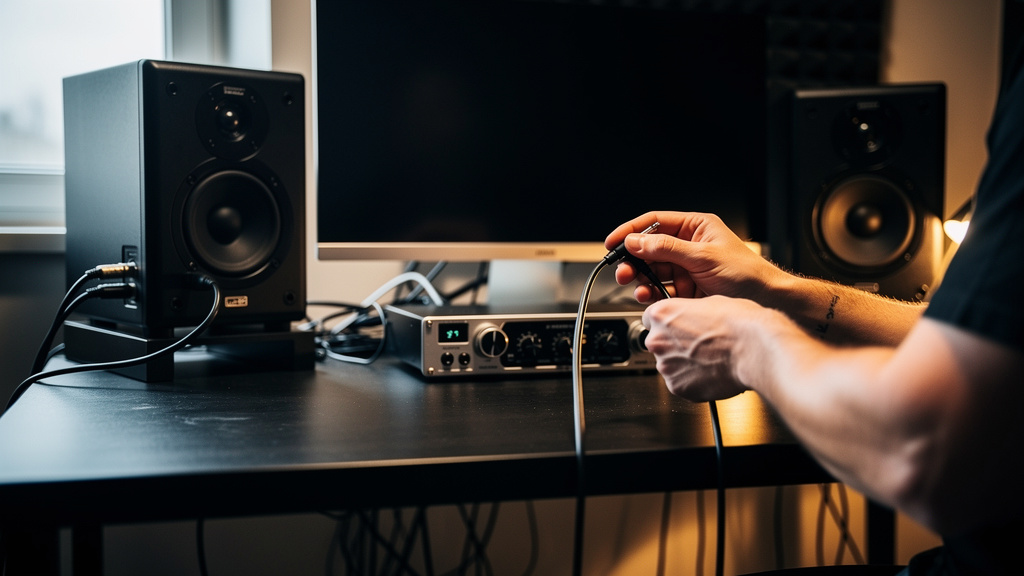
You sit down to work, hit play, and there it is again: the left monitor buzzing like it has a personal grudge against your session while the right one behaves perfectly. That kind of problem gets under your skin fast because it feels random, and random is the last thing you want in a studio. You start eyeing the speaker, then the interface, then the power strip, and before long you’re halfway to buying something expensive you may not need.
The good news is that a one-sided buzz is usually more revealing than a buzz on both sides. When only one monitor is noisy, the problem is often local and traceable. That’s frustrating in the moment, but it also means the fault is giving you clues. If you read those clues correctly, you can stop guessing and start narrowing the field.
Why a buzz in only one monitor matters
When both speakers hum, you tend to suspect a shared cause: power, grounding, or something upstream feeding the whole system. But when the noise shows up in only one speaker, it changes the logic. Now you’re dealing with something asymmetrical. One side of the chain is different from the other, and that difference is where the answer usually lives.
That doesn’t automatically mean the monitor itself is bad. In fact, the speaker is often innocent. Active monitors are the last stop in a signal path that includes output stages, cables, adapters, power connections, and sometimes nearby devices radiating garbage into one side more than the other.
Before you replace gear, think in terms of mirrored paths. Your left and right channels should be nearly identical. If one side buzzes, ask a simple question: what is different on that side?
The usual suspects in a one-sided monitor buzz
Most single-monitor buzz problems come from a short list of causes. Knowing that list helps you avoid chasing exotic theories.
- A bad or poorly seated cable between interface and monitor
- An unbalanced connection on one side and a balanced one on the other
- A damaged output from the interface, monitor controller, or mixer
- Power asymmetry, where one monitor is plugged into a different outlet or strip
- Proximity interference from a wall wart, router, lamp dimmer, charger, or display power supply near one speaker cable
- Level mismatch that makes the noise floor of one side more obvious
- An internal fault in the monitor amp or power supply
The expensive myth is that buzz always means you need a power conditioner, isolation box, or new speakers. Sometimes those tools have a place. But a lot of one-sided noise problems are caused by plain old physical differences in the setup: one cable is bent too hard, one monitor is on another circuit, one adapter crept into the chain, or one signal lead is draped over a power brick.
Start with the swap test, not the shopping cart
The fastest way to think like an engineer here is to swap one variable at a time. You’re not trying to fix the problem in one dramatic move. You’re trying to learn whether the noise follows the speaker, the cable, the output, or the power connection.
A clean troubleshooting sequence usually moves in this order:
- Swap left and right input cables at the monitors. If the buzz moves to the other speaker, the problem is upstream.
- Swap the monitor power connections. If the noise changes character or location, power is part of the story.
- Swap the speakers physically but keep the same cables. If the same physical speaker keeps buzzing, that points toward the monitor itself.
- Disconnect the input cable from the noisy monitor while leaving power connected. If the buzz remains, the issue is likely inside the monitor or related to its power.
- Reconnect only the essentials. Strip the setup down to interface, one pair of cables, and monitors.
That sequence matters because it tells you what the buzz is attached to. People often skip straight to assumptions like “bad grounding” or “cheap monitors,” but the fault almost always reveals itself when you move one piece and watch whether the noise moves with it.
What the character of the noise tells you
Not all buzz is the same, and your ears can save you time if you listen carefully.
A low, steady hum often points toward power or grounding issues. A harsher buzz with more edge can suggest dimmers, switch-mode power supplies, or radiated interference. A faint hiss is different again; that’s usually gain structure or self-noise, not the classic buzz people blame on “dirty power.”
If the noise changes when your screen brightness changes, when a charger is plugged in, or when you move a cable by hand, that’s a strong sign the problem is environmental rather than a dead monitor. If the buzz is completely unaffected by signal level and source gear, but only occurs in one speaker, internal monitor electronics become more likely.
If the noise moves when you swap signal cables, believe the swap. That result is more valuable than ten opinions from a forum thread.
One cable can ruin one side
This is more common than people think. A balanced output feeding an active monitor depends on the cable actually being wired and connected properly. If one TRS or XLR lead has a broken conductor, a loose solder joint, or intermittent contact, that side can become a noise antenna.
Even if the cable passes audio, it can still be the problem. A partially failed cable doesn’t have to go completely dead to cause trouble. It may pass enough signal that you assume it’s fine while quietly inviting hum and buzz into that channel.
Pay close attention to these real-world cable traps:
- TRS-to-XLR on one side, TS-to-XLR on the other
- One adapter in the chain that the other side doesn’t use
- Cables run alongside AC adapters, power strips, or monitor power leads
- Excessive strain where the cable hangs from the back of the monitor
This is where a structured visual process helps. If you want a practical way to sort power, signal, and grounding issues without bouncing between conflicting advice, Kill the Noise is a solid resource because it walks through the logic in a way that’s easier to follow than piecing together random fixes.
Power differences hide in plain sight
Studios grow organically. One monitor ends up in the wall, the other in a strip. One shares power with a lamp dimmer, the other doesn’t. One sits near a laptop charger brick, the other is out in the clear. Those little differences matter.
If only one monitor buzzes, verify whether both monitors truly share the same power arrangement. “They’re both plugged in” is not the same as “they’re referenced the same way.” Power asymmetry can create just enough difference in grounding or noise coupling to affect one side only.
You also want to think about what lives near the noisy side. Wi-Fi gear, USB hubs, phone chargers, LED power supplies, and display bricks can all radiate junk into nearby audio wiring. Sometimes moving a single wall wart six inches away changes everything. That doesn’t mean your studio is cursed. It means modern rooms are full of noisy little devices.
Don’t confuse gain noise with buzz
Here’s another trap: one monitor seems noisier, but the real issue is that the output feeding it is set differently, or the speaker’s input sensitivity is mismatched. In that case, you’re not hearing a mysterious electrical fault so much as one side amplifying system noise more than the other.
Check whether the rear level controls on both monitors match. Then consider the output trim, monitor controller balance, and software routing. A tiny mismatch can make one side reveal more idle noise, especially in nearfield setups where you’re sitting close.
This matters because the fix is completely different. If the problem is sensitivity or gain structure, buying isolation hardware won’t help. You need the two sides to be electrically and gain-wise symmetrical before your ears can make a fair judgment.
When the monitor really is the problem
Yes, sometimes the speaker is at fault. Internal power supplies age. Amp modules fail. Ground references inside active monitors can go noisy. If you’ve established that the buzz stays with the same physical speaker no matter which signal cable or interface output feeds it, that’s meaningful evidence.
At that point, the smartest move is not more random testing. It’s documenting what you already proved: whether the noise remains with no input connected, whether it changes with the speaker’s gain control, and whether it appears after warm-up. Those observations are gold if the unit needs service.
What you want to avoid is replacing half the room before proving that the monitor is actually guilty.
The belief shift that saves money
The big shift is this: a one-monitor buzz is usually not a mystery to solve with expensive gear. It’s a logic problem. The side that’s making noise is different from the side that isn’t, and your job is to identify that difference cleanly.
That’s why shotgun purchases so often disappoint. Power conditioners, isolators, and replacement monitors get bought before the signal path has been narrowed. Sometimes they appear to help by accident. Often they just mask the real issue or move it somewhere else.
If you approach the problem as mirrored left/right troubleshooting, the room gets less magical very quickly. And once that happens, the stress drops with it. You stop feeling like your setup is unstable and start seeing it as a system with testable parts.
A calmer path to a quiet room
If this is exactly the kind of studio problem that keeps stealing your attention from actual work, I’d recommend the Kill the Noise workbook. It’s a clear, visual way to track down what’s really happening in your setup and cut through the usual mythology without guessing your way into more purchases.
Comments (0)
Leave a Comment
No comments yet. Be the first to comment!