Why Radio Gets Into Studio Gear Instead of the Room
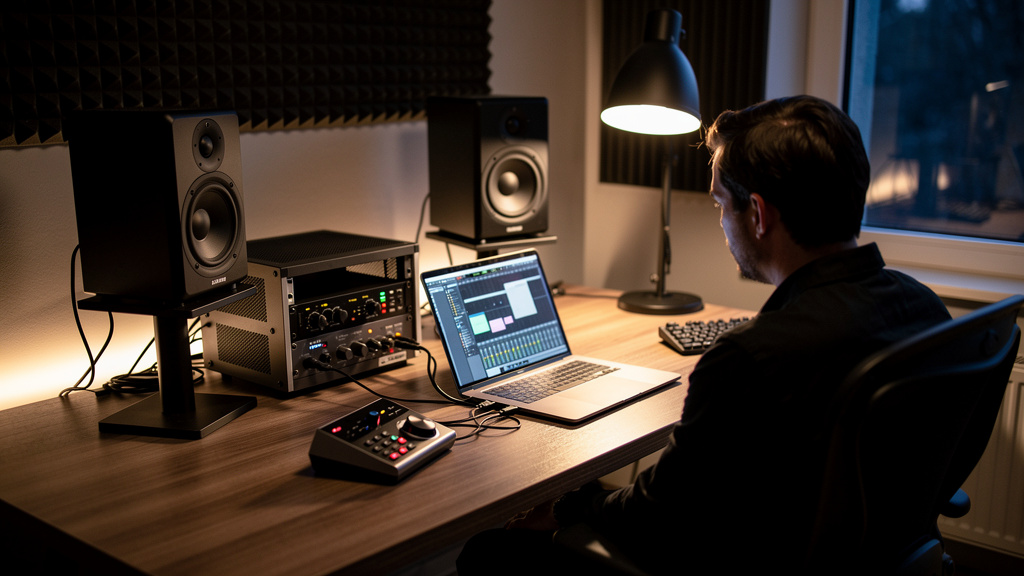
You know the feeling: you finally get a vocal sitting right, the room is quiet, everybody is focused, and then a ghostly voice rides under the take. Maybe it is a talk radio host buried in the monitors. Maybe it is a crackly burst that sounds like a station tuning past your mix. Either way, it shatters concentration fast, and it has a nasty way of making a clean studio feel cheap. The worst part is how random it seems. Some days it is gone. Other days it shows up only when one piece of gear is patched in, one monitor level changes, or one cable gets touched.
The good news is that this problem is usually far more local, specific, and fixable than people think. You do not need to wrap the control room in metal, move out of town, or start buying mystery boxes marketed as “RF solutions.” If radio is getting into your signal path, it is almost always entering through a handful of vulnerable points where shielding, grounding, and impedance stop behaving the way you assume they are. Once you understand that, the problem gets a lot less supernatural.
The myth that wastes time and money
When people hear radio in studio gear, they tend to picture the whole room soaking up broadcast energy like a giant antenna. That picture leads to expensive dead ends: copper foil fantasies, panic about the building, suspicion toward every wall outlet, and broad “power cleanup” purchases that never touch the real cause.
Broadcast RF does fill the local environment, especially if you are near a strong AM or FM transmitter. But strong fields alone do not automatically make your monitors speak. For you to actually hear a station, the signal has to do two things:
- Get picked up by something that can act like an antenna
- Hit a non-linear point in the audio chain that can demodulate it into audible content
That second part matters. Audio circuits are not radio receivers by design, but certain weak spots accidentally behave like one. A poor shield termination, a corroded connector, a badly grounded input stage, or an unbalanced segment feeding an active circuit can rectify RF just enough to turn it into faint voices, buzz, or gritty crackle. So the real story is not “the room is full of radio.” It is “one or two entry points are letting RF become audio.”
That distinction is where relief starts, because specific problems are traceable. If you want a structured way to think through that process without wading through contradictory forum posts, this noise-troubleshooting workbook is a solid resource for narrowing the source before you spend money in the wrong place.
Why active gear is where the station becomes audible
Passive metal parts can collect RF energy, but you usually hear the problem only after the signal reaches an active stage: monitor inputs, interface outputs, headphone amps, outboard input circuits, powered speakers, or any gain stage with semiconductors waiting to do something non-linear when stressed by high-frequency energy.
That is why radio interference often feels selective. One chain is clean, another is not. One monitor talks, the other does not. One outboard unit triggers the problem only when inserted. The broadcast signal may be present in several places, but only a few spots are converting it into something your speakers reproduce.
Common vulnerability patterns include:
- Powered monitors with one input left effectively more exposed than the other due to cabling or grounding differences
- Interface outputs feeding long analog runs near RF-heavy areas
- Adapters that break shield continuity or turn a balanced path into a semi-unbalanced one
- Connectors with loose shells, oxidation, or weak contact pressure
- Cheap or damaged cables whose shield is present physically but poor electrically
Notice that none of those require your whole studio to be “bad.” One compromised joint can be enough.
The connector joint is often the real antenna
This is the part many people miss. A cable with decent shielding on paper can still fail you at the exact place where it matters most: the termination. Radio-frequency rejection is not just about what the cable is made of through its length. It is also about whether the shield remains low-impedance and continuous right up to the connector body and the receiving equipment.
At audio frequencies, a slightly imperfect shield connection might not show obvious symptoms. At broadcast frequencies, that same imperfection can become the doorway. Tiny gaps, poor 360-degree shield bonding, loose connector shells, and mismatched grounding arrangements can all make a connection much more “RF-friendly” than it appears in a basic continuity test.
That is why swapping one short cable can sometimes fix what feels like a room-wide curse. You did not change the room. You removed the accidental antenna-detector combination.
How to think about the problem without tearing the studio apart
You do not need a lab-grade RF survey to make useful progress. What you need is disciplined isolation. The mistake is changing five variables at once and then trusting the last thing you touched.
A practical way to approach it looks like this:
- Identify where the station is first audible. Is it only in the monitors, only in headphones, only on recorded tracks, or only through one outboard path? That tells you whether the issue is in monitoring, capture, or a specific insert chain.
- Simplify the path aggressively. Remove optional hardware, inserts, monitor controllers, extenders, and adapters. If the radio disappears, you have already narrowed the fault domain.
- Compare left and right, one unit against another. If one speaker or one channel behaves differently, stop thinking “building problem” and start thinking “path-specific vulnerability.”
- Substitute known-good balanced cables with proper connectors. Not premium for the sake of premium, just electrically sound, intact, and appropriate for the gear.
- Test proximity and orientation carefully. Moving a cable a foot, changing where it crosses power, or rotating a wall-wart can reveal where RF coupling is strongest.
That process is simple, but it works because radio interference is rarely random. It follows topology. The signal is getting in somewhere specific, and your job is to identify the path that changes the symptom.
What makes one studio more susceptible than another
Two rooms in the same building can behave very differently around RF. That is not magic, and it does not always mean one studio has “better power.” Usually it comes down to signal architecture and mechanical details.
Studios tend to be more vulnerable when they have:
- Long unbalanced runs feeding active inputs
- A stack of adapters converting between connector formats
- Powered speakers or outboard gear connected through aging cables
- Multiple devices tied together by USB plus analog audio plus different power-ground relationships
- Consumer gear mixed into pro signal paths without careful interface strategy
AM can be especially sneaky because lower frequencies travel differently and can exploit surprising bits of wiring as receiving elements. FM often shows up more as harsh interference or bursty artifacts, though symptoms vary with the gear and the fault.
The broader point is this: susceptibility is designed in, patched in, or worn in. It is not a moral failing of the room.
What not to buy first
When frustration kicks in, it is easy to order broad “noise cure” gear that never addresses RF entry or detection points. Before spending on the dramatic fix, be careful with these assumptions:
- “A power product will stop radio.” Sometimes power-related grounding contributes indirectly, but audible radio usually enters through signal connections and active inputs.
- “Any balanced cable will reject RF equally.” Connector quality, shield termination, and the integrity of the receiving stage matter a lot.
- “If the cable passes audio, it’s fine.” A cable can pass music perfectly well and still be weak at RF.
- “I need to shield the walls.” Room-scale shielding is almost never the first rational move in a small studio.
This is why so many people spend money and stay annoyed. They buy for the symptom category, not the actual entry mechanism.
The result you actually want
What most studio owners are after is not a technical victory lap. You want the room to disappear again. You want to push the monitor knob without waiting for static. You want a vocal chain that sounds like a vocal chain, not a late-night AM relay. You want clients and collaborators focused on the work instead of asking, “Is that coming from outside?”
That is a realistic goal. A radio-free room does not come from treating every square foot as suspect. It comes from finding and correcting the handful of weak points where RF is being invited into active circuits. Once those are fixed, the room often feels boring again in the best possible way.
If this is a recurring headache in your setup, I’d recommend Kill the Noise. It is a practical visual workbook built around eliminating noise at the source, and it is especially useful when the internet is giving you ten conflicting explanations for the same interference.
Comments (0)
Leave a Comment
No comments yet. Be the first to comment!