Why Turning Up the Monitors Makes Hiss Feel Worse
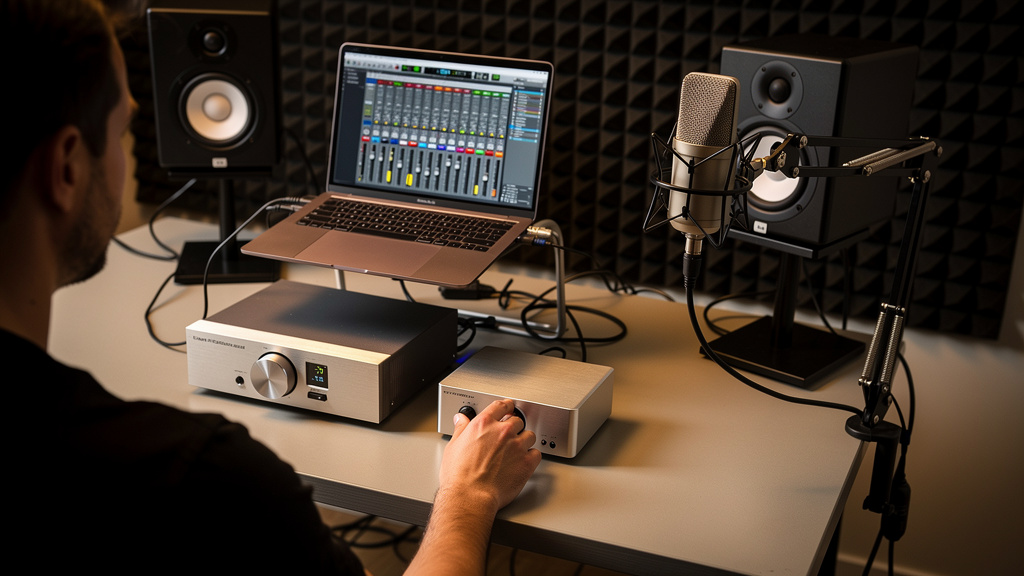
You know the feeling: the track is finally sitting right, you reach for the monitor knob to feel it at a real working level, and suddenly the room fills with that rushing top-end haze. Not a dramatic buzz, not a dramatic hum, just a constant hiss that makes your ears tense up and your judgment get weird. After an hour, everything feels harsher than it is. You start blaming the monitors, then the interface, then the preamp, then your own hearing.
The frustrating part is that hiss like this often feels expensive. It sends people shopping for quieter preamps, boutique converters, better monitor controllers, or powered speakers with “lower self-noise.” But in a lot of small studios, the problem is much less glamorous and much more fixable: the signal was turned down too early somewhere upstream, and then everything after it had to be turned up to compensate. That is where the noise comes alive.
When gain is matched well, a studio can feel strangely calm. You push the monitors to a healthy level and the silence between sounds stays quiet. The mix feels more solid. Your ears stop fighting the room. That is not magic, and it is not reserved for expensive rooms. It is usually the result of sane level relationships across the chain.
The hiss is rarely telling you to buy “quieter” gear
There is a stubborn myth in audio that a little hiss is just normal professional behavior, especially once you start stacking hardware. Another version says that if the room hisses, you simply need a cleaner preamp. Both ideas miss the bigger issue.
Every device in your chain has a noise floor. That part is real. But whether you actually hear that noise floor in day-to-day use depends heavily on where your signal is sitting relative to it. If a microphone signal hits a preamp weakly, or a line source leaves one box too low, or a monitor controller is being used to make up for a starved output stage, you are not just hearing the gear. You are hearing the result of poor level relationships.
Think of it this way: hiss gets obnoxious when useful signal is low and downstream amplification is high. The gear may be behaving exactly as designed. The gain structure is what is wrong.
Why monitor volume can expose a level problem earlier in the chain
Monitor knobs get blamed because they are the last thing your hand touched before the hiss got louder. But monitor level is often just the messenger.
If the feed arriving at your monitors is healthy, turning them up raises both music and residual noise together in a proportion that still feels clean. If the feed arriving there is weak, turning up the monitors raises a poor signal-to-noise ratio. That is when hiss seems to leap out of nowhere.
This is why two rooms with the same speakers can behave very differently. One engineer runs the interface outputs at a strong, appropriate line level and uses moderate monitor amplification. Another keeps the interface output timid, then compensates with more monitor gain. Same monitors, very different amount of apparent hiss.
The same principle shows up all over the studio:
- A microphone recorded too conservatively, then boosted later
- A hardware compressor returning lower than unity, forcing extra makeup gain later
- An interface output feeding active monitors at an unnecessarily low level
- A monitor controller attenuating too much, followed by high speaker sensitivity
- A synth or sampler outputting much lower than the input expects
None of those issues require a defective product to create fatigue. They only require one weak handoff in the chain.
What “healthy level” actually means in practice
This is where a lot of forum advice goes sideways. People talk about gain as though louder is always better, then someone else overcorrects and says to record everything ultra-low for safety. Neither approach is very useful.
Healthy level is not “pin it.” Healthy level is not “barely tickle the meter.” It means each stage is being fed in the range it was designed to operate best, with enough signal above the noise floor and enough headroom to stay clean.
For line-level connections, that usually means avoiding tiny output settings feeding a device that now has to work too hard at the next stage. For microphone paths, it means getting enough preamp gain to put the wanted signal in a strong, usable place without cranking a later stage to rescue it. For monitoring, it means not treating speaker gain controls like a substitute for proper upstream output level.
The key idea is simple: headroom and noise performance are both part of gain structure. If you underfeed a stage, you pay in noise. If you overfeed it, you pay in distortion. The sweet spot is where the signal is comfortably strong and the system still has room to breathe.
The expensive myth that keeps people stuck
Once hiss becomes part of your daily work, it is easy to build a story around it. “These monitors must be noisy.” “This interface output is weak.” “This preamp just isn’t high-end enough.” Sometimes those things are true. Very often they are not.
The more common reality is that one early stage is set lower than it should be, and one later stage is set higher than it should be. That mismatch creates the illusion that the final device is the noisy one.
This is why two engineers can have opposite opinions about the same piece of gear. One runs it near an appropriate nominal level and barely notices hiss. The other starves the input or output and concludes the unit is unusably noisy.
If hiss changes dramatically when you rebalance levels between stages, you did not buy silence. You restored signal-to-noise ratio.
That distinction matters because it changes what you do next. Instead of replacing hardware blindly, you start asking better questions about where the level went wrong.
The clues that point to gain staging, not bad equipment
You do not need a full bench test to spot the pattern. A few symptoms show up again and again when hiss is really a level mismatch problem.
- The room is quiet at low monitor settings but gets hashy fast as you turn up
- Recorded tracks look small on the meter even though the performance level was normal
- One device in the middle of the chain seems to need unusually high output or makeup gain
- Your monitors are set very sensitive while the interface feed feels timid
- Bypass states on hardware change hiss more than expected, even without tonal changes
What ties these together is not defective gear. It is that one stage is doing too little work and the next stage is being asked to do too much.
How to think through the chain without guessing
You do not have to chase every possible culprit at once. The cleanest way to approach hiss is to think from source to speaker and ask where the useful signal became too small.
- Start with the source. Is the microphone, instrument, or playback device arriving at a sensible level for the first active stage?
- Check each handoff. When signal leaves one box and enters the next, is it leaving robustly, or arriving weak and getting rescued later?
- Watch for hidden attenuation. Pad switches, conservative digital output settings, low instrument volume controls, and monitor controller trims can all quietly shrink signal.
- Separate monitor gain from signal strength. Speaker volume should set listening level, not compensate for a weak upstream feed.
- Listen for ratio changes. When you rebalance two adjacent stages, does the hiss drop even if playback loudness stays similar?
That last point is the giveaway. If the perceived loudness in the room stays about the same but the hiss drops after rebalancing adjacent stages, you have just found a gain-structure problem.
If you want a practical framework for tracing those relationships without falling into random forum advice, this visual noise-tracing workbook is built around exactly that kind of diagnosis. It helps studio owners identify where the signal got weak before they start spending money in the wrong place.
Why this matters for ear fatigue as much as noise
People talk about hiss as a technical annoyance, but the more immediate problem is often physical. A rushing high-frequency bed in the room changes how you perceive the mix. You start pulling top end out of sources that are not actually too bright. Reverbs feel grainier. Vocal sibilance feels more aggressive. You turn down sooner, take more breaks, and trust your decisions less.
That is why fixing gain structure can feel bigger than the meter suggests. The room stops pushing back. Silence between phrases feels quieter. You stop mixing against a layer of static and start hearing the actual tone of what is there.
It is also why the “just live with a little hiss” advice is so unhelpful. Some self-noise exists in every system, yes. But audible, fatiguing hiss that blooms as soon as you work at realistic monitor levels is usually a sign that something upstream is out of balance.
What to stop doing right now
If this problem sounds familiar, a few habits are worth dropping immediately.
- Stop assuming the last device in the chain is the one causing the noise
- Stop recording or routing everything extra-low “just to be safe”
- Stop using monitor gain to compensate for weak interface or controller output
- Stop judging gear noise before checking whether it is being fed properly
- Stop treating hiss as a character trait of professional audio
Those habits keep you reacting to symptoms instead of fixing the relationship between stages.
The relief is real when the chain is balanced
A properly gain-matched room does not only sound quieter. It feels easier to work in. You can bring the monitors up without bracing for that layer of rush. You hear transients and ambience instead of the system breathing around them. You make faster decisions because your monitoring is no longer arguing with you.
And most of the time, that relief does not come from replacing half the rack. It comes from finding the point where signal got unnecessarily small and correcting it before the next stage had to amplify the damage.
If you want a structured way to work through that logic and pin down the mismatch that is making your room feel noisier than it should, I’d recommend Kill the Noise. It is a solid resource for studio owners who want a clear path to cleaner gain matching and quieter monitoring without guesswork.
Comments (0)
Leave a Comment
No comments yet. Be the first to comment!