Why Turning Up Your Monitors Makes Hiss Sound Like a Gear Problem
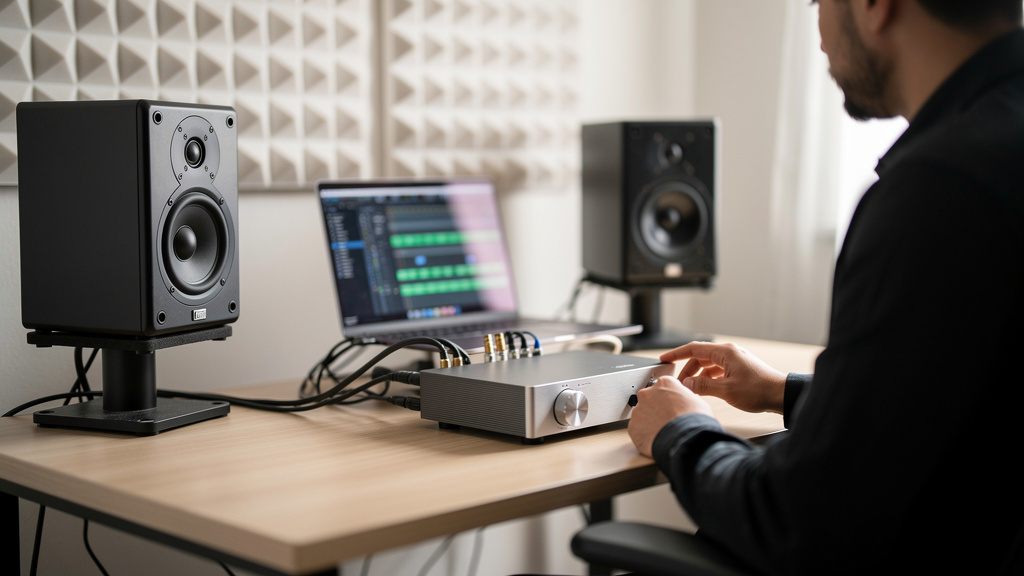
You know the feeling: the session is finally moving, you reach for the monitor knob to hear detail, and suddenly the room fills with that steady rushing hiss. Not a dramatic buzz. Not a ground loop. Just a constant shhh that makes everything feel cheap, tiring, and weirdly small. After an hour, your ears feel cooked, your confidence drops, and you start wondering whether your interface, monitors, preamp, or the room itself is the problem.
The maddening part is that a lot of otherwise good studios live like this for years. People normalize it. They call it “just self-noise” or “what active monitors do” or “the price of using budget gear.” Then they start shopping for quieter preamps, lower-noise converters, different speakers, power widgets, anything except the actual fault. Most of the time, the hiss is not some unavoidable tax on making records. It is a level mismatch upstream, and once that clicks, the whole studio feels calmer.
The sound you want is already in the room
A properly matched chain does not need heroic gear to feel clean. You should be able to bring your monitors to a sensible listening level and hear silence when nothing is playing, aside from a faint residual noise floor if you put your ear near a tweeter. From the mix position, with the room quiet, it should not feel like the speakers are spraying air at you.
That matters for more than comfort. Hiss changes decisions. It makes reverbs feel less defined. It masks low-level detail. It tempts you to monitor louder than necessary to “hear through” the noise, which creates another layer of fatigue. And once fatigue enters the room, everything downstream gets worse: balance, EQ calls, editing patience, vocal performance, all of it.
The relief comes when you realize this is rarely about one defective box. It is almost always about how hard one device is working to feed the next one.
Why hiss gets blamed on the wrong gear
Here is the myth: if the monitors hiss loudly, the monitors are noisy. Or the interface outputs are cheap. Or the preamp needs upgrading. There are edge cases where gear really is faulty or unusually noisy, but in healthy modern equipment the bigger problem is usually gain structure.
Think of the chain as a series of handoffs. Every stage has an ideal operating range. If an earlier stage is running too low, the next stage has to be turned up harder to compensate. That extra gain does not only magnify the music. It magnifies the noise floor riding along with it. By the time you get to the speakers, what you hear is not “monitor hiss” in the pure sense. It is the result of too little level where it mattered, followed by too much gain later.
This is why two studios can use the same monitors and have completely different experiences. One has the interface sending a healthy output level into monitor gain set appropriately. The other has the interface output weak, monitor sensitivity cranked, and maybe software channel levels pulled down in odd places. Same speakers, different gain map, radically different apparent noise.
The expensive myth that keeps studios stuck
The most expensive misunderstanding is believing the cure is lower-noise gear rather than better level matching. People buy a boutique preamp to solve a hiss that only appears when their monitor controller is wide open. They swap speakers when the interface output trim is set badly. They blame converters when the real issue is that they are monitoring a weak signal and amplifying it at the end of the chain.
That does not mean every preamp is equally quiet, or that specifications do not matter. They do. But if your hiss jumps out mainly when monitor volume comes up, you are probably not dealing with a preamp shopping problem. You are dealing with an alignment problem.
That is exactly why resources like the Kill the Noise workbook help so many studio owners: they move the conversation away from random forum guesses and toward signal flow you can actually reason through.
Where the mismatch usually happens
In small studios, hiss-related level mistakes tend to cluster in a few places. Not because people are careless, but because modern setups give you several volume controls that all appear to do the same thing while affecting noise very differently.
- Interface output level set too low while monitor gain is set too high
- Monitor controller attenuating heavily, forcing higher gain elsewhere
- Playback channels in software pulled down far below nominal level
- Mic preamp run hotter than needed because the performer is too far off the mic
- Consumer and pro line-level gear mixed without compensating correctly
- Unbalanced connections where a balanced run should be doing the work
Notice what ties these together: the hiss is not created by one dramatic failure. It accumulates when signal level is compromised early and recovered late.
Monitor level and preamp level are not the same job
One reason this gets confusing is that “turn it up” can refer to several completely different parts of the chain. Raising mic preamp gain changes how strongly the microphone signal hits the converter. Raising interface output changes how strongly your converted signal leaves the interface. Raising monitor sensitivity changes how much the speaker amplifies the incoming line signal. Raising the monitor knob in your room changes listening volume, but where that control sits in the chain matters.
These controls are not interchangeable. If the source enters the system weakly and you restore loudness at the speaker end, you have preserved the weak signal-to-noise relationship and simply made it more audible. If the source enters at a healthy level and the downstream devices are matched sensibly, you hear more of the program and less of the chain.
This is the belief shift that solves the problem: hiss is not mainly about how loud the system is. It is about where loudness is being created.
How to think like an engineer instead of a shopper
Before buying anything, ask a better question: at what point in my chain does the signal become too small for the next device? That mindset instantly narrows the field.
A solid diagnostic pass usually follows this order:
- Identify whether the hiss changes with monitor volume, interface output, software fader position, or input gain.
- Separate recording-chain noise from playback-chain noise by listening with no input source and then with known-good playback material.
- Check whether the monitors are set overly sensitive relative to the level feeding them.
- Confirm that line-level devices are talking at the same expected standard and over the right type of connection.
- Only after that, evaluate whether any specific device is genuinely noisier than it should be.
The sequence matters because it keeps you from blaming the first box you can physically touch. Most hiss problems reveal themselves when you observe which knob actually changes the noise and which knob only changes the music.
Headroom is part of the fix, not the enemy
Some people keep levels timid because they are afraid of clipping, and that fear pushes the whole chain into a low-level, high-hiss operating state. Good gain structure is not about slamming every meter near the top. It is about feeding each stage enough level to stay well above its noise floor while keeping comfortable room for peaks.
That distinction matters. Healthy headroom does not mean weak signal. It means strong, controlled signal. If your average operating level is too low just to feel “safe,” you often end up turning up monitor gain, headphone amps, or downstream trims to make the room usable. That is where hiss becomes obvious.
In practice, clean studios tend to share one trait: they are boring in the best way. Nothing is being pushed hard to fix a problem created earlier. The source is captured well, the interface outputs a proper level, and the monitors are calibrated to that reality rather than acting like magnifying glasses for a skinny signal.
What “normal” hiss actually sounds like
It is worth saying this clearly: every analog stage has some noise, and active monitors are not magical silent objects. If you stand inches from a tweeter in a quiet room, you may hear a slight hiss. That alone does not mean anything is wrong.
The problem is when the noise becomes part of your working environment at the listening position. If you are hearing a broad rushing noise from where you mix, and it gets intrusive whenever you raise monitor volume to a practical level, that is not something you should just accept as studio life.
That is also why replacing gear blindly disappoints people. If the structure is wrong, the new box often sounds only a little better—or exactly the same—because the mismatch survived the purchase.
Action beats guessing
The encouraging part is that this category of hiss is usually fixable without a rack full of upgrades. What you need is a clean way to trace the gain path, understand what each level control is really doing, and correct the mismatches in the right order.
If your room keeps getting louder and harsher the moment the monitors come up, stop assuming you need quieter gear. You probably need a clearer picture of the handoff between source, interface, monitor path, and speaker sensitivity.
For studio owners who want that mapped out visually and logically, Kill the Noise is a smart next resource. It is built for exactly this kind of problem: not random symptoms, but the signal-flow decisions underneath them.
Comments (0)
Leave a Comment
No comments yet. Be the first to comment!