Why You Hear a Radio Station in Your Studio Gear
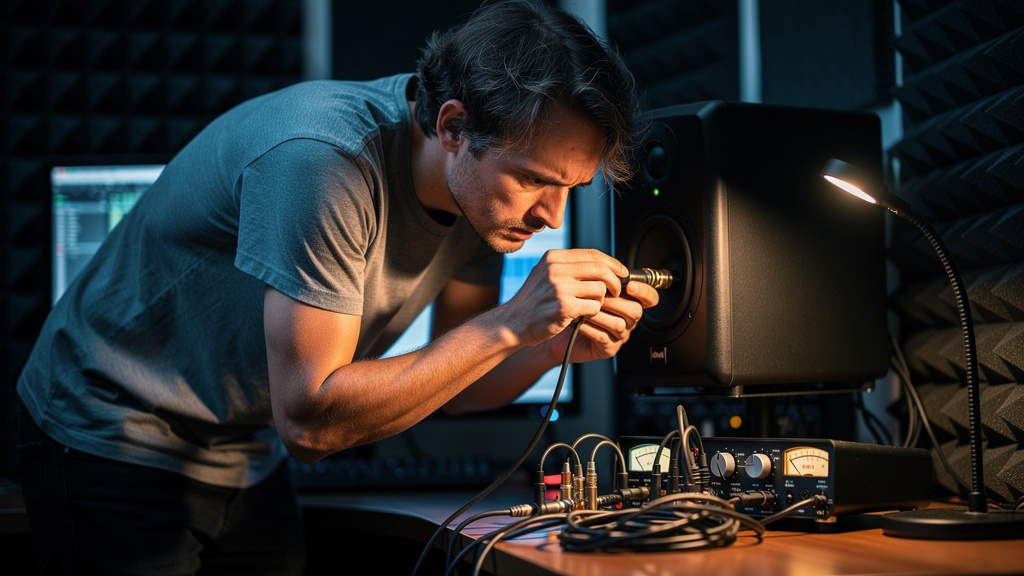
You sit down to edit, track, or print a mix, and there it is again: a ghostly voice under the noise floor, a burst of static, maybe half a talk-radio sentence riding under your monitors like your studio has been possessed. It is maddening because it breaks concentration in a way ordinary hiss does not. Hiss is annoying. A local station bleeding into your rig feels personal. It makes the room feel compromised.
The good news is that this problem is rarely as dramatic as it sounds. When people hear AM or FM leaking into active speakers, interfaces, pedalboards, or monitor controllers, they tend to jump straight to extreme ideas: line the walls, buy exotic power gear, move buildings, wrap everything in foil. Most of the time, none of that is the real fix. Radio-frequency interference usually gets into a studio through a few very specific weak points, especially connector joints and high-impedance input stages, then gets partially demodulated by active circuitry until you hear actual program content.
That matters because once you stop treating RFI like a room-wide curse and start treating it like a signal-path vulnerability, the problem becomes much more manageable.
The result you actually want
You do not want to become an RF engineer. You want to press play and hear only your session. You want your monitors quiet at idle, your preamps stable, and your active boxes behaving like audio equipment instead of accidental receivers. And yes, a radio-free room is a realistic goal in many small studios, even when there is a strong broadcast source nearby.
The relief comes from realizing the station is not magically filling the whole space and forcing itself into every device equally. It is finding one or two easy entry points. Fix those, and the room often goes from haunted to normal very quickly.
Why studios accidentally become radios
Broadcast RF is everywhere, but audio gear only turns that RF into something audible when a few conditions line up. First, you need a conductor that can pick up energy efficiently enough to matter. Second, you need a vulnerable transition point where shielding, grounding, or impedance stops behaving ideally. Third, you need an active or nonlinear stage that can rectify or demodulate the signal. That is how a distant transmission turns into faint speech or crackle in a monitor chain.
The myth is that the cable run itself is always the main antenna. Sometimes it is. But very often the bigger issue is the place where the cable stops being well-behaved: a loose XLR shell, a corroded jack, a badly terminated connector, a flimsy adapter, an input stage with poor RF rejection, or an unbalanced segment feeding an active circuit that was never happy about seeing RF in the first place.
Think of the system less like a room full of gear and more like a chain of junctions. RF loves junctions. Every transition is a chance for shield continuity to weaken, contact resistance to rise, or common-mode rejection to fall apart just enough for trouble to start.
The expensive myth that sends people in the wrong direction
If your first instinct is architectural shielding, stop for a minute. Copper mesh, foil-backed wall treatments, and major room retrofits belong to a tiny minority of extreme cases. They can be real solutions in broadcast or lab environments, but they are rarely the first rational move for a home studio, edit suite, or small production room.
Most audio RFI problems are not solved at the drywall. They are solved at the edges of the signal path.
That is why two studios in the same building can behave very differently. One has a few robust balanced runs, tight connectors, proper chassis contact, and gear with decent input filtering. The other has one suspect adapter, one oxidized patch point, and one active speaker input that is just vulnerable enough to demodulate a nearby AM carrier. Same room, same neighborhood, completely different outcome.
If you can hear a station, the room is not necessarily broken. A connection probably is.
Where RF usually sneaks in
The pattern is more predictable than it seems. When I see broadcast bleed in a small studio, I start by thinking about places where shielding and impedance discipline tend to get sloppy.
- Connector joints: XLRs, TRS plugs, RCA ends, adapters, couplers, and patch points where shield continuity can weaken.
- High-impedance inputs: instrument-level paths, DI-adjacent wiring, older pedal circuits, and some consumer inputs are easier to excite with RF.
- Active speaker inputs: monitor amps can reveal RFI when their input filtering or grounding is not happy.
- Monitor controllers and desktop devices: short but messy interconnects near power supplies, routers, screens, and chargers can create ideal conditions.
- Improvised cable chains: barrel adapters, gender changers, and mixed-format transitions often create the weakest physical and electrical joints in the room.
Notice what is not on that list: the entire building. That distinction is what saves you from spending money in the wrong place.
What the sound is telling you
Different symptoms suggest different failure modes. Clear speech under silence often points to stronger demodulation at an active stage. Raspy crackle that changes when you touch a connector can point to shielding or contact issues at a joint. Noise that appears only when one specific monitor path is connected narrows the search to that route and its destination input. Trouble that gets worse when cables are rerouted near wall-warts, displays, or wireless hardware suggests a pickup problem combined with a vulnerable termination.
This is why random swapping can waste hours. The sound is data. If you listen carefully, the system usually tells you whether you are dealing with a pickup issue, a termination issue, an input-stage issue, or some combination of all three.
How to think through it without tearing the room apart
You do not need a full RF lab mindset. You need a disciplined isolation mindset. The most productive way to approach studio RFI is to reduce the path until the station disappears, then rebuild carefully enough to reveal the vulnerable point.
- Simplify the chain. Start with the shortest possible monitor path and remove anything nonessential between source and speakers.
- Change one junction at a time. Swap a cable, then an adapter, then a destination input, not all at once.
- Watch for touch sensitivity. If the symptom changes when a connector is moved or touched, that joint deserves immediate suspicion.
- Separate balanced from unbalanced segments. The moment you identify where the path stops being properly balanced, you often get your first real lead.
- Compare left and right paths physically. If one side is clean and the other is not, differences in routing, connectors, or input hardware become your map.
This process matters because RFI troubleshooting is less about broad theory than about narrowing exposure. A single bad interface-to-controller cable or one poorly terminated monitor lead can make a whole room seem infected.
If you want a visual framework for tracing those weak spots without bouncing between contradictory forum threads, this interactive noise-elimination workbook is a strong resource. It is especially useful when the issue feels bigger than it is and you need a way to think clearly about source, path, and entry point.
What usually fixes it in practice
Without turning this into a complete procedure, the fixes tend to cluster around a few realities. Tight, properly terminated connections matter more than people think. Continuous shielding matters. Solid balanced runs matter. Reducing adapter chains matters. And gear choice matters when one device has weak RF immunity compared with another.
It is also worth remembering that RFI is not always a cable-quality story in the luxury sense. A fancy cable with a poor connector fit can lose to a modest, correctly built cable with reliable shield termination. Mechanical integrity and electrical integrity are married here.
On the equipment side, active circuits differ wildly in how gracefully they reject RF. If a problem follows one monitor, one preamp, or one controller no matter what sensible cabling changes you make around it, that tells you something important. The vulnerable point may be the device input itself, not the room and not your entire wiring philosophy.
A few mistakes that make the problem worse
Studios often intensify RFI by accident while trying to cure it. Watch out for these habits:
- Using long unbalanced runs because they seem harmless at line level
- Leaving oxidized or mechanically loose connectors in service
- Stacking adapters instead of using the correct cable format
- Bundling audio interconnects tightly against noisy power supplies and chargers
- Assuming any noise product marketed for power will solve a signal-entry problem
That last point is important. If RF is entering through a monitor input or a compromised connector shell, treating the AC line may do very little. Wrong diagnosis is expensive.
The belief shift that changes everything
Once you accept that audible radio in studio gear is usually a vulnerability problem, not a cursed-room problem, your decisions get sharper. You stop shopping for dramatic cures and start inspecting the exact places where shielding stops, grounding gets ambiguous, or active circuits get exposed.
That shift is what turns a frustrating, spooky issue into a solvable technical one. You do not need folklore. You need signal flow discipline and enough RF awareness to respect the weak links.
Make the room boring again
The best studio is a boring one in the most flattering sense: no phantom announcer, no random crackle, no local station whispering under your fade-outs. Just the session, the performance, and your decisions.
If that is the outcome you are after, Kill the Noise is worth keeping on your bench as you work through the problem. It gives studio owners a practical way to identify noise at the source instead of guessing at expensive cures.
Comments (0)
Leave a Comment
No comments yet. Be the first to comment!