Why Your DI Bass Sounds Thin Before You Even Start Mixing
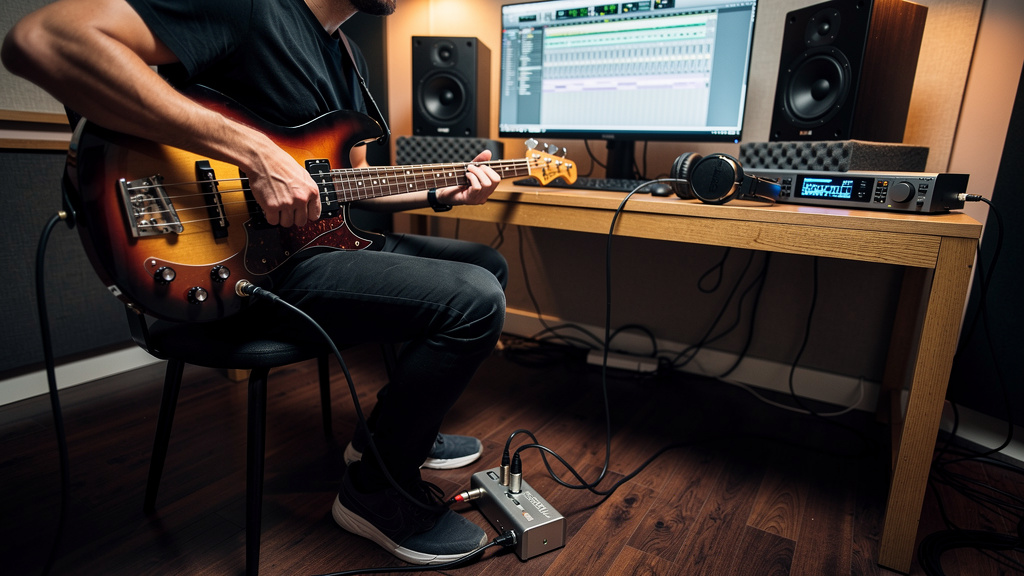
You know the feeling: the bass player leaves, the take was tight, the performance is there, and then you pull up the DI and it sounds like the instrument forgot how to be a bass. No weight. No authority. Just a wiry midrange, some string noise, and a low end that disappears the second the kick drum shows up. At that point it is tempting to reach for an amp sim, a broad EQ shelf, or a saturation plugin and hope the body comes back. Usually the real problem happened earlier.
A thin DI bass is almost never just “how the bass sounds.” More often it is a loading issue, an input mismatch, gain staged too timidly or too hot, a battery on its way out, or a player monitoring a tone that made them dig in the wrong way. The good news is that this is one of the easiest recording problems to fix once you know what to check.
What a healthy bass DI should actually sound like
Before troubleshooting, it helps to know what you are listening for. A good clean DI bass track often sounds less exciting on its own than an amped bass, but it should still feel solid. You should hear a stable low end, a clear fundamental on each note, and enough transient detail for articulation without the top end taking over. Even if the player uses bright strings or active electronics, the track should still feel anchored.
If the recording feels more like a scratch guitar part than a bass foundation, something in the chain is probably stealing the instrument’s natural impedance relationship or pushing the wrong stage too hard.
The most common cause: the wrong input for a passive bass
This is the first thing I would check in any room. A passive bass wants to see a proper instrument input, not a generic line input and not a microphone preamp through an adapter. That detail matters because the pickup is part of an electrical system, not just a sound source. If you load it down with the wrong input impedance, the top and bottom can both shift in unhelpful ways. The result is often a smaller, flatter tone that feels oddly brittle and weak at the same time.
For most passive basses, the instrument should hit a high-impedance input. That might be the Hi-Z input on an interface, an active DI designed for passive pickups, or the instrument input on a dedicated preamp.
As a quick rule of thumb, here is what tends to work:
- Passive bass: feed a high-impedance instrument input, often 500k ohms to 1M ohm or higher
- Active bass: usually more tolerant, and often happy into either an instrument input or a quality DI
- Line input: good for line-level devices, generally not where a passive bass should start
This is one of those problems that can hide in plain sight. A bassist plugs into whatever open input is available, signal appears on the meter, nobody hears obvious distortion, and the session moves on. But the tone is already compromised.
DI box choice matters more than many people think
People sometimes talk about DI boxes as if they are invisible. The better way to think about them is that a good DI should be predictable. It should preserve the source, present the right load, and deliver a clean balanced signal downstream. If your bass DI always sounds thin in your setup, the DI itself may be the pattern.
Passive and active DI boxes do not serve the same sources equally well.
In many small studios, these pairings are the safest starting point:
- Passive bass into an active DI. This is often the most forgiving match because the active DI presents a friendly input impedance to the pickup.
- Active bass into a passive DI. Often works well because the bass’s onboard preamp is already buffering the signal.
- Bass straight into a quality interface Hi-Z input. This can sound excellent and is often simpler than adding another box.
If you have both an interface instrument input and a DI available, record a short comparison instead of guessing. The difference can be surprisingly obvious. One path will usually sound more grounded in the low mids, with notes that feel finished before processing.
Don’t ignore the bass itself
When a DI sounds thin, engineers sometimes blame the recording chain before checking the instrument. Fair enough, because the chain causes plenty of problems. But basses have a few failure points that create exactly the same symptom.
Check these before you lose an hour to plugin experiments:
- Battery condition on active basses. A fading 9V battery can make the instrument lose headroom, punch, and low-end authority before it dies completely.
- Pickup blend settings. A bridge-heavy blend can make a bass sound intentionally lean. Great for definition, not always great as a raw DI foundation.
- Tone control position. If the onboard tone is wide open and the player has fresh stainless strings, the DI may be brighter than the arrangement needs.
- Pickup height. Pickups too far from the strings can reduce output and fullness. Too close can create odd attack and intonation behavior.
- Old cable with intermittent capacitance or connection issues. Not every bad cable crackles. Some just make the instrument feel dull or unstable.
A two-minute instrument check often tells you more than ten minutes of mix troubleshooting.
Gain staging can fake “thinness” even when nothing is technically broken
Bass wants headroom. The waveform has slower, larger swings than many sources, and a player who digs in hard can produce peaks that surprise an interface even when the average level looks conservative. That leads some engineers to track bass much too low out of fear, then pile on gain later. The result is not always noisy, but it can feel small and underfed.
On the other side, clipping the instrument input or the DI’s active stage can shave off the transient shape that makes the note feel full. Bass distortion is not always obvious as “fuzz.” Sometimes it just sounds papery and dimensionless.
A practical target is simple: leave healthy headroom, but feed the converter enough level that the bass feels confident. If the player’s hardest notes are peaking somewhere sensible and the tone still feels thin, the issue is probably not just raw level.
Monitor chain mistakes can change the performance you record
This part gets missed all the time. If the bassist is monitoring through tiny headphones with no real low-end extension, or hearing a zero-latency path that is much brighter than the DAW path, they will often change how they play. They may overpluck for definition, dig in near the bridge, or brighten the onboard tone to compensate. Then the recorded DI reflects those decisions.
The fix is not complicated:
- Get the player a monitor path with believable low mids.
- Let them hear enough context with drums or a rough groove.
- If you are using an amp sim while tracking, keep it honest rather than hyped.
- Ask for one minute of test playing and listen from the control position before committing.
If the bassist says, “It feels weird in the headphones,” believe them. That discomfort often turns into a DI track you end up fighting later.
A simple troubleshooting order that saves time
When the bass DI is not working, resist the urge to fix five variables at once. Move through the chain in order and keep a short reference recording of each change.
- Check the instrument. Battery, controls, pickup blend, tone setting, cable.
- Confirm the input type. Passive bass into Hi-Z or active DI, not a random line input.
- Compare paths. Interface instrument input versus DI into mic preamp.
- Set gain with the player’s hardest section. Do not set it during timid checking.
- Listen in context. A bass that seems dark soloed may sit perfectly once drums are up.
- Print a quick recheck after any hardware change. Don’t trust memory for small tonal differences.
That last point matters. The ear adapts fast. What sounded “open” thirty seconds ago may just have been louder.
When the DI is fine and the arrangement is the real culprit
Sometimes the bass track is healthy, but the production makes it seem thin. A dense synth pad, a kick with too much sustain, or guitars stacked into the low mids can make a solid DI feel anemic. Before declaring the recording broken, mute a few competing elements and see what changes.
This is where signal-flow discipline pays off. If you are already chasing technical gremlins elsewhere in the room, it becomes harder to judge what is a source problem and what is arrangement masking. That is also why clean recording habits matter across the board, whether you are tracking a bass DI or reading about broader platform updates like Pro Tools adding local AI stem separation to the free tier. New tools are useful, but they do not replace getting the original capture right.
The fastest path to a bigger bass is often subtraction, not rescue processing
If you fix the source and input relationship, bass mixing gets much easier. You need less corrective EQ, less artificial thickening, and fewer plugins trying to re-create information that never made it to disk. A good DI gives you options. You can leave it clean, reamp it, split it into low and midrange bands, or feed an amp sim without the whole thing collapsing into string noise and upper mids.
And if you do use modern production tools after the fact, clean source tracks still win. Editing, replacement, and enhancement all behave better when the original bass has stable fundamentals and honest dynamics, just as new DAW features in stories like the Ableton Live 13 public beta matter most when the recording coming in is solid.
A thin bass DI is rarely mysterious. It is usually one or two practical issues hiding behind a performance that deserved better. Get the instrument into the right input, check the active electronics, set gain from real playing, and make the monitor path feel musical. Do that consistently, and the bass will start sounding like the foundation it was supposed to be before the mix even starts.
Comments (0)
Leave a Comment
No comments yet. Be the first to comment!