Why Your Headphone Mix Distorts Before the Master Bus Clips
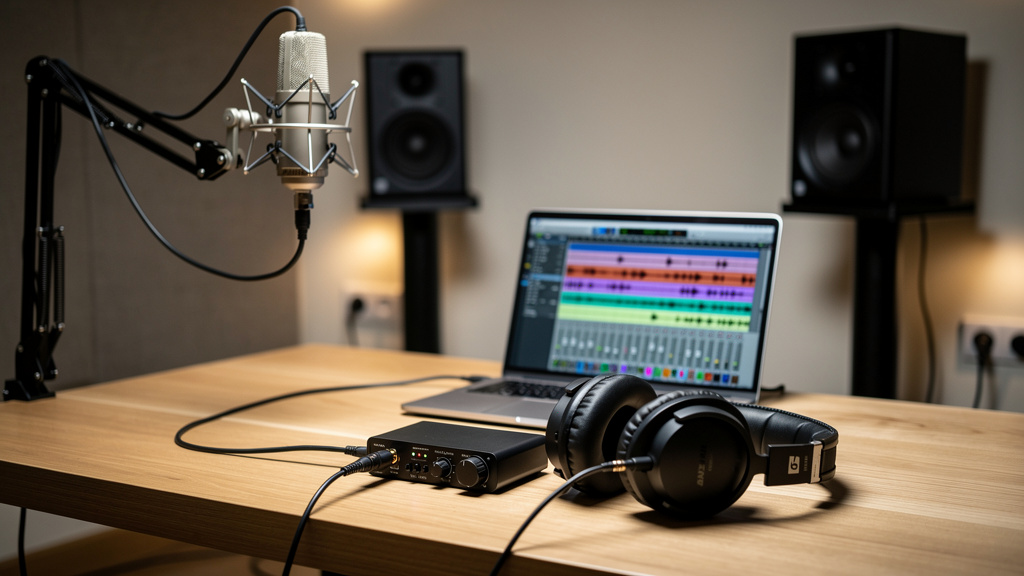
You know the moment: the artist says their headphones are crackling, the vocal feels harsh, or the whole cue mix seems to fold up when the chorus hits. You look at the DAW, and nothing is clipping. The master bus has headroom. The interface output meter looks fine. But the headphone mix still sounds like it is being pushed past its limit. That is a frustrating place to be, because it feels like the session is lying to you.
Most of the time, it is not lying. You are just watching the wrong gain stage.
Headphone distortion that shows up before your master bus clips usually comes from a separate bottleneck somewhere in the cue chain: a hot aux send, a software mixer path, a headphone amp that is out of current, a low-impedance set of cans being pushed too hard, or a monitor mix built from tracks that are peaking all at once. The fix is rarely “turn everything down randomly.” The fix is knowing exactly where the overload is happening.
The headphone path is not your master bus
In a modern studio setup, the performer’s headphones often get fed by a path that is partly separate from what you are hearing on speakers. That path may include:
- a dedicated cue aux in the DAW
- the interface’s internal mixer software
- a physical line output feeding a headphone amp
- the built-in headphone amp on the interface
- its own output trim or level control
That matters because a cue mix can clip even while the main stereo mix stays clean. If your vocal reverb, drums, and guide instruments are all being summed into a headphone send that is hotter than the control room mix, the cue path can overload first.
This is one reason gain staging problems can feel slippery. The distortion is real, but the meter you keep checking may not be showing the overloaded stage. If you have already fought noise by adding gain in the wrong places, some of the same thinking applies here in reverse: level can pile up where you are not looking. If that sounds familiar, fix the room first is not the only lesson worth borrowing from studio troubleshooting. The bigger principle is to stop treating symptoms and trace the actual path.
What headphone distortion usually sounds like
Before changing levels, it helps to identify the flavor of the problem. Different overloads point to different causes.
1. Crunch on peaks only
If the mix sounds mostly normal until the singer gets loud or the kick and bass land together, you are probably hitting a summed gain stage too hard. That could be the cue aux, interface mixer, D/A output, or headphone amp.
2. Fuzzy low end and collapsing punch
This often points to the headphone amp struggling with the load, especially with low-impedance headphones played loudly. The waveform may not be clipping digitally, but the amp can still run out of clean output.
3. Harshness that appears after adding “more me”
That usually means the performer’s own channel is too hot in the cue bus. Engineers often push the vocal way up in the headphones without pulling anything else back, so the bus itself gets crowded fast.
4. Distortion on only one pair of headphones
Now you are likely dealing with the headphones themselves, a damaged cable, a weak adapter, or one specific amp output, not the whole session.
How to find the overload in ten minutes
Do this in order. The goal is to isolate the stage that distorts instead of guessing.
- Turn the headphone level down at the very end of the chain. Lower the physical headphone knob or external headphone amp level first. If the distortion disappears immediately, the amp or headphones may simply be getting driven too hard.
- Keep the headphone knob lower and rebuild level upstream carefully. If turning down the headphone amp fixes it, do not just crank the cue send to compensate. Bring the whole cue mix down and rebuild with more headroom.
- Check the cue aux meter, not just the master bus. Solo-safe the return if needed and watch the dedicated headphone send. Many sessions have a clean stereo out and an overloaded cue aux.
- Bypass any limiter, saturator, or listen-bus plugin feeding the cue path. A plugin inserted on the headphone bus can distort even if it is not clipping in an obvious way.
- Test with a different pair of headphones. If one set breaks up and another does not, the issue may be sensitivity, impedance, or a damaged driver.
- Test a different output. Move from headphone output 1 to 2, or from the interface headphone jack to an external amp fed by line outs. If the problem follows the output, you found the weak link.
- Pull the cue mix down by 6 dB across the board. If the distortion vanishes without changing tone, you likely had cumulative overload from summing too many hot sources.
This process works because it separates digital clipping from analog strain. A clean meter does not promise a clean headphone feed if the analog stage after conversion is being asked to do too much.
The hidden cause: cue mixes are often much denser than the control room mix
Artists rarely want the same balance you want in the speakers. They ask for more vocal, more click, more snare, more reverb, more track. Each “more” adds energy to the bus. If you keep adding without subtracting elsewhere, the headphone mix becomes a louder and denser version of the session than your main mix ever was.
That is why headphone buses overload so easily. They are not just copies of the mix. They are custom sums.
A better way to build cue mixes is to think in offsets, not additions. If the singer wants more vocal, try bringing the track down a little before boosting the vocal. If they want more click, carve space for it by lowering bright percussion or guitars in their mix. The performer hears clarity as much as level.
Watch out for pre-fader sends with hot track levels
Pre-fader cue sends are great because you can adjust the control room mix without disturbing the artist. But they also hide trouble. A track that looks fine in the mix may be sending a much hotter level into the headphones because the send was set earlier and forgotten.
Drum close mics, bright synths, and heavily compressed vocals are common offenders. They may not dominate the master bus, but they can slam the cue path if the send levels were built quickly during tracking.
Here is a useful checklist when a headphone mix gets ugly for no obvious reason:
- check every pre-fader send feeding the cue bus
- look for parallel compression buses included in headphones
- watch stereo reverbs and delays that bloom on loud sections
- mute the click briefly to see if sharp transients are part of the strain
- verify that no track is feeding both a direct monitor path and a DAW cue path at once
That last point is easy to miss. Direct monitoring plus software monitoring can make a source seem louder, phasey, and rough in the headphones, even when nothing is technically clipping.
Interface headphone amps have limits
Not all headphone outputs are equally strong. Small bus-powered interfaces are convenient, but their headphone amps can run out of clean level sooner than a dedicated external unit, especially with demanding headphones or very loud performers.
This is where people can waste a lot of time chasing fake digital problems. The DAW is fine. The converter is fine. The mix is fine. The headphone amp is just at its ceiling.
A few situations make this more likely:
- high-volume drummers wanting a loud cue mix
- closed-back headphones with low sensitivity
- one interface output split to feed multiple listeners
- long sessions where everyone keeps asking for “just a little more”
If this is your pattern, the answer may be less about software and more about giving the headphone stage more clean power and more independent control.
Build headphone mixes with headroom on purpose
The cleanest cue mixes usually come from a simple discipline: leave intentional space from the start.
- Start the cue bus lower than feels necessary. Build it conservatively, then raise the final headphone level only as needed.
- Keep the loudest sources under control. Vocals, clicks, snares, and bright synths can feel louder than their meters suggest.
- Use compression carefully. A little control on a vocal can help. Heavy bus compression on the entire cue mix often makes the distortion problem worse by raising average level.
- Avoid stacking effects just for comfort. A touch of reverb is helpful; multiple widening, saturation, and excitement moves in the cans usually buy very little and cost headroom.
- Reset between songs. A cue mix that worked for a sparse verse may fall apart on a dense chorus or a different arrangement.
This is the same broader lesson behind a lot of studio troubleshooting: if every stage is being pushed because the previous one felt a little weak, the last stage pays the price. That is also why bad gain structure can make noise and hiss seem normal. If you want a related read on that mindset, AI in podcast production touches a different workflow, but the same truth applies: cleanup tools help, yet better source handling upstream always wins.
One practical rule that saves sessions
If a performer asks for more of something in the headphones, do not automatically add level. First ask what they are not hearing clearly enough. Sometimes the real fix is less guitar, less reverb, or less click in one ear. Better separation beats brute force almost every time.
A clean headphone mix is not the loudest one. It is the one that lets the performer stop thinking about the headphones.
Once you approach cue mixes that way, headphone distortion gets easier to solve. You stop staring at the master bus, stop blaming the DAW, and start treating the headphone path as its own signal chain with its own limits. That is usually where the answer has been hiding.
Comments (0)
Leave a Comment
No comments yet. Be the first to comment!