Top 10 Places Radio Noise Sneaks Into Your Studio
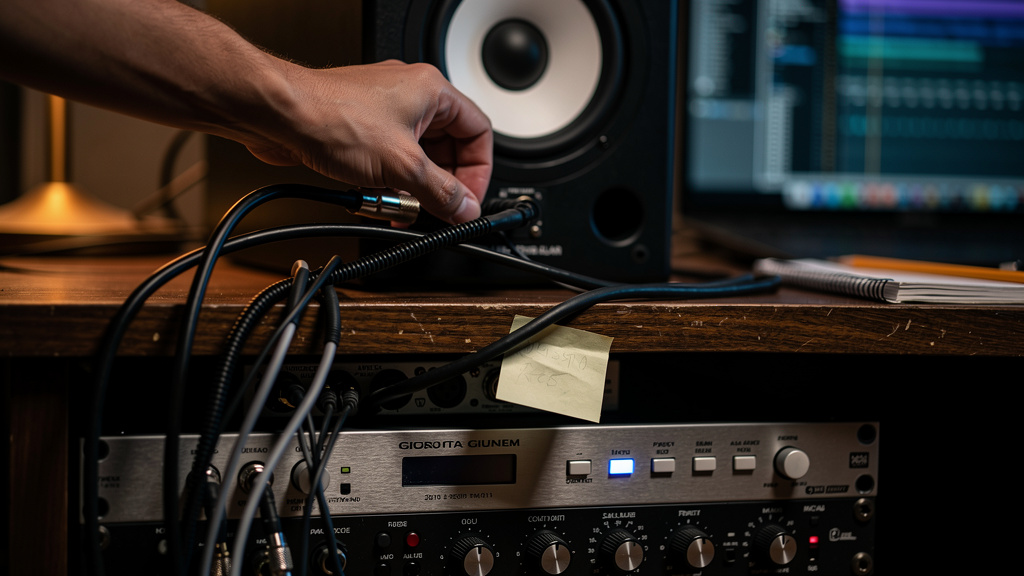
You sit down to edit a vocal, stop playback, and there it is again: a faint presenter’s voice under the silence, or that dry little crackle that sounds too organized to be random noise. You move the mouse, mute the track, stare at the monitors, and for a second you wonder if your room is just cursed. It’s not. When local AM or FM gets into a studio, it usually doesn’t flood the room like fog. It slips in through specific weak points.
That distinction matters, because it saves you from bad fixes. You probably do not need to line the walls with foil, wrap your desk in copper mesh, or start planning a move. Radio-frequency interference is usually being demodulated by an active circuit or a compromised connection somewhere in the chain. Find the vulnerable spot, and the “ghost station” tends to disappear with it.
Here are the ten places I check first when a studio starts talking back.
1. Loose or oxidized connector joints
This is the quiet villain more often than people expect. RFI rarely becomes audible just because a cable exists. It becomes audible when a connection stops behaving like a solid, low-impedance junction and starts acting nonlinear. A slightly loose XLR, a tarnished TRS plug, or a jack that has lost good spring tension can create exactly the kind of imperfect contact that lets RF get rectified into something you can hear.
That is why two otherwise identical cables can behave very differently in the same room. One makes no trouble. The other brings in talk radio the second it touches your monitor input. The cable itself may be fine. The joint is the weak point.
If the noise changes when you touch, twist, or reseat a connector, pay attention. That is not random studio weirdness. It is a clue.
2. The input stage of active monitors
People tend to blame the speaker as a whole, but the real issue is usually the monitor’s input circuit. An active monitor has gain, active electronics, and an input network that can become the place where radio energy gets turned into audible junk. If nearby broadcast energy reaches that stage through a cable shield or a poorly terminated line, the monitor may do the demodulating for you.
This is one reason the symptom can seem spooky: playback sounds normal, frequency response seems fine, and yet silence carries a whispered station ID or static texture. The monitor amp is not “broken” in the usual sense. It is simply sensitive at the point where RF arrives.
If one monitor is worse than the other, don’t assume the room is somehow beaming radio into one side only. It usually means one input path is more vulnerable than the other.
3. Adapter chains hanging off balanced lines
A balanced run that ends in a stack of adapters is no longer the clean, robust connection you think it is. Every extra coupler, gender changer, mini-jack breakout, or improvised converter adds another metal-to-metal interface and another opportunity for shielding continuity to get sloppy.
This matters because RF problems love complexity at the connector end. A direct, properly terminated connection gives interference fewer places to develop into something audible. An adapter tree gives it options.
If your monitor feed involves “just one little adapter,” then another, then a weird right-angle piece to make the desk fit, that path deserves suspicion. For a deeper foundation on how signal paths go wrong long before cable branding matters, this piece on signal-path mistakes is worth your time.
4. Unbalanced segments hiding inside an otherwise balanced rig
A lot of small studios are partly balanced and partly not. Interface outputs may be balanced, monitors may accept balanced input, but somewhere in between there is an insert point, a desktop controller, a pedal, or a consumer device that turns part of the run unbalanced. Once that happens, the system is far easier to pollute with RF.
The frustrating part is that the setup still looks “pro” from across the room. XLRs are visible. Rack gear is lit up. But one TS patch or RCA bridge can create the weak section where the station gets in.
This is why radio bleed can survive cable swaps. You replace the obvious lead and the problem stays, because the vulnerable section wasn’t the long run. It was the short, easy-to-miss unbalanced hop near the destination.
5. Front-end instrument and hi-Z inputs left open
High-impedance inputs are naturally more susceptible to picking up unwanted energy. If you have an interface, preamp, or channel strip with an instrument input active or left connected to a less-than-ideal cable run, that stage can become a surprisingly effective entry point for RFI. Even when you are not actively recording guitar, the circuit is still there, still sensitive, still part of the electrical environment.
I have seen rooms where the monitors got blamed for radio bleed, but the actual culprit was an armed channel with a hi-Z input and a cable draped across the desk. The RF got into that stage, then rode downstream like any other signal.
When troubleshooting, always think in terms of where gain and impedance sensitivity live. Radio does not care which device you expected to be “the problem.”
6. Patchbays and half-normalled points with tired contacts
Patchbays are brilliant until they are dirty, worn, or casually wired. Then they become a network of tiny potential failure points right at line level. Oxidized contacts, marginal normalization, and shields handled inconsistently can all raise RFI vulnerability.
This is especially true in project studios that evolved over time. A patchbay may have been rewired three different ways over the years, with a little solder repair here, a repurposed cable there, and one channel everyone avoids touching because “it mostly works.” That is exactly the territory where radio sneaks in.
If bypassing the bay makes the problem vanish, the bay did not just reveal the issue. It probably is the issue.
7. USB and wall-power devices sitting right on top of audio runs
Not all interference is broadcast RF, but mixed-device clutter can make a studio much more vulnerable to it. Cheap switch-mode supplies, powered hubs, chargers, and bus-powered gadgets can create a messy local environment that helps exposed weak points misbehave. They may not be the source of the radio station, but they can make the system less stable and less forgiving.
Physical layout matters here more than many people think. A neatly routed balanced cable with good connector integrity can pass right through a busy desk area with no drama. A compromised cable joint lying against a power brick or hub is another story.
What you are trying to avoid is the combination of susceptibility and proximity.
8. Rack gear with chassis grounding issues
Some RFI cases only make sense once you stop thinking purely in terms of cable shielding and start thinking about the gear chassis itself. If a rack device has a grounding or bonding problem, its enclosure may not provide the reference and shielding behavior the rest of the system expects. The result can be an input or output stage that is far easier for RF to upset.
This does not always announce itself with classic hum. Sometimes the only symptom is radio bleed on one path through the rack. That leads people to chase cables endlessly when the real clue is that one unit changes the behavior of the whole chain as soon as it is inserted.
Any box that makes the interference appear or disappear when patched in deserves a closer look, even if audio passes normally.
9. Cheap inline volume controls, monitor switches, and desktop widgets
These little convenience devices are common trouble spots because they sit directly in monitor feeds and are often built to a price. Even when they pass signal acceptably, their internal wiring, switching, and connector quality can make them poor citizens in an RF-heavy environment.
The pattern is familiar: interface direct to monitors is clean, but add the passive knob box and suddenly the afternoon DJ joins the session. That does not always mean the box is defective. It may simply be offering the exact imperfect junctions and grounding scheme that nearby broadcast energy needs.
If a simple widget changes the symptom dramatically, do not shrug it off. Minimal devices can create maximum frustration.
10. The one cable run everyone stopped questioning
Every studio has one. The monitor lead that lives behind the desk forever. The patch cable that came with a piece of gear years ago. The line that only gets touched when furniture moves. Because it has been there so long, it becomes invisible. But long-lived cable runs are often where shield damage, strain, contamination, or connector wear quietly accumulates.
RFI hunting gets easier when you stop treating the system as a mystery and start isolating assumptions. The old faithful cable is part of the suspect list, especially if moving it, lifting it off other gear, or replacing it changes the level or character of the bleed.
What makes radio problems feel magical is that they hide in ordinary things. What fixes them is patient isolation.
How to think about diagnosis without tearing the room apart
The useful mindset is simple: radio becoming audible means some part of your system is acting like a detector. Your job is not to shield the whole building first. Your job is to find where the system stops behaving linearly and starts translating RF into audio.
A practical approach looks like this:
- Reduce the chain to the smallest working monitor path.
- Change one connection or device at a time.
- Watch for changes when reseating, rerouting, or bypassing specific joints.
- Pay extra attention to active inputs, adapter points, and aging contact surfaces.
That process is where most forum advice goes off the rails. You get blanket recommendations about ferrites, foil, conditioners, grounding gadgets, or moving apartments, before anyone has identified the actual entry point. If you want a structured way to work through that logic visually, Kill the Noise is a solid resource because it walks studio owners through source-first diagnosis instead of folklore.
The big myth to drop
The myth is that a radio-free room requires extreme shielding or a completely different location. In most small studios, that is not the battle. The room is not failing you. A few vulnerable joints are.
Once you start thinking in terms of connector integrity, input-stage sensitivity, and weak links inside otherwise clean signal paths, the problem gets smaller. More importantly, it gets solvable. The voices in your monitors are not a sign that your whole setup is fundamentally flawed. They are a sign that one part of it wants closer attention.
And that is good news, because one vulnerable point is a lot easier to fix than an entire room.
Comments (0)
Leave a Comment
No comments yet. Be the first to comment!