Top 10 Reasons Your Monitors Reveal Hiss That Isn’t in the Room
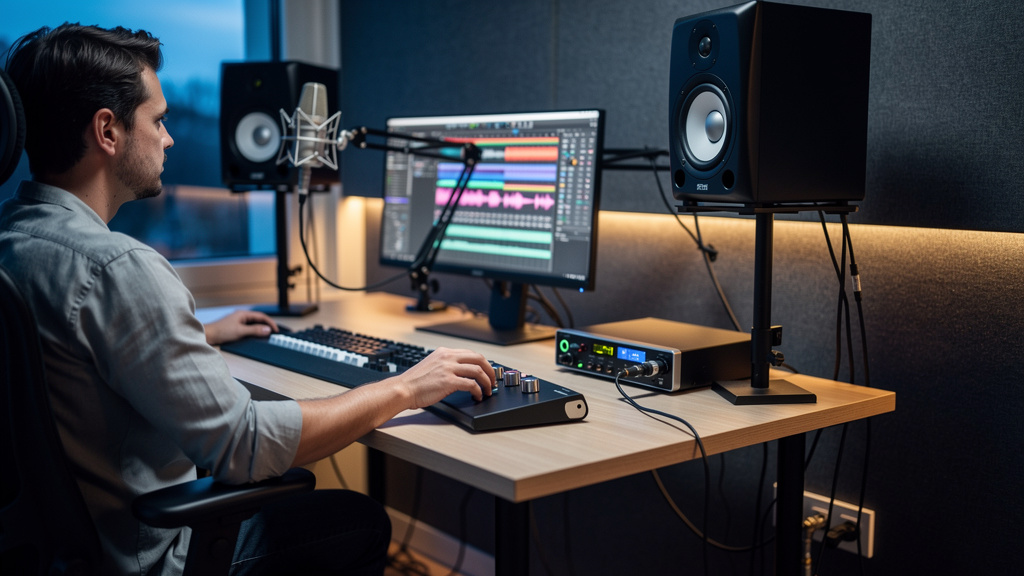
You know the moment. The track itself seems fine, but as soon as the monitors come up, a rushing hiss blooms underneath everything. Not a dramatic hum, not a digital crackle—just that steady, papery noise that makes you lean back, squint, and wonder whether your interface, preamp, speakers, or even your ears are starting to go. After an hour, your head feels cooked. The easy story is that some gear is just noisy. The real story is usually less glamorous and much more fixable: somewhere earlier in the chain, the level relationships are wrong.
Hiss that gets obnoxious at normal listening levels is rarely a sign that modern gear is simply behaving as expected. More often, the noise floor is being dragged upward because one stage is too low, another stage is compensating too hard, and the monitors are faithfully exposing the mismatch. Here are the ten most common reasons that happens.
1. Your source is leaving the first stage too quietly
The cleanest place to build level is usually near the source. If a mic, instrument, synth, or playback device feeds the next stage at a weak level, every device after it has to make up the difference. That extra gain does not only lift the wanted signal. It lifts the unwanted floor riding underneath it.
This is why hiss so often gets blamed on monitors. The monitors are just the last magnifying glass in the chain. If your interface output, monitor controller, or powered speakers need to be run unusually hard to reach a comfortable listening level, start asking whether the signal feeding them was healthy to begin with.
A low source level can come from conservative tracking, a pad left engaged, a weak DI output, or a device set to consumer-level output feeding a line input that expects something hotter.
2. You’re using monitor level to fix a recording level problem
This one is everywhere. The recorded or playback signal is weak, so the instinct is to turn up the speakers. That works for loudness, but it also makes the system’s noise floor subjectively huge. The result is that strange experience where the room feels “full of hiss” even though nothing obvious is broken.
Monitor level should be for setting listening comfort, not for rescuing underfed signal paths. If the mix bus or interface output is coming out timidly, turning up the monitor knob simply reveals how little level is arriving relative to the system noise.
That same mismatch creates fatigue. Your ears are dealing with a constant broadband rush on top of the actual content, so everything feels sharper and less relaxed than it should.
3. A line-level device is feeding a mic-level mindset
Many small studios quietly mix up mic level, instrument level, consumer line level, and pro line level. The gear still passes audio, so it feels “basically compatible,” but the operating level is wrong enough to make the downstream gain work far too hard.
A classic example is running a playback device or synth output too conservatively into an interface line input, then adding big gain later in software or on the monitor path. Another is feeding outboard that expects a robust line signal with a weak send, then compensating on the return.
Nothing has to fail for hiss to rise. Level mismatch alone is enough. If this issue tends to show up after you insert hardware, it’s worth reading why a vocal chain gets noisy after adding hardware, because the principle is the same even when the symptom appears during monitoring.
4. Your interface output is too low, so the speakers are doing all the work
Powered monitors sound their calmest when they are receiving a healthy line-level signal and operating at a sensible sensitivity setting. If the interface output is barely feeding them, you compensate by cranking the speaker input or the monitor controller. That raises the audibility of self-noise and any upstream hiss together.
This is the part many people miss: “speaker hiss” is often a combination of the monitor’s own idle noise plus a weak signal chain forcing higher speaker gain than necessary. The fix is usually not “buy quieter monitors.” It is to rebalance where gain is being created.
When the interface sends proper level, the monitors do less heavy lifting, and the background often drops more than people expect.
5. You’re stacking small boosts across multiple stages
No single knob looks outrageous, yet the total chain is noisy. Maybe the preamp is a little low, the interface gain is a little high, the DAW channel has a trim boost, the monitor controller adds some more, and the speakers are set generously. Each stage seems harmless in isolation. Together, they create a system that constantly amplifies its own floor.
This is one of the reasons hiss can feel mysterious. There isn’t always one dramatic mistake. Sometimes it is death by five polite little boosts.
When you hear that broad, rushing top-end noise, think cumulatively. Ask not only “which device is noisy?” but “how many stages are quietly compensating for an earlier shortfall?”
6. A pad or attenuation setting is engaged somewhere you forgot about
Pads are useful, but they are also perfect noise creators when left on accidentally. A pad on a mic preamp, inline attenuator, monitor controller, speaker sensitivity switch, or hardware insert path can quietly steal level. Then the rest of the chain has to recover it.
Because the audio still passes, this problem can survive for weeks. People get used to seeing certain knob positions and stop questioning them. Then one day they notice the monitors are far louder in terms of hiss than in terms of useful detail.
If a gain knob seems to live higher than it should for routine tasks, that is often your clue. Something earlier may be throwing away level before you ever start listening.
7. Your DAW output is healthy, but your analog path after it isn’t
It is easy to trust the meters on screen too much. You can have perfectly respectable digital levels in the DAW and still have a poor analog gain relationship from interface output to monitor path to speaker input. Meters only tell part of the story.
This is why hiss can confuse engineers who are watching digital peaks carefully. Nothing in the session looks dangerously low or high. Yet the analog side is misaligned, so the monitoring chain is noisier than it should be.
A good habit is to treat the analog output side as its own system with its own headroom and noise floor. Clean sessions can still sound rough if the path after conversion is badly balanced.
8. You’re mistaking normal headroom for “not enough level” while tracking
Some hiss problems start earlier than monitoring because people track too cautiously, then try to recover level later. Healthy digital recording does not mean slamming inputs, but it also does not mean printing everything so low that later stages have to drag it upward. There is a middle ground where peaks are safe and average level is still robust.
The problem gets worse when fear of clipping leads to every stage being run timidly. By mix time, the monitor chain is being used like a tow truck.
Good headroom is not the same as weak signal. If a source consistently needs heavy make-up gain after recording, the original gain structure probably left useful level on the table.
9. One control point in the chain is doing almost all the gain work
Quiet monitoring usually comes from balanced responsibility. Source, preamp, converter, output stage, and speakers all contribute sensible amounts. Trouble starts when one point is carrying the whole system: the preamp is maxed, the interface output is tiny, or the speaker gain is nearly all the way up.
Whenever one control is extreme, noise and fatigue tend to follow. Extreme positions are not automatically wrong, but they are worth investigating because they often signal a mismatch elsewhere.
If you want a practical visual framework for tracing this kind of issue without getting lost in contradictory forum advice, Kill the Noise is a useful resource for working back to the real source of the problem.
10. You’re diagnosing the symptom at the end instead of the mismatch at the start
This is the biggest reason hiss lingers in small studios. People stand in front of the speakers and judge the last device they touched. But the audible hiss at the monitors is often just the final expression of a decision made much earlier: weak source level, wrong operating level, hidden attenuation, or a chain built around compensation.
That is why replacing gear so often disappoints. The new box enters the same bad gain structure and inherits the same complaint.
When you think in terms of level relationships instead of isolated devices, the pattern becomes much easier to read.
What to listen for before you start changing gear
A few clues can tell you you’re dealing with gain structure rather than “naturally hissy” equipment:
- The hiss rises a lot when monitor volume rises, even though the actual mix still feels oddly small.
- You regularly run one or more gain controls much higher than expected just to feel comfortable.
- The noise became noticeable after adding a device, changing I/O paths, or reconfiguring monitor routing.
- The session meters look fine, but the speakers still seem to exaggerate background rush.
- Ear fatigue appears quickly at levels that should feel easy to work at.
Those signs point toward mismatch, not mystery.
A cleaner way to think about hiss
The goal is not silence in the abstract. Every real system has a noise floor. The goal is that your working monitor level feels open and detailed without the background rushing forward and hardening the whole listening experience.
That usually happens when the signal is strong enough early, the analog stages are sensibly aligned, and the monitors are not being asked to compensate for upstream weakness. Get that relationship right, and a lot of “speaker hiss,” “interface hiss,” and even “bad room fatigue” tends to shrink at the same time.
If your monitors only sound civilized when they are turned down too far, the problem is probably not the monitors. It is the chain feeding them. Fix the level story upstream, and the noise floor usually stops trying to join the mix.
Comments (0)
Leave a Comment
No comments yet. Be the first to comment!