Top 7 Causes of Studio Hum That Aren’t Fixed by Power Conditioners
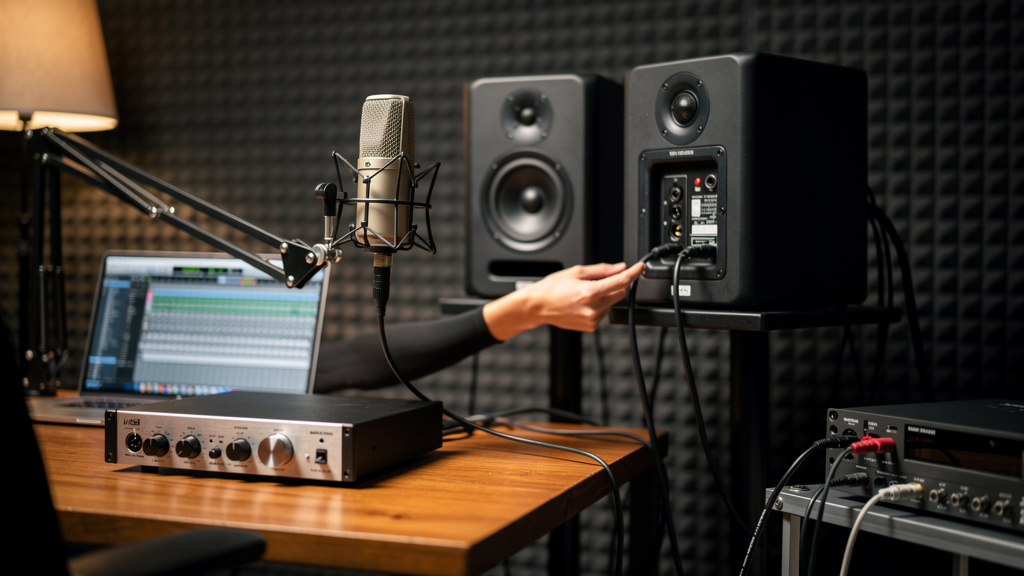
You finally get the vocal. The singer is settled, the room is quiet, the phrasing is right, and there it is underneath everything: a steady low hum that somehow wasn’t obvious while you were setting levels. So you mute the mic pre, stare at the rack, and start wondering if the answer is some expensive power conditioner with a glowing voltmeter on the front. Most of the time, it isn’t.
Home studios do run into real electrical problems, and bad household wiring can absolutely create noise headaches. But the hum most people blame on “dirty power” usually starts somewhere much closer to the audio path itself. If you treat every buzz or hum like a wall-power problem, you can spend a lot of money and still leave the real fault sitting there unchanged.
Here are the seven most common causes I see when a home studio has a low hum that survives good performances, good mics, and good intentions.
1. Two grounded devices are connected by audio and power at the same time
This is the classic ground-loop situation, and it is still the big one. If your audio interface and your powered monitors are both safety-grounded through their IEC power cables, and then you connect them with analog audio cables, you have created more than one path to ground. If those paths do not sit at exactly the same potential, current can circulate around the loop. What you hear is hum.
This is why a rack power conditioner so often disappoints people. It may give you surge protection, convenience, and one master switch, but if the hum is being created by loop current between properly grounded devices, moving those devices into a fancy strip does not remove the loop. It just relocates where they plug in.
One clue is that the noise changes when you disconnect the monitor cables, outboard gear, or a USB-connected device. Another is that the hum is present even with microphone inputs turned down, because the issue is not gain-related at the source; it is baked into the connection between pieces of gear.
The fix is usually about connection strategy, not power voodoo: balanced connections where possible, sensible routing, and knowing which device in the chain is introducing the second path.
2. Unbalanced runs are carrying signal between gear that should be balanced
A lot of home studios quietly inherit noise because one part of the rig is wired like a hi-fi setup while the rest is wired like a studio. Balanced lines reject common-mode interference. Unbalanced lines do not. That matters a lot when your cables run near power supplies, wall adapters, monitor power leads, laptop chargers, or LED lighting dimmers.
If your interface outputs are balanced TRS and your monitors accept balanced TRS or XLR, but you are using the wrong cable type, you have given up a major noise defense before the signal even reaches the speakers. The same goes for patching synths, preamps, and hardware processors with whatever cable happened to be in the drawer.
Hum from an unbalanced run often gets blamed on the building power because it sounds broad and persistent. But the cause may simply be that the cable is acting like an antenna and the connection format is giving noise a free ride into the signal path.
If you have ever upgraded cables expecting miracles, this is the more useful question to ask: not “are they expensive,” but “are they carrying the signal the right way?” I covered that idea from another angle in why expensive cables won’t fix a bad studio signal path.
3. USB is tying your quiet audio rig to a noisy computer ground
Modern studios love to forget that USB is not just data. It is also a physical electrical connection between devices that may not be happy sharing a ground reference. Laptops on chargers are especially notorious here. You connect the interface, add a bus-powered MIDI controller, maybe a monitor with USB, and suddenly the system that was quiet on headphones starts humming through speakers.
This is one reason people think power conditioners are curing computer-noise problems when, at best, they are only masking part of the symptom. The actual path often starts with the computer’s power supply and ends in the analog outputs of the interface or monitors.
USB-related hum has some recognizable tells:
- The noise changes when the laptop power supply is connected or removed.
- The hum appears only when the interface is connected to one specific computer.
- The noise shifts when other USB peripherals are added.
That pattern points you back to grounding and connection topology, not magical filtration. The cure is often in how the computer, interface, and monitors are related to each other electrically.
4. One wall wart or switch-mode supply is spraying hash into the system
Not every noise problem is a pure 50 or 60 Hz hum. Sometimes you get a hum with higher-frequency grit riding on top, or a buzz that seems to sit under the low end. Cheap switch-mode supplies for LED lights, phone chargers, pedalboards, network gear, or small desktop accessories can dump trash onto power lines and into nearby audio wiring.
This is where people say they have “dirty power,” and sometimes they are partly right. But even then, the smart question is still local first: which device is dirty? In home studios, a single bad power brick can contaminate an otherwise normal setup.
What matters is that the offending supply may not belong to any audio gear at all. It might be powering a lamp, router, USB hub, external drive dock, or camera battery charger in the same room. The hum becomes audible because the audio chain gives it gain and a route to your monitors.
If you want a structured way to trace that without getting lost in contradictory forum advice, Kill the Noise is useful precisely because it maps the logic visually. That tends to save a lot of time compared with randomly unplugging half the room.
5. A DI, amp sim, or reamp path is creating an extra reference to ground
Instrument recording chains are full of hidden opportunities for hum. A bass plugged into a DI, feeding an interface, while the player is also connected to an amp, pedalboard, tuner output, or grounded computer rig can form loops in ways that are not obvious at first glance. Guitar rigs are even worse because high-impedance signals are naturally more sensitive to junk in the environment.
The key here is that the hum may show up only on one input type. Your condenser mic chain might be clean while the DI input hums. That does not mean the house wiring is selectively haunting the bass track. It means the instrument path has its own grounding story.
This is why experienced engineers isolate the problem by path, not by room. If the hum follows the instrument setup but not the vocal chain, the fix is almost never “buy a better power conditioner.” It is almost always “understand what is tied to what, and where.”
6. Powered monitors are plugged in sensibly, but placed in a noisy electrical neighborhood
Sometimes the issue is not the AC outlet itself. It is what the monitor input cables have to live beside. A monitor on a clean power strip can still hum if its analog input cable runs parallel to AC cables, wall warts, laptop chargers, or a bundle of adapter bricks under the desk. This is especially common in compact rooms where everything is squeezed into the same corner.
Balanced monitor inputs help a lot, but they are not a license to ignore physical layout. Home studios often create noise simply by stacking power and audio too closely for too long a distance.
A practical audit often reveals avoidable problems like these:
- Audio cables bundled tightly with IEC power leads behind the desk.
- Wall-wart transformers resting against interface or monitor cables.
- Monitor input lines routed across a power strip or charger cluster.
- Excess cable length coiled directly around power supplies.
That is not glamorous engineering, but it is real engineering. A cleaner physical layout can drop the noise floor more effectively than a rack unit with marketing copy about “studio-grade filtration.”
7. The building wiring is imperfect, but the hum is only becoming audible because gain staging is exposing it
Here is the part people hate hearing: sometimes the room does have mediocre residential wiring, but the reason you are noticing it today is that the signal chain is weak and you are having to add too much gain later. A low-level hum that would have stayed buried becomes obvious once a preamp, interface input, plugin chain, or monitor controller is compensating for poor level management upstream.
That does not mean the wiring gets a free pass. It means the wiring issue and the audio issue are interacting. The elegant solution is rarely at one extreme or the other. You do not ignore the electrical environment, but you also do not treat it as the only suspect.
This is why some setups hum more during quiet vocal passages than during louder takes. The source level, preamp setting, compressor threshold, headphone volume, and monitor gain can all change how obvious the underlying problem feels. A modest hum plus bad gain structure can sound like catastrophic power contamination.
When a studio hum seems mysterious, I usually think in this order:
- Which signal path shows the problem?
- What changed when a specific device was connected?
- Where are balanced connections missing?
- What is sharing ground through both power and audio?
- Is the noise truly being created by AC power, or just exposed by gain?
That sequence matters because it keeps you from treating every hum as an electrical-service emergency when the real issue is much smaller and much more fixable.
So when does a power conditioner actually help?
It can help with convenience, basic protection, and in some cases mild cleanup of ugly mains conditions. In a studio with genuinely unstable household power, it may be part of a sensible setup. But it is not the first thing I would reach for when a home studio has a low steady hum under recordings.
If the transients are dull, the noise floor is hanging on between phrases, and your instinct says “the house power must be dirty,” slow down. Most of the time the answer is closer, simpler, and sitting somewhere in the path between one grounded device and another. Find that relationship, and the room usually gets quieter fast.
That is the difference between throwing money at symptoms and actually hearing a dead-silent background when the take starts. And once that hum is gone, your transients do not just measure better. They feel better.
Comments (0)
Leave a Comment
No comments yet. Be the first to comment!