Top 7 Gain Staging Mistakes That Make Hiss Seem Normal
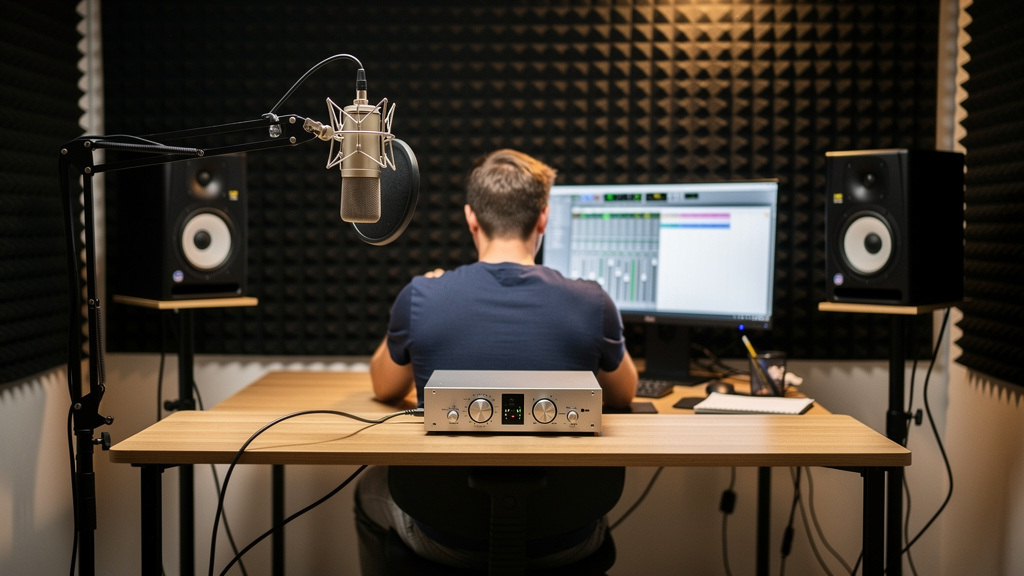
You know the moment. The take is fine, the room is quiet, nobody is talking, and then you bring the monitors up just a little so you can judge detail. Suddenly there it is: that rushing hiss sitting behind everything, loud enough to make you lean back and squint. It feels like the studio is fighting you. A lot of people blame the interface, blame the speakers, or start shopping for a quieter preamp. Most of the time, though, the noise was invited in by gain structure long before the monitor knob moved.
Hiss has a nasty way of pretending to be normal. Because it often arrives gradually, people adapt to it. They turn one stage down, another stage up, and live with a system that is technically working but constantly exaggerating its own noise floor. If your monitoring feels harsh or fatiguing at sensible listening levels, there is a good chance you are not hearing "bad gear." You are hearing a level mismatch.
Here are the seven mistakes that make hiss seem like an unavoidable part of studio life.
1. Running the monitor controller low and the interface output hot
This is one of the most common hidden problems in small rooms. Someone wants plenty of available volume, so they push the interface output high, then keep the speakers or monitor controller turned down for everyday use. On paper that sounds harmless. In practice, it can put you in a poor operating window where tiny monitor adjustments feel jumpy and residual system noise becomes more obvious than it should be.
The important idea is that every device in the chain has a preferred working range. When one stage is far hotter than the next stage expects, you start throwing away usable control. Then you compensate later. That compensation is where noise becomes audible.
A healthy monitor path usually feels boring in the best possible way: normal listening happens with controls sitting in comfortable, repeatable positions, not pinned at one extreme. If your speakers get loud very early on the knob, that is not a sign of power. It is often a sign the gain map is off.
2. Using preamp gain to solve a headphone or monitor problem
When a performer says, "I need more level," many setups respond in the wrong place. The engineer adds mic preamp gain because it is the nearest knob. That makes the recorded signal hotter, but it also brings up room noise, self-noise, and every little bit of hiss riding with the source. Later, during playback, the monitors reveal the damage and the preamp gets blamed.
Preamp gain should serve the microphone and source, not the comfort level in the headphones and not the control-room volume. Those are separate jobs. Once those jobs get mixed together, you can wind up recording hotter than needed and monitoring quieter than needed, which is a perfect recipe for ear fatigue and a falsely noisy workflow.
This is especially common with low-output dynamics, inline boosters, and podcast setups where one chain is doing double duty for recording and streaming. If that sounds familiar, this piece on why a vocal chain gets noisier after adding a Cloudlifter is a useful companion.
3. Recording too low, then making it up later everywhere else
People got scared of clipping, which is fair. The overcorrection was recording everything far too conservatively, then adding gain in the DAW, adding gain in monitor playback, and sometimes adding gain again on outputs or speakers. By the time you hear the signal at a satisfying level, the noise floor has come along for the ride.
Headroom does not mean starvation. A clean digital recording wants enough level to sit well above the noise floor while still leaving safe transient space. If your raw tracks always look tiny and your mix session begins with a stack of gain plugins just to make sources feel alive, you may be building hiss into the monitoring experience before mix decisions even start.
Good gain staging is not about chasing the tallest waveform. It is about preserving signal quality at each handoff. When the original capture is healthy, later stages do not need to behave like rescue tools.
4. Treating speaker hiss as proof the speakers are noisy
Active monitors do have some inherent noise. So do interfaces, monitor controllers, and amplifying stages before them. But the question is not whether self-noise exists. The question is whether your room is magnifying it beyond reason.
If the hiss feels dramatically worse when you switch interfaces, change output modes, or alter one gain stage upstream, that is a clue the speakers are not the true source. They are simply the last magnifier in line. This is where people waste money. They replace monitors when what they really had was a chain calibrated around convenience instead of level integrity.
A quick reality check helps. Ask yourself:
- Is the hiss level changing more than expected when one upstream control moves?
- Does the system get uncomfortably loud before the monitor control reaches a natural position?
- Do different sources in the same setup reveal very different background noise levels?
- Does the fatigue show up most when you monitor quietly and listen for detail?
If the answer to several of those is yes, the speakers are probably exposing a structure problem rather than creating one.
5. Confusing analog nominal level with digital meter comfort
This one trips up even experienced people when they move between devices. Your interface outputs, outboard gear, monitor controller, and speakers do not all speak the exact same language about level, even when the connectors physically match. Balanced line level can still be mismatched in practice if one device expects a different nominal operating level or sensitivity than the next one.
That mismatch does not always show up as obvious distortion. Often it shows up as touchy volume control, weak signal-to-noise performance, or a sense that the system is somehow both too loud and not clean enough. You can have a perfectly legal signal path that is still poorly aligned.
This is why forum advice gets messy fast. Someone says, "My monitors hiss," and ten replies jump straight to cable quality or defective gear. Sometimes the real issue is simpler: the chain is passing audio correctly but not optimally. That is exactly the kind of problem a visual resource like Kill the Noise is built to help you think through without the usual conflicting guesses.
6. Stacking tiny gain boosts across plugins and hardware
Not every hiss problem starts at the microphone. Mix and production chains can create the same fatigue. A trim plugin here, a saturator there, a bus insert returning a little low so you push the makeup gain, then the monitor level comes down to compensate. None of these moves looks dramatic alone. Together, they can leave the whole session louder in the wrong places and noisier than it needs to be.
The danger is cumulative invisibility. Each device or plugin says, "I only added a little." The monitoring path says, "Now I have to cope with all of it." That is when engineers start describing a room as tiring even though no single meter looks outrageous.
A cleaner habit is to think in handoffs:
- Set one stage to do the musical job it actually needs to do.
- Check what level leaves that stage.
- Feed the next stage something sensible, not something heroic.
- Only then decide whether the monitoring level still makes sense.
That sequence keeps the signal strong without quietly inflating the chain.
7. Judging noise only at "mix volume" instead of at idle
Lots of setups sound acceptable when a session is busy. Drums are playing, vocals are up, the room is energized, and the hiss hides behind content. The truth appears in the two seconds before playback and the half-second after stop. That idle noise tells you more about gain structure than the loud section of the chorus ever will.
Engineers who stay on top of this listen to the system when nothing is happening. They notice whether the room still feels calm with the monitors at a sensible position. They notice whether opening a session changes the background character even before audio plays. They notice whether one source family always seems to drag a bed of hiss behind it.
That kind of listening is not paranoia. It is one of the fastest ways to separate source noise, room noise, and chain noise. If the monitoring path is right, silence should feel uneventful. Not eerie, not hyped, just clean.
What clean gain staging actually feels like
When the structure is right, the whole studio gets easier to trust. You do not need aggressive monitor positions to hear detail. You do not feel tempted to overdrive preamps for "energy." Playback sounds open without that papery rush sitting on top. The room feels less tiring because your ears are not constantly sorting music from exaggerated noise floor.
The encouraging part is that this usually is not a boutique gear problem. It is a relationship problem between stages. Fix the relationships and a lot of supposedly noisy rigs become surprisingly quiet.
If your hiss only seems to appear when the monitors come up, take that as a clue, not a verdict on the gear. The monitors may just be the messenger. The real story is usually earlier in the chain.
Comments (0)
Leave a Comment
No comments yet. Be the first to comment!