Why One Channel Distorts Before the Other
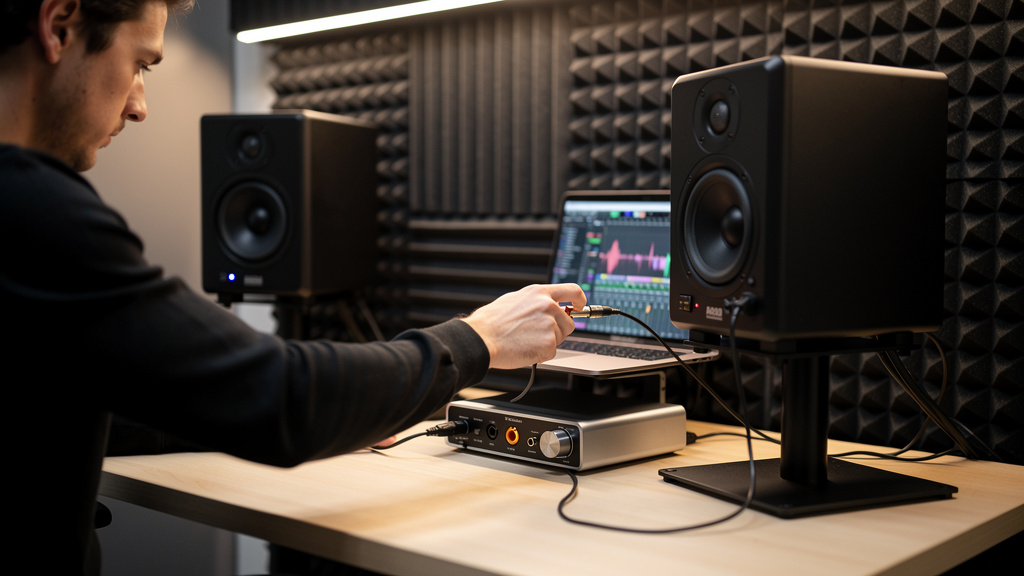
You know the feeling: the mix is sounding fine, then one side hardens up first. Maybe the left monitor gets gritty when the vocal comes in. Maybe the right headphone channel folds over on a loud chorus while the other side stays clean. It is maddening because it does not feel like a big failure. It feels like something slightly off somewhere in the path, and those are often the problems that waste the most time.
When one channel distorts before the other, people often blame the speaker, the interface, or the file itself. Sometimes they are right. But more often, one side is simply hitting a different level, impedance condition, trim point, or fault than the other. Distortion is rarely random. One channel is reaching its limit first for a reason.
The good news is that this problem is usually traceable if you stop listening emotionally and start checking the chain one stage at a time. The goal is not just to hear the distortion. The goal is to find the exact point where left and right stop behaving the same.
Start by defining what “one channel” really means
Before touching a cable, get specific about where the imbalance shows up. “The right side distorts” can mean very different things depending on where you hear it.
- Only in your studio monitors
- Only in headphones
- On playback from every source
- Only while recording through a particular input
- Only when a hardware insert is patched in
- Only at higher monitor volume, not in the recorded file
This matters because it tells you whether the fault is in the recorded signal, the playback path, or the monitoring path. If the printed file is clean but one speaker distorts, your mix is not the problem. If the distortion follows the recorded channel into every playback system, the issue happened earlier in the chain.
A fast reality check helps here: listen on headphones from the interface, then on monitors, then export the file and play it somewhere else. That simple comparison can save an hour of guessing.
The most common cause: left and right are not actually at the same level
Two channels can look matched on screen and still hit hardware differently. A tiny output trim mismatch, a hidden pan law setting, a monitor controller offset, or a plugin that is not truly linked can push one side a few dB hotter. That is sometimes enough to make one channel clip first.
This shows up a lot in hybrid setups. One DA output may feed a compressor or saturator a bit hotter. One monitor input sensitivity may be set differently. One side of a stereo hardware unit may have drifted. If one path has 2 to 4 dB less headroom than the other, the distortion arrives early and feels mysterious.
Run a mono test tone or mono pink noise equally to both sides and compare what happens all the way through the chain. Keep the source identical so the only variable is the path itself.
Trace the signal path in order
The cleanest way to find the fault is to reduce the setup and move step by step. Do not start by replacing everything. Isolate stages.
- Bypass all stereo bus processing. Remove limiters, clippers, tape plugins, stereo imagers, and linked compressors. Some “linked” processors are not perfectly matched, and some analog-modeled plugins add asymmetrical behavior by design.
- Send a mono source to dead center. A vocal, sine wave, or pink noise works well. If a centered mono source distorts more on one side, the issue is after the pan stage.
- Swap left and right outputs at one point only. For example, swap the interface outputs feeding the monitors. If the distortion moves to the other speaker, the fault is upstream. If it stays in the same physical speaker, the problem is downstream.
- Swap speakers or headphones if possible. This separates transducer faults from source faults quickly.
- Check every gain control in the path. Interface output trims, monitor input sensitivity, monitor controller knobs, headphone amp trims, hardware input and output levels.
- Reintroduce devices one at a time. If the issue returns only when one piece of outboard comes back in, you have your suspect.
This procedure works because distortion has to begin somewhere. Once you find the first stage where one side stops matching the other, the search gets much smaller.
Do not ignore monitor and headphone amp gain mismatches
People trust monitor knobs too much. Powered speakers often have rear sensitivity controls that get bumped or set inconsistently. Headphone amps are just as guilty. One channel can stay clean simply because it is running lower, while the other is being overdriven by a hotter feed or a more sensitive amp stage.
Check for these specific problems:
- One active monitor set to +4 dBu sensitivity and the other effectively closer to consumer level
- A headphone amp with uneven channel tracking near the bottom or top of the volume range
- A monitor controller with dirty or worn stereo potentiometers
- An interface mixer app with one output pair trimmed differently
If the distortion only appears when turning monitors up loud, read that as a clue. It often points to the playback chain rather than the recorded audio. That is a different problem from a clipped track. It is also why people sometimes misdiagnose monitor-path issues as software gain staging. If monitor-level hiss has ever sent you on a false gear hunt, the logic is similar to what is discussed in these studio hum problems that are not dirty power: the symptom feels broad, but the cause is often one local weakness.
A damaged or partially broken cable can distort without going fully dead
Not every bad cable crackles dramatically. A cable with a weak solder joint, oxidized connector, or intermittent shield condition can pass signal and still distort earlier on one side, especially when levels rise or the connector shifts slightly under its own weight.
This is common with:
- TRS cables feeding balanced monitor inputs
- Insert and outboard return cables that get repatched often
- Headphone adapters and extension cables
- RCA leads in small DJ or content-creator setups
Swap in a known-good cable before doing anything clever. If the problem vanishes, stop there and label the bad one. A studio full of “maybe fine” cables is how intermittent distortion keeps coming back.
Stereo plugins and hardware can go out of alignment
One side distorting first is very often a stereo-link problem disguised as a tonal issue. A compressor with imperfect channel linking can clamp harder on one side and push downstream makeup gain unevenly. A tape or console plugin with analog variation engaged may not clip identically left and right. A hardware EQ or bus compressor may have one channel calibrated slightly hotter than the other.
This does not mean the device is defective. It means you need to know whether you want matched stereo behavior or character. In mastering-style or bus duties, tiny asymmetries can become audible fast.
Check these points carefully:
- Stereo link actually enabled, not just dual mono
- Analog randomness or channel variation modes turned off for testing
- Input and output trims on both sides of hardware set identically
- DAW pan law and mono summing behavior understood
If the issue began after adding outboard, a related troubleshooting mindset appears in this breakdown of noisy vocal chains after hardware is added. Different symptom, same principle: every added stage creates a new place for level, wiring, or calibration mismatches to hide.
One driver may simply be failing
Sometimes the least interesting answer is the right one. A monitor woofer or tweeter can start breaking up before it fully dies. Headphones do this too. You will hear distortion at particular frequencies or volumes, often on one side only, even when the electrical signal feeding it is fine.
A few signs point toward a failing driver:
- The distortion stays with the same physical speaker when left and right feeds are swapped
- The problem gets worse at certain notes, not just higher overall level
- Close listening reveals buzzing, scraping, or rattling from the cabinet or earcup itself
- The recorded file plays clean elsewhere
If you suspect the speaker, test with a sine sweep at moderate level, carefully. Do not blast it. Mechanical faults tend to announce themselves clearly once you know to listen for them.
Interface outputs are not always perfectly healthy
An interface can have one output stage that is weaker, noisier, or easier to clip than the other. This is less common than gain mismatch or bad cabling, but it happens. If swapping cables and speakers makes the issue follow one specific interface output, you have a strong lead.
Look for output-specific settings in the interface control software first. If those check out, compare another output pair if your interface has one. If output 1 is the only one that distorts early while output 3 does not, the hardware itself may need service.
A fast decision tree you can use in ten minutes
If you want a compact workflow, use this order:
- Play a centered mono source.
- Listen on monitors and headphones.
- Export the file and test elsewhere.
- Bypass bus processing.
- Swap left and right output cables.
- Swap speakers or headphones.
- Replace suspect cables with known-good ones.
- Check all trims and sensitivity controls.
- Remove outboard and add it back one device at a time.
- Test another interface output pair if available.
By the end of that sequence, the problem is usually narrowed to one device, one cable, one transducer, or one gain stage. That is where you want to be: not “my studio distorts,” but “output 2 feeding the right monitor clips early,” or “the right earcup distorts at 120 Hz.” Specific problems get solved. Vague ones just get expensive.
The real fix is symmetry
Clean stereo monitoring depends on both sides seeing the same signal, the same headroom, and the same basic electrical conditions. The moment one side differs, distortion can appear early and trick you into chasing the wrong thing. So the solution is not magic. It is symmetry and method.
Match the levels. Simplify the path. Swap one variable at a time. And once you find the culprit, write it down. Studios get noisy and distorted in repeatable ways. The engineers who solve those problems fastest are usually the ones who keep good notes and trust process more than hunches.
Comments (0)
Leave a Comment
No comments yet. Be the first to comment!