Why One Speaker Sounds Thinner Than the Other
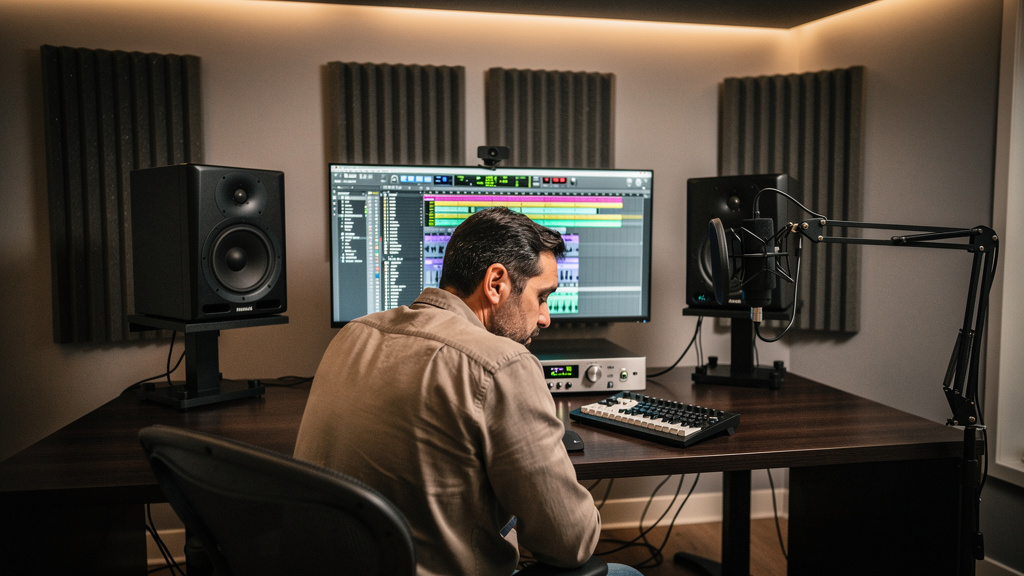
You know the feeling: yesterday your monitors felt solid, centered and trustworthy, and today one side sounds smaller, thinner or oddly distant. The vocal still sits in the middle, but the low end seems to lean, the snare loses weight when you move your head, and your room suddenly feels like it forgot how to behave. That kind of mismatch is maddening because it doesn’t always sound like obvious distortion or noise. It just sounds wrong.
When one speaker sounds thinner than the other, people often jump straight to a blown tweeter, a bad monitor, or a dying interface output. Sometimes that’s true. More often, the culprit is simpler: a polarity issue, an accidental mono sum somewhere in the chain, asymmetrical placement, a room interaction, or a cable path that changed without you noticing. The good news is that you can usually narrow it down fast if you test in the right order.
Start by separating the speaker from the room
The first question is whether the thinness is coming from the monitor itself or from what happens after sound leaves the cone. Rooms can make one side feel dramatically different even when both speakers are working perfectly. A side wall, desk reflection, rack, doorway, or corner can shave off low-mid body or create a dip that makes one monitor feel weak.
Before you touch EQ, trim controls or monitor calibration software, do a simple swap test. Keep the left and right audio outputs the same, but physically swap the two speakers. Put the left monitor on the right side and the right monitor on the left side.
If the thin sound moves with the speaker, you’re likely dealing with the speaker, its power, or its cable. If the thin sound stays on the same side of the room, the problem is probably placement, reflections, boundary loading, or a wiring issue earlier in the path.
This single test saves a lot of guessing, and it prevents you from “fixing” the wrong thing.
The most common cause: polarity trouble
When engineers say a speaker sounds thin, one of the first things we think about is polarity. Not because it’s fashionable forum advice, but because partial cancellation really does sound like weakness, hollowness and missing center energy.
There are two related problems here. One is full speaker polarity reversal, where one monitor is wired opposite to the other. The other is a subtler issue somewhere upstream that causes certain parts of the signal to cancel more than others.
With stereo playback, reversed polarity on one side can create a strange image: bass feels unstable, center-panned sounds lose authority, and the phantom center gets vague. It may not always scream “out of phase” right away, especially if your room is masking the effect.
Here’s the cleanest way to check:
- Play a mono reference track that you know well.
- Sit in your usual listening position.
- Listen for a strong, focused center image.
- Sum your monitor path to mono if your controller or interface allows it.
- Mute left, then mute right, and compare tone and level one speaker at a time.
- If the center collapses or gets oddly hollow when both speakers play together, suspect polarity or cancellation.
A proper mono signal should feel firmly centered and more or less equal on both sides, allowing for normal room differences. If one speaker alone sounds full enough, but both together sound weaker, cancellation is the clue.
On balanced XLR or TRS monitor lines, polarity errors usually come from a miswired cable, a bad adapter, a repair done incorrectly, or unusual gear in the chain. If you’ve recently changed cables, added a monitor controller, inserted a patch point, or used adaptors to feed speakers from another device, move those suspects to the top of the list.
Don’t overlook accidental stereo-path changes
Sometimes nothing is “broken.” One channel is simply taking a different route than the other. Maybe one monitor is fed directly from the interface while the other goes through a controller. Maybe one side is on a different sensitivity setting. Maybe one output is line level and the other has a software trim engaged.
Check your path from DAW to speaker, left and right, step by step. Both channels should match in a boring, symmetrical way.
- Same output type from the interface
- Same cable type and length, if possible
- Same monitor input sensitivity setting
- Same onboard EQ or boundary compensation switches
- Same monitor controller path
- Same DAW pan law and routing assumptions
That sounds basic, but small mismatches matter. A high-shelf trim accidentally enabled on one speaker may not read as “brighter.” It may read as “the other one sounds thin.” Likewise, if one speaker has a low-frequency boundary switch engaged because it used to live near a wall, that side can feel anemic after a room rearrangement.
If your monitor signal chain includes patching or shared utility gear, it’s worth remembering how often signal path problems hide in plain sight. The same logic that applies when tracking noisy instruments also applies here: trace the whole route, don’t just stare at the destination. If you’ve battled weak or noisy direct signals before, the troubleshooting mindset in these common DI problems will feel familiar.
Your desk and side walls may be doing more damage than the speaker
If the problem stays on the same side of the room after swapping monitors, the room is talking. And it usually talks through symmetry problems.
One monitor might be closer to a side wall, closer to a corner, or firing across a different surface than the other. Even a large display, a rack tower, or a hard tabletop edge near one speaker can create a tonal imbalance that feels like one monitor lost body.
Pay special attention to these conditions:
- One speaker closer to a wall or corner than the other
- One side of the desk holding tall gear that blocks or reflects sound
- Unequal toe-in angles
- Different tweeter heights left to right
- One speaker pushed farther back than the other
- An open space on one side and a reflective wall on the other
Low mids are especially sensitive to placement and boundary effects. A speaker near a wall often gains bass, while one farther into the room can feel leaner. But destructive reflections can do the opposite in certain bands, creating a dip that sounds like the speaker has gone on a diet.
If you have a measurement mic and room analysis software, now is the moment to use it. Measure each speaker independently from the listening position. If one side shows a deep null in the low mids or upper bass that the other side doesn’t, the “thin monitor” may really be a room geometry problem.
Level mismatch can masquerade as tonal mismatch
A slightly quieter speaker often gets described as dull, weak or thin. Our ears don’t hear frequency balance in a perfectly objective way. If one side is down even a little, the tonal impression changes with it.
Run pink noise or a mono reference and compare left and right levels carefully. Use your interface meters, controller meters if available, and your ears, but don’t trust your ears alone. A gain trim buried in software can create a mismatch that feels tonal before it feels quieter.
Also check the speaker’s own rear-panel level control. It’s easy to bump one during cleaning, moving, or cable changes. I’ve seen whole afternoons lost to a monitor gain knob that moved by a couple of clicks.
Driver faults do happen, but test them methodically
If the issue follows the speaker no matter where you place it and regardless of cable or output used, then yes, the speaker itself deserves suspicion. But don’t jump there until you’ve swapped the obvious variables.
Try this sequence:
- Swap left and right speaker cables.
- Swap interface outputs feeding the speakers.
- Swap IEC power cables.
- Move the suspect speaker to the other side of the room.
- Listen up close at low level to compare tweeter and woofer output against the good speaker.
If the same speaker stays thin through all of that, you may have a failing amplifier module, damaged driver, dried-out internal component, or protection circuitry behaving badly. Listen closely for reduced woofer output, odd port noise, or a tweeter that seems normal while the body of the speaker is missing.
This is also where age and heat matter. Powered monitors that live long hours in warm rooms do fail, and not always dramatically. A monitor can degrade just enough to lose weight without producing obvious crackles or shutdowns.
Software and monitor correction can confuse the picture
If you use room correction or monitor management software, temporarily bypass it. A wrong profile, a shifted measurement mic position during setup, or a one-channel-only insert can make one side feel carved out.
The same goes for interface DSP mixers. Look for:
- Per-channel EQ
- Mono fold-down options
- Speaker calibration offsets
- Crossfeed or virtual monitoring features
- Accidental polarity inversion on one output
These tools are useful, but they also create places where a single hidden setting can waste hours.
A fast troubleshooting order that usually finds it
When you want answers without disappearing into a day of random experiments, use a fixed order:
- Play a mono reference track.
- Compare each speaker solo.
- Physically swap the monitors left to right.
- Swap the signal cables.
- Check rear-panel settings on both speakers.
- Bypass monitor correction or DSP.
- Measure each side if the problem stays in the room.
- Only then suspect internal speaker failure.
This order matters because it separates source, path, room and hardware. If you skip around, you can easily “fix” a symptom and miss the cause.
And if the problem makes you suspect some bigger electrical issue in the room, keep your feet on the ground. Uneven monitor tone is much more often about polarity, routing or acoustics than mythical power contamination. If that rabbit hole sounds familiar, it’s worth revisiting why dirty power is so often blamed for the wrong problem.
What to do after you find the cause
Once you’ve identified the culprit, fix it in a way that stays fixed. Replace suspect cables rather than labeling them “mostly fine.” Match monitor settings with a photo or written reference. Mark speaker positions on stands or the desk. Save corrected DSP presets clearly. If your room symmetry is the issue, even small placement corrections can make a larger difference than expensive upgrades.
The deeper lesson is simple: when one monitor sounds thinner than the other, trust the symptom, but don’t trust the first explanation that pops into your head. Thinness is a clue, not a diagnosis. If you test in an orderly way, the system usually tells you exactly where the problem lives.
Comments (0)
Leave a Comment
No comments yet. Be the first to comment!