Why Your Audio Interface Clips Before the Preamp Meter Does
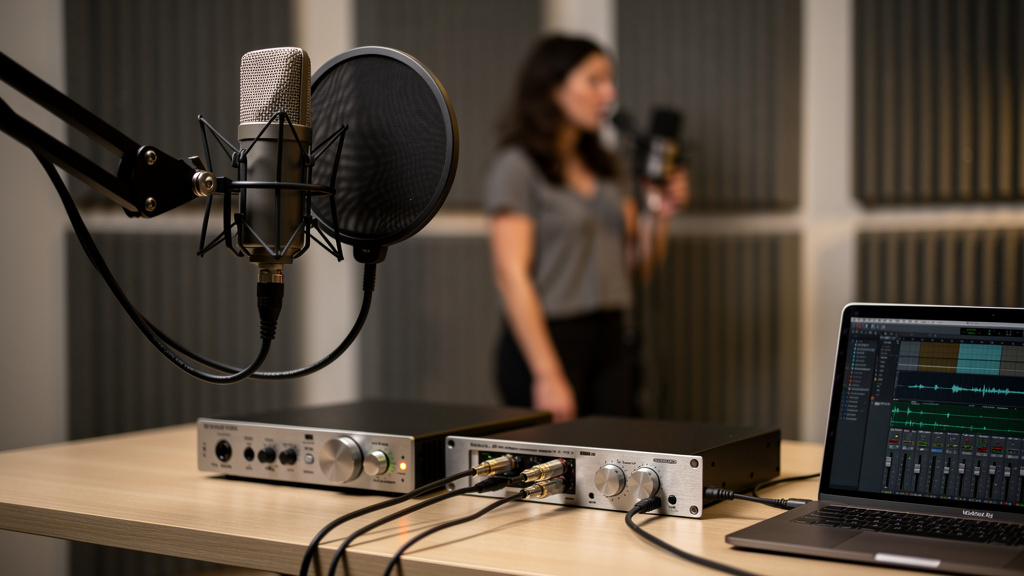
You know the session: the singer gives you a great take, the hardware preamp looks comfortable, nobody heard obvious crunch in the room, and then playback hits you with that flat, ugly edge on peaks. Not nice saturation. Not a flattering transformer thing. Just digital clipping that seems to appear out of nowhere. That kind of distortion is maddening because it makes you doubt every meter in the chain.
A lot of the time, the culprit is simple but easy to miss: the interface input is running out of room before the meter you’re trusting tells you there’s a problem. Once you understand where that mismatch happens, you can stop chasing phantom converter issues and start setting levels with intention.
The core problem: not all meters are showing the same stage
In a hybrid recording path, you may have several gain stages before the signal ever hits the DAW:
- Microphone or instrument output
- Outboard preamp gain
- Preamp output level control, if it has one
- Interface line or mic input stage
- A/D converter inside the interface
- DAW input meter
Those stages do not all clip at the same point, and their meters do not all read the same reference. A VU meter on a preamp, for example, is usually showing average program level, not true peak behavior. Even an LED meter on outboard gear may be metering the preamp’s own output stage, not the interface input that follows it.
So when someone says, “My preamp never hit red, but the DAW clipped,” that is completely believable. The preamp may still have had headroom while the interface input stage was already overloaded.
The most common real-world scenario
The classic setup is an external mic preamp feeding an audio interface. The engineer connects the preamp’s line output into the interface, but the interface input is still expecting mic level or is set with too much gain. The preamp itself is healthy. The interface input stage is not.
That can happen in a few different ways:
- The interface channel is switched to mic instead of line.
- The combo jack accepts XLR and TRS, but the XLR path goes through the mic preamp while the TRS path expects line level.
- The interface line input still has adjustable gain, and it’s not actually at unity or its lowest practical setting.
- The outboard preamp is outputting a hot professional line level that exceeds what the interface can accept comfortably.
- A pad is off when it should be on, either at the preamp output destination or at the interface input.
This is one reason I keep reminding people that signal flow beats guessing. If you haven’t traced what each connector and switch is actually doing, you’re flying on faith.
Why line level is where things get confusing fast
People often say “line level” as if it were one fixed thing. It isn’t. Consumer gear often sits around -10 dBV. Professional gear typically references +4 dBu. Many modern outboard preamps can deliver peaks much hotter than that, especially with energetic vocals, percussion, bass transients, or compression after the preamp.
Your interface may technically accept line level and still have a maximum input level that is lower than what your external preamp can throw at it on peaks. That doesn’t mean the interface is broken. It means the receiving stage has a limit, and your source is reaching it.
This is the same family of issue behind other gain staging headaches. If you’ve ever fought cabling choices that quietly reduce usable headroom, these cabling mistakes that shrink headroom connect directly to what’s happening here.
How to tell where the clipping is really happening
You can isolate this without expensive test gear. The trick is to separate the stages and change one variable at a time.
- Start with the distorted path exactly as you’ve been using it. Note which meter complains first: outboard preamp, interface software, interface hardware LEDs, or DAW channel meter.
- Lower the output of the external preamp, not the mic gain at first. If the distortion disappears while the tone mostly stays intact, the interface input was probably being overdriven by the preamp’s output stage.
- Check the interface input mode. Confirm the channel is truly set to line input if you are feeding it from an external preamp. On many interfaces, this is not automatic.
- Swap connectors if appropriate. If you’re coming out of a preamp on XLR and into an interface combo jack via XLR, you may still be entering the mic pre path. A balanced TRS line input may be the correct destination instead.
- Engage a pad if available. If your interface line input or external preamp offers attenuation, test it. If the clipping vanishes and the rest of the chain behaves, you found a headroom mismatch.
- Watch for plugin confusion. Record-arm a completely clean channel with no input processing. Some console-style interface mixers or DAW templates hide clipping behind inserted processing or trim plugins.
- Test with a steady source and then a transient source. Spoken voice may behave while a loud sung consonant or slapped bass peak clips instantly. Peaks tell the truth faster than sustained tones.
What matters here is not just whether a red light comes on, but which device is complaining first. That tells you where the bottleneck lives.
Mic input clipping and converter clipping are not the same thing
There’s another subtlety that trips people up. An interface can clip in its analog input stage before the converter itself reaches full scale. In that case, you may hear distortion even though the DAW meter never looks outrageously high. The damage already happened upstream.
That’s why “I still had 6 dB left in the DAW” doesn’t prove the input was healthy. It only proves the converter output to the DAW wasn’t at 0 dBFS yet. Analog overload before conversion can sound nasty while the digital meter still looks almost polite.
On the flip side, a preamp can be happy, the interface analog stage can be happy, and the converter can still clip if gain downstream inside the interface mixer is boosting the signal before conversion display or record routing. That’s less common, but it happens on some systems with flexible internal routing.
What to change in practice
If you use outboard preamps regularly, a few habits will save you a lot of ruined takes.
- Feed line inputs with line outputs. That sounds obvious, but combo jacks and default interface settings make this easy to get wrong.
- Leave room for peaks. In 24-bit recording, there is no prize for tracking hot. Peaks around -18 to -10 dBFS are usually plenty healthy.
- Use the preamp’s output control strategically. If your preamp has separate input gain and output level, use the output to match the interface’s headroom.
- Pad hot sources before they hit the bottleneck. If the interface input is the weak link, attenuate before or at that stage rather than hoping the DAW meter will save you.
- Verify every channel independently. Stereo pairs and multi-input rigs are not always calibrated identically, especially in mixed hardware setups.
This is also why a clean gain map matters more than cosmetic meter confidence. A chain can look calm and still be stressed at one hidden point.
Don’t let the source distract you from the destination
People often blame the microphone, the singer, or the converter quality first. Sometimes the source is just dynamic. A powerful vocalist into a condenser, a snare with sharp transient snap, or an active bass with aggressive attack can all produce peaks that expose weak staging quickly.
That doesn’t mean the source is the problem. It means the receiving stage needs to be set up for reality, not average level.
If you work with DI instruments too, the same mindset applies there. A bass that “sounds wrong” before mixing is often suffering from setup and staging choices long before EQ enters the conversation. This breakdown of why a DI bass track sounds wrong pairs well with the issue we’re talking about here.
A quick sanity checklist before the next session
Before the talent arrives, run through this short list:
- External preamp into actual interface line input
- No accidental mic-input routing on combo jacks
- Input gain on the interface set appropriately for line sources
- Pads tested on unusually hot sources
- Clean DAW record path with no hidden trim or processing
- Healthy peak target, not “as hot as possible”
Those five minutes are cheaper than discovering after take three that your “converter clipping” was really a line-input mismatch.
The bigger lesson
When an interface clips before the preamp meter does, the gear is usually telling the truth. You’re just asking two different parts of the chain two different questions. The preamp meter may be saying, “My output stage is fine.” The interface is saying, “What you handed me is too hot for this input setting.”
Once you hear it that way, the fix gets much less mysterious. Stop treating the chain like one big black box. Treat it like a series of stages with different headroom limits, different meter references, and different jobs. That’s how you get clean captures you can trust on playback.
Comments (0)
Leave a Comment
No comments yet. Be the first to comment!