Why Your Compressor Is Raising the Noise Floor
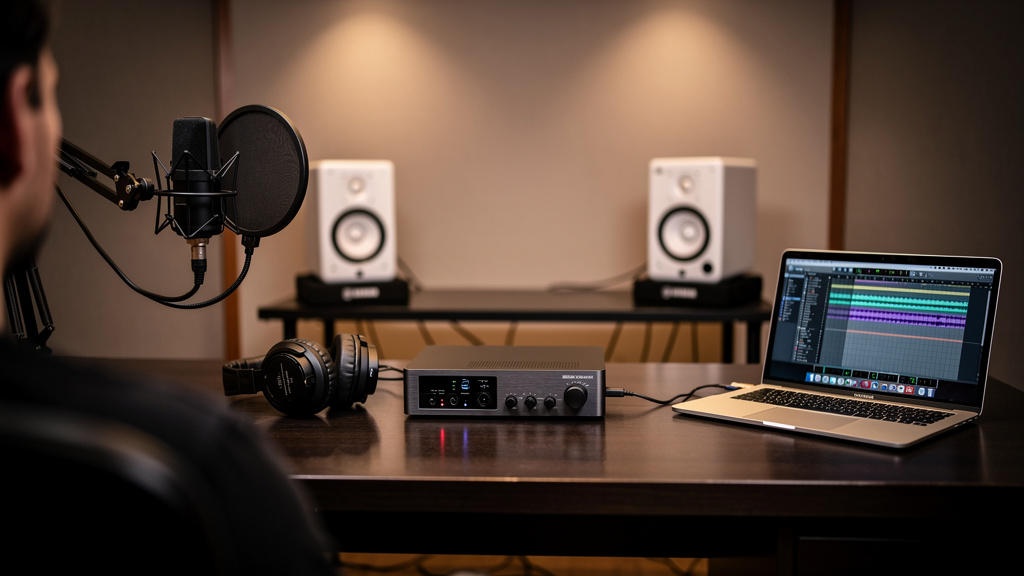
You know the moment. The vocal sounded fine while tracking. The acoustic guitar felt intimate and clean. Then you drop a compressor on it, dial in what should be a normal amount of control, and suddenly the room comes up, the headphone spill appears, the preamp hiss steps forward, and every breath sounds like it was recorded inside an air vent. It is maddening because the compressor feels guilty, but most of the time it is just exposing decisions that were already in the signal.
This is one of those studio problems that wastes hours because it sounds like a mix issue but often starts much earlier: mic choice, distance, gain staging, room level, performer dynamics, even where the headphones were pointed. If you understand why compression brings noise forward, you can stop fighting the symptom and fix the cause.
What compression is actually doing to your noise
A compressor turns down the loudest parts once they cross a threshold. That part is familiar. What matters for noise is what happens next: after compression reduces peaks, you usually add makeup gain so the average level comes back up. The wanted signal gets louder again, but so does everything living underneath it.
That means compression does not create hiss, room tone, fan noise, traffic rumble, mouth noise, or headphone bleed. It makes low-level material more audible by reducing the gap between peaks and the quieter stuff around them.
Think of a vocal with a loud chorus and a softer verse. If the compressor clamps down 6 dB on the chorus, then you add 6 dB of makeup gain, the vocal may feel more even overall. But the room tone during pauses also came up 6 dB. So did the lip smacks. So did the laptop fan in the corner.
This is especially obvious on sources with lots of space between phrases. Compression can make the body of the performance feel polished while making the empty spaces feel dirty.
The three most common reasons compression makes a track sound noisy
When a compressor seems to be ruining an otherwise usable recording, one of these is usually happening.
1. The original recording had a poor signal-to-noise ratio
If the source was recorded too quietly relative to the room and the electronics, compression will make that obvious fast. A distant microphone, a timid performance into a low-output dynamic, or a preamp pushed hard to make up for low source level can all leave you with too much noise riding under not enough signal.
This is the same basic lesson behind why expensive cables will not fix a bad studio signal path. Once the ratio between source and junk is wrong, later gear cannot magically separate them.
2. The compressor settings are exaggerating the wrong moments
Long release times can hold gain reduction too long, making the recovery feel like the room is swelling between phrases. Very fast attack can flatten transients so the source loses punch, which tempts you to add more makeup gain than you really needed. A low threshold with a high ratio can turn natural dynamic control into audible pumping.
If the detector is seeing breaths, consonants, pick noise, or headphone spill as important events, the compressor will react to them too.
3. You are compressing before controlling silence
A lot of noisy tracks are simply too messy before compression. If edits are loose, if breaths and lip noise are uncontrolled, if there is low-frequency rumble in the track, the compressor treats all of that as part of the performance. It does not know what you wanted to keep.
That is why a little cleanup before compression often works better than trying to solve everything with one plugin chain.
How to diagnose whether the problem is tracking or mixing
Before changing settings randomly, isolate the cause. A quick structured check will tell you whether you need a better recording, better prep, or just gentler compression.
- Bypass the compressor and level-match the track. If the uncompressed version is cleaner but too uneven, the issue is probably dynamic control. If the uncompressed version is already noisy, compression is only revealing it.
- Listen to the spaces between phrases. Solo the track and focus on the silence. Room tone, fan noise, computer whine, street rumble, and bleed are easier to identify there than during the performance.
- Turn off makeup gain. Many compressors sound guilty because output gain is compensating aggressively. With makeup gain disabled, you can hear whether the actual gain reduction behavior is the problem.
- Watch the gain reduction meter. If it is moving constantly, even on breaths and tail ends, the threshold is probably too low or the source is too inconsistent.
- High-pass before the compressor. Low-frequency rumble can trigger gain reduction even when you do not hear it as part of the source. Filtering it first often makes compression smoother and less noisy.
- Try clip gain before plugin compression. If one or two phrases are much louder than the rest, manually taming them can let the compressor work less hard.
This process matters because each fix points to a different stage of the chain. If the noise is already baked into the recording, no amount of threshold tweaking will fully solve it.
Tracking choices that keep compression from exposing problems later
The cleanest compression starts before you hit record. If you know a source will need dynamic control later, track in a way that gives the compressor something healthy to work with.
- Get the mic closer, without exaggerating proximity effect or plosives.
- Lower the room noise before the take: HVAC, computer fans, hard drives, open windows.
- Use a mic that fits the source and level coming into it.
- Set preamp gain so the source is strong without living near the noise floor.
- Reduce headphone bleed at the source, especially on vocal takes.
- Coach performance consistency instead of planning to fix every level swing in the mix.
Small moves here pay off later. A vocalist 3 inches closer to the mic in a controlled room can mean several dB better source-to-room ratio. That is a huge difference once compression enters the picture.
If bleed is part of the problem, it is worth checking whether the monitoring path itself is contributing. Articles like Top 5 Reasons Headphone Mixes Suddenly Start Buzzing can help if the headphone system has become part of the noise story.
Compression moves that control dynamics without dragging noise forward
Once the recording is solid, the goal is to keep the compressor focused on the musical problem, not the junk around it.
Use less ratio than you think
A ratio of 2:1 or 3:1 often sounds more natural than 6:1 or 8:1 on vocals, acoustic guitar, bass DI, and spoken word. Heavy ratios make noise pumping more obvious unless the source is extremely clean.
Raise the threshold
If the compressor is working all the time, it is probably hearing too much. Let some natural dynamics live. Catch only the moments that truly stick out.
Slow the attack slightly
A too-fast attack can flatten the front edge of a note or syllable. Then the source feels smaller, so you add output gain to compensate, bringing noise with it. A slightly slower attack often keeps the source feeling present with less makeup gain.
Set the release by listening to the space after phrases
This is where a lot of engineers miss the real artifact. If the room seems to swell after words, the release is probably recovering in a way that calls attention to noise. Shorter or tempo-aware release times often feel cleaner.
Use serial compression instead of one aggressive stage
Two compressors doing 2 to 3 dB each often sound cleaner than one doing 6 dB or more. The first can catch peaks. The second can shape overall consistency. Because each stage works less hard, the noise floor usually comes up less obviously.
Automate first, compress second
On vocals especially, clip gain or volume automation before compression is one of the cleanest fixes available. If the compressor receives a more even performance, you can use gentler settings and preserve the spaces between phrases.
Cleanup tools that help before or after compression
You do not always need a full restoration process. A few targeted moves usually do more than stacking noise tools everywhere.
- High-pass filtering: Remove rumble that triggers compression without adding anything useful to the source.
- Manual editing: Tighten silence, trim unwanted breaths, and mute non-performance sections.
- Clip gain: Pull down explosive breaths, pick clicks, or loud syllables before they hit the compressor.
- Expansion or gentle gating: Lower the room between phrases, but keep it subtle enough that the track still breathes naturally.
- De-noising: Use only when needed, and lightly. Heavy-handed reduction often leaves artifacts that sound worse after compression.
The order matters. If you de-noise after brutal compression, the noise is already more exposed and often harder to remove transparently. Light cleanup before compression usually gives better results.
Source-specific examples
Vocals
Most vocal noise problems come from room tone, breaths, headphone bleed, and over-compression. Start with clip gain on loud consonants and breaths. High-pass what the voice does not need. Then compress in stages rather than asking one plugin to do everything.
Acoustic guitar
The enemy is often the room itself. If compression raises HVAC noise and chair creaks, the mic was probably too far back or the room too live and noisy. Try less compression and more careful mic placement next time.
Podcast speech
Speech often gets compressed hard for consistency, which means mouth noise and room reflections come right along for the ride. The fix is usually a closer mic position, more absorption around the speaker, and less aggressive makeup gain than many presets suggest.
Bass DI
On bass, compression can exaggerate preamp hiss and finger noise if the incoming tone is weak or thin. If the source itself lacks authority, fix that first rather than trying to compress it into fullness.
The habit that solves this fastest
The simplest way to avoid noisy compression is to stop treating compression as rescue. Use it as refinement. If a track only works once a compressor is doing huge amounts of work, something earlier in the chain probably needs attention.
A good recording can take compression gracefully. A compromised recording makes compression act like a spotlight. When you hear the noise floor rise, take that as information. The compressor is telling you where the signal path, the room, or the prep fell short.
That mindset saves a lot of frustration. Instead of blaming the plugin, you start asking better questions: Is the source strong enough? Is the room quiet enough? Is the performance controlled enough? Are the settings reacting to music or to debris around the music? Answer those, and the compressor usually stops sounding like the problem.
Comments (0)
Leave a Comment
No comments yet. Be the first to comment!