Why Your Stereo Mix Bus Compressor Pulls Left or Right
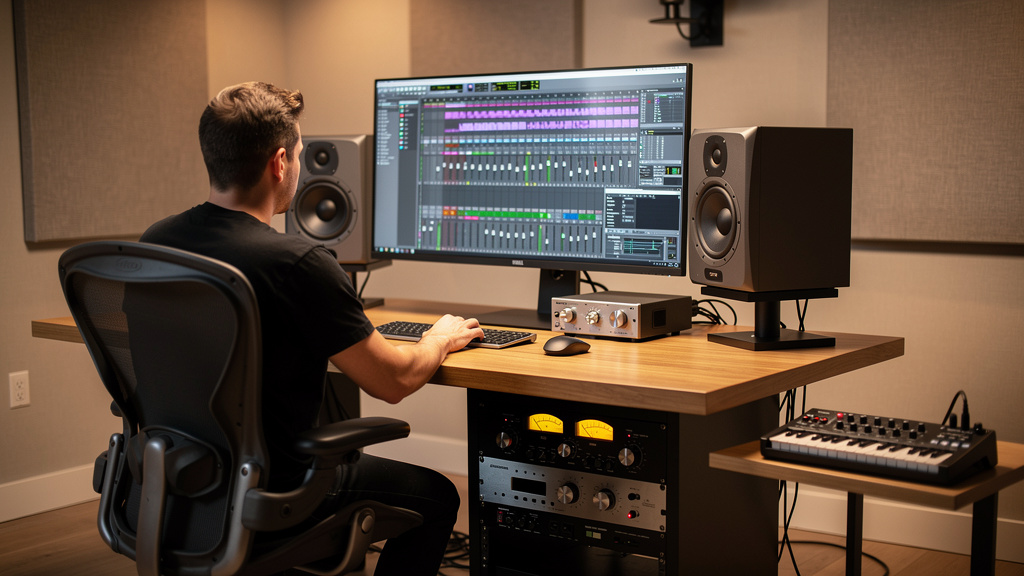
You know the feeling: the mix felt centered five minutes ago, then the bus compressor starts working and suddenly the vocal tilts a little left, the snare drifts right, and now you’re second-guessing your room, your ears, and maybe your whole mix. It’s maddening because nothing sounds obviously broken. The image just stops feeling stable when the compressor grabs.
This is one of those problems that hides in plain sight. A stereo bus compressor is supposed to glue things together, not smear the center. When the image shifts only under gain reduction, that tells you something useful: the problem usually isn’t random. It’s tied to level tracking, sidechain behavior, channel matching, or the way the insert path is wired and calibrated.
Let’s walk through what actually causes this and how to pin it down fast.
What a left-right image shift usually means
When a stereo compressor makes the mix lean to one side, one of two things is happening.
- The left and right channels are not being compressed equally. That can happen because the unit is not truly stereo-linked, the detector is reacting differently per side, or one side is hitting the threshold harder.
- The left and right channels are not arriving equally. A tiny level mismatch before or after the compressor can feel minor until gain reduction exaggerates it.
The key point is that compression makes small imbalances more audible. If one side is even 0.5 dB hotter into the detector, it may trigger slightly more gain reduction or dominate the sidechain. Once that movement starts, the center image stops feeling nailed in place.
Start by proving it’s the compressor path
Before changing settings, verify that the shift appears only when the compressor is active and only when it is reducing gain.
- Bypass the compressor and play the same chorus or loud section.
- Engage it with threshold high enough that there is no gain reduction.
- Lower the threshold until you see 1 to 3 dB of reduction.
- Listen for whether the image moves only at the moment gain reduction begins.
- Match output level as closely as possible between bypass and engaged.
If the image is stable while engaged but not compressing, your issue is probably not basic output imbalance. It points more directly to detector behavior, link mode, or a mismatch in how each channel responds under load.
If the image shifts even with no gain reduction, you may be dealing with a simpler left-right level discrepancy in the unit, the converter path, or the cabling feeding it.
The most common cause: channel level mismatch into the compressor
This is more common than people think, especially with hybrid setups. A mix can look centered in the DAW while still hitting the hardware unevenly.
Typical reasons include:
- One output from the interface is trimmed differently in software or hardware control.
- One cable path has slightly different loss.
- An insert send or return is normalled through gear with mismatched gain.
- A converter pair is not calibrated equally.
- An analog stage before the compressor is feeding one side hotter.
A bus compressor reacts to what it sees, not what you intended. If the left channel consistently arrives a little hotter, a linked compressor may still feel as if it is tugging the image around because the sidechain is being pushed asymmetrically by program content.
The fastest test is dead simple: send identical mono pink noise or a 1 kHz tone equally to left and right, then measure what actually returns to the DAW. If the return is not level-matched, fix that first before touching attack, release, or ratio.
Linked stereo compression is not always as linked as you think
Some compressors link the detectors very tightly. Others average the sidechains, use partial linking, or behave a little differently depending on design. That is not automatically bad, but it matters when you want a rock-solid center.
If the unit allows stereo link options, test them deliberately. In dual-mono mode, each side compresses independently, which can make the stereo field wobble with every kick, vocal peak, or guitar accent. In linked mode, both channels should apply the same gain reduction based on shared detector information.
If you accidentally run a stereo bus in dual-mono, the result is often exactly what people describe as the mix “pulling” left or right.
And even in linked mode, some hardware still depends on decent channel matching to behave gracefully. If you are hearing movement, don’t assume the word stereo on the front panel guarantees perfect image stability.
Attack and release can exaggerate an imbalance
Sometimes the compressor is not faulty at all. The time constants are just making an existing asymmetry obvious.
Here’s a common example: a loud guitar panned left has more upper-mid transient bite than the right-side instrument. With a fast attack and quick release, the detector reacts sharply to that left-heavy information. On paper the gain reduction is linked, but perceptually the image seems to duck and rebound around the stronger side’s rhythm.
This is why the problem often shows up only on certain sections, not across the whole song.
Try this in order:
- Slow the attack slightly and listen for image stability.
- Lengthen the release so the compressor moves with the phrase, not every spike.
- Reduce the ratio and raise the threshold to make the action less grabby.
- Compare auto-release with manual release if your unit offers it.
If the image gets steadier as the gain reduction becomes less twitchy, the compressor was magnifying program-dependent imbalance rather than creating it from nowhere.
Sidechain filtering can change the center image
High-pass filtering the sidechain is often the right move on a mix bus, but it changes what drives the detector. That can subtly alter imaging if your low end is not centered as cleanly as you think.
For example, if the kick and bass are mostly center but a synth pad or floor tom energy leans off to one side, engaging a sidechain HPF may reduce low-frequency control and let off-center midrange events dominate the compression envelope. The mix may feel like it starts breathing sideways.
This is not an argument against sidechain filtering. It is a reminder to test it by ear, not by habit. If the stereo field gets less stable with the HPF engaged, inspect the arrangement and pan balance of whatever now dominates the detector.
Hardware insert alignment matters more than people admit
In hybrid mixing, the bus compressor itself often gets blamed for issues that are really insert path problems. One extra half-dB on a return, one interface output set to instrument instead of line, one unbalanced connection in a path that should be balanced, and now your “compressor problem” is actually an alignment problem.
If your hardware insert chain includes converters, this is also where a broader noise or balance issue can show up. If you have ever tracked down weird analog path behavior before, you already know how often the culprit sits outside the obvious suspect. That same mindset is helpful here, and it is similar to the troubleshooting approach in why one channel distorts before the other.
Check the boring stuff carefully:
- Left and right output trims on the interface
- Left and right input trims on the return
- Balanced TRS or XLR wiring where the device expects it
- Any insert plugin compensation or hardware insert delay settings
- Whether one channel is passing through an extra stage
A stereo image can also feel unstable when phase relationship changes between channels, even if level looks close. A tiny timing mismatch from bad routing or converter compensation can make the phantom center feel less solid under dynamics processing.
Tube and VCA units can drift or mismatch
Not every bus compressor has perfectly matched left-right behavior forever. VCAs can age, tubes can drift, and stepped controls are only as trustworthy as the calibration behind them.
If you suspect the hardware itself, run a controlled test:
- Send the same mono signal to both channels.
- Set the compressor for clear, moderate gain reduction.
- Record the stereo return.
- Invert one channel and compare levels and residual content.
- Swap left and right cables and repeat.
If the imbalance follows the cable or converter channel, the issue is outside the compressor. If it stays on the same side of the compressor regardless of swapped connections, the unit may need calibration or service.
This is especially worth checking if the problem appeared gradually over time.
Don’t ignore the source mix itself
Sometimes the compressor is just telling the truth about a lopsided arrangement. A center vocal, kick, and snare can still feel stable with an off-balance mix until bus compression starts making the side elements breathe together. Then the heavier side reveals itself.
Listen to what happens when the loudest panned elements enter. If the image shift appears only when a left guitar stack, right-side synth arp, or wide backing vocal arrangement gets active, the fix may be in the mix balance rather than the compressor settings.
This is where mid-side metering and mono compatibility checks help, but your ears are still the final judge. If it leans when the chorus opens up, ask whether the chorus is simply weighted to one side in level, density, or transient energy.
A fast troubleshooting sequence that saves time
When this happens in a real session, don’t chase ten theories at once. Use a short sequence and isolate the cause.
- Confirm the shift only happens during gain reduction.
- Check that the compressor is truly in stereo-linked mode.
- Send identical test tone or pink noise through both channels and measure the return.
- Verify interface output and input trims match.
- Swap cables left-to-right to see whether the problem follows the path.
- Try slower attack and longer release.
- Toggle sidechain HPF or detector options.
- Test whether the source mix is asymmetrical in the sections that trigger movement.
- If needed, service or recalibrate the hardware.
That order matters. It moves from easiest and most likely to more technical and expensive.
When to suspect a broader studio issue
If this bus compressor problem appears alongside hiss, hum, or odd level behavior elsewhere, widen the investigation. A skewed stereo path sometimes lives inside a larger gain-staging or wiring problem. And if your monitoring keeps making tiny faults feel bigger than they are, it is worth revisiting how playback is revealing them. A good companion read is why your monitors reveal hiss that isn’t in the room, because the same disciplined listening approach applies here too.
A stable stereo image on the mix bus should feel boring in the best possible way. If your compressor keeps pulling the picture left or right, treat it like a solvable signal-flow problem, not a mystery of taste. Most of the time, it comes down to mismatch, detector behavior, or a bus that was never as symmetrical as it looked on screen.
Comments (0)
Leave a Comment
No comments yet. Be the first to comment!