Why Your Reamp Track Is Buzzing Before It Hits the Amp
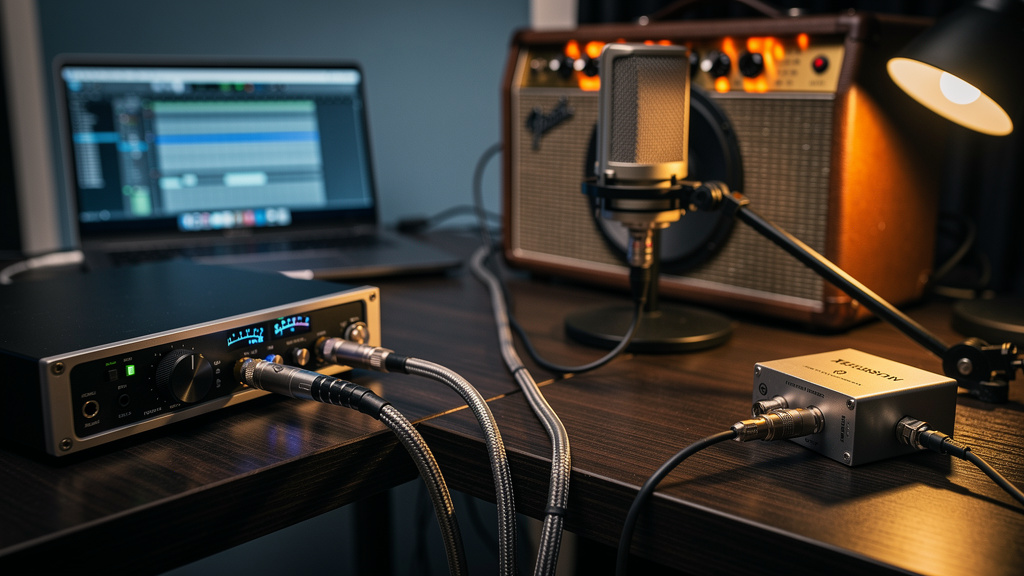
You print a clean DI, send it back out later, and somehow the magic disappears. Instead of a solid amp tone, you get a layer of buzz, hum, or fizzy junk that was never there when the guitar went in. That’s the maddening part of reamping: the source can be clean, the performance can be great, and the noise only shows up when you try to make mix decisions. It feels random until you understand what the reamp path is actually doing.
Reamping is one of those studio tasks that exposes weak spots in signal flow fast. You’re taking a line-level output from your interface, turning it into something your amp wants to see, and then sending it into one of the most noise-sensitive devices in the room: a high-gain guitar amp. If anything about level, grounding, cabling, or routing is off, the amp magnifies it.
The good news is that reamp noise is usually very traceable. You do not need to guess, swap everything blindly, or buy three more boxes. You need to isolate where the noise enters the chain and understand why that point is vulnerable.
What makes reamping noisier than tracking direct
When you record a DI, the guitar pickup sees an instrument input designed for high impedance and low-level sources. That part is familiar. During reamping, you reverse the trip. Your interface sends out a balanced, low-impedance, line-level signal. Your amp input wants an unbalanced, high-impedance, instrument-level signal. That mismatch is why a proper reamp box exists.
If you skip that conversion, or fake it with the wrong output and a cable adapter, several things can happen at once:
- The amp sees too much level and exaggerates hiss and front-end harshness.
- The grounding relationship between the computer, interface, and amp creates a buzz loop.
- A balanced output feeding an instrument input through the wrong wiring turns into an antenna.
- High-frequency trash from the computer or interface power supply rides along with the signal.
That’s why a reamp path can be noisy even when the original DI was pristine. The return trip is electrically different.
The three noises people lump together as “reamp buzz”
Before fixing anything, listen closely. Different noises point to different faults.
1. Low hum at 50 or 60 Hz, often with harmonics
This is the classic grounding or power-related sound. It usually gets louder when the amp and interface are connected together, and quieter when one piece is unplugged from the chain.
2. Bright, scratchy buzz
This often comes from poor unbalanced cable runs, proximity to power supplies, dimmers, screens, or a conversion problem at the reamp stage. It can sound more aggressive than simple hum.
3. Fizzy digital hash or whine
This is the “computer is in the room” sound: USB noise, switching power supply junk, graphics activity, charger noise, or interface bleed. If the pitch changes when you move a mouse or open a session, you are not dealing with normal amp hiss.
If laptop charging noise has bitten you before, the underlying behavior is similar to what happens in some reamp setups. Alexavior covered that pattern clearly in why your USB mic gets noisy when you charge your laptop, and the same logic applies here: once a computer and audio path share the wrong ground relationship, ugly things creep in.
Start with the fastest isolation test
Do not troubleshoot the whole studio at once. Prove each segment.
- Listen to the amp by itself. Plug a guitar straight into the amp with a short cable. Set the gain where you normally would. Learn what the amp’s own noise floor sounds like in that room.
- Connect the reamp chain with playback stopped. Interface output to reamp box, reamp box to amp, amp on, DAW idle. If the noise appears now, the problem is not the recorded DI. It is in the output, grounding, box, cable, or amp connection.
- Mute the DAW output feeding the reamp send. If the buzz remains even with no audio being sent, you are chasing hardware-path noise, not a bad track.
- Unplug the cable from the amp input. If the amp goes quiet, the noise is arriving through the cable path. If it stays noisy, it is the amp or room.
- Lift or switch grounds only where the manufacturer intends. Many reamp boxes provide a ground lift. Try it. If the hum changes dramatically, you found a grounding relationship issue.
- Test a different interface output. A single noisy output, or one wired incorrectly through a patchbay, can be the whole story.
This sequence matters because it tells you whether the noise is being generated before the amp input or merely revealed by the amp input.
The most common fault: using the wrong output path
A lot of reamp problems start when someone uses whatever output is free: a headphone send, a monitor out, a patchbay normal that also feeds another destination, or an adapter chain coming off a balanced TRS jack. It may pass audio, but that is not the same as being a clean reamp send.
A proper reamp send should be simple:
- A dedicated line output from the interface
- A short balanced cable into the reamp box input
- A short unbalanced instrument cable from the reamp box output to the amp
The output should not also be feeding powered speakers, a monitor controller, or something else in parallel. Shared paths create more grounding opportunities and more places for level confusion.
If you route through a patchbay, verify every point. Oxidized jacks, half-normal wiring mistakes, and accidental parallel feeds are famous for adding noise. If that part of your setup feels suspicious, Top 5 Reasons Your Patchbay Is Adding Noise is worth revisiting before you blame the amp.
Level mistakes can sound like noise problems
Reamping is not about sending the hottest possible signal back out. If the interface output is cranked, the reamp box has to pad harder, the amp input gets hit unnaturally, and what you hear can read as noisy, spitty, or brittle rather than simply “too loud.”
A useful target is to make the amp react similarly to how it responds when a real guitar is plugged in. That means matching feel, not just meter level.
Try this practical method:
- Record a short guitar phrase direct.
- Plug the guitar into the amp and listen to the amp’s response with that same phrase performed live.
- Now reamp the recorded DI through the same amp settings.
- Adjust the reamp output level until the amp compresses, brightens, and cleans up in a way that feels close to the live guitar.
If the reamped signal is much hotter than a guitar would be, the amp can exaggerate front-end junk and make you chase a “noise” issue that is partly just level abuse.
Cable length and placement matter more on the amp side
The balanced run from interface to reamp box is relatively robust. The unbalanced run from reamp box to amp is not. That last cable is the vulnerable one.
Keep that instrument cable short, and keep it away from:
- Power bricks
- Wall wart adapters
- Monitor power cables
- Laptop chargers
- LED light dimmers
- Wi-Fi routers and wireless receivers
It is easy to focus on premium cable marketing and miss the real problem, which is often routing. A decent cable in the wrong place will lose to an ordinary cable placed well. That same principle shows up in Your Quietest Cable Upgrade Has Nothing to Do With Gold.
Powering the amp and interface from different places can create trouble
When the interface is on one outlet path and the amp is on another, small differences in ground potential can turn into obvious hum once the audio connection ties them together. This is especially common in home studios where the computer desk and the amp corner evolved at different times.
As a test, power the interface, computer, and amp from the same branch circuit if possible. Not the same overloaded strip by default, but the same electrical path for diagnosis. If the hum drops, you have learned something important about the ground relationship.
That does not mean every power product fixes hum. Often it does not. The issue is the loop created by interconnected gear, not a lack of expensive rack hardware.
Watch for hidden stereo-to-mono mistakes
Another sneaky cause of ugly reamp tone is sending the wrong kind of output into the reamp chain. A headphone out or stereo send summed badly to mono can produce level weirdness, phase problems, and a brittle top end that gets mistaken for interference.
Reamp from a true mono line output. If your DAW output routing is unclear, print a simple test tone or dry guitar pulse and verify exactly which jack is carrying it. This sounds basic, but half of clean troubleshooting is refusing to assume the routing is what the template says it is.
High-gain amps reveal the room, not just the signal
Sometimes the reamp path is clean enough, but the amp is now sitting in a nastier electromagnetic spot than your guitar was when you tracked. Move the amp a few feet. Rotate it. Turn off nearby lights and chargers. Reamping often happens near the desk, where computers, displays, and power supplies live. That spot is convenient, not quiet.
If the buzz changes when you physically move the amp or rotate the guitar cable connected to it, you are dealing with environmental interference pickup, not a defective DI track.
A clean reamp setup usually looks boring
That is a good thing. Reliable reamping is not dramatic. It is one dedicated output, one proper reamp box, sensible level, a short unbalanced cable, and an amp placed away from junk that radiates noise.
When it is working, you should be making tone choices, not electrical guesses. The fastest way there is to stop treating reamp buzz as one mystery and start dividing it into categories: ground hum, radiated buzz, digital hash, or level mismatch. Once you identify which one you are actually hearing, the fix gets much smaller.
If your DI is clean, your reamped track can be too. The amp is not being difficult. It is telling you exactly what the rest of the chain is doing.
Comments (0)
Leave a Comment
No comments yet. Be the first to comment!